

Studocu: Notes & Practice
Studocu · Leaning
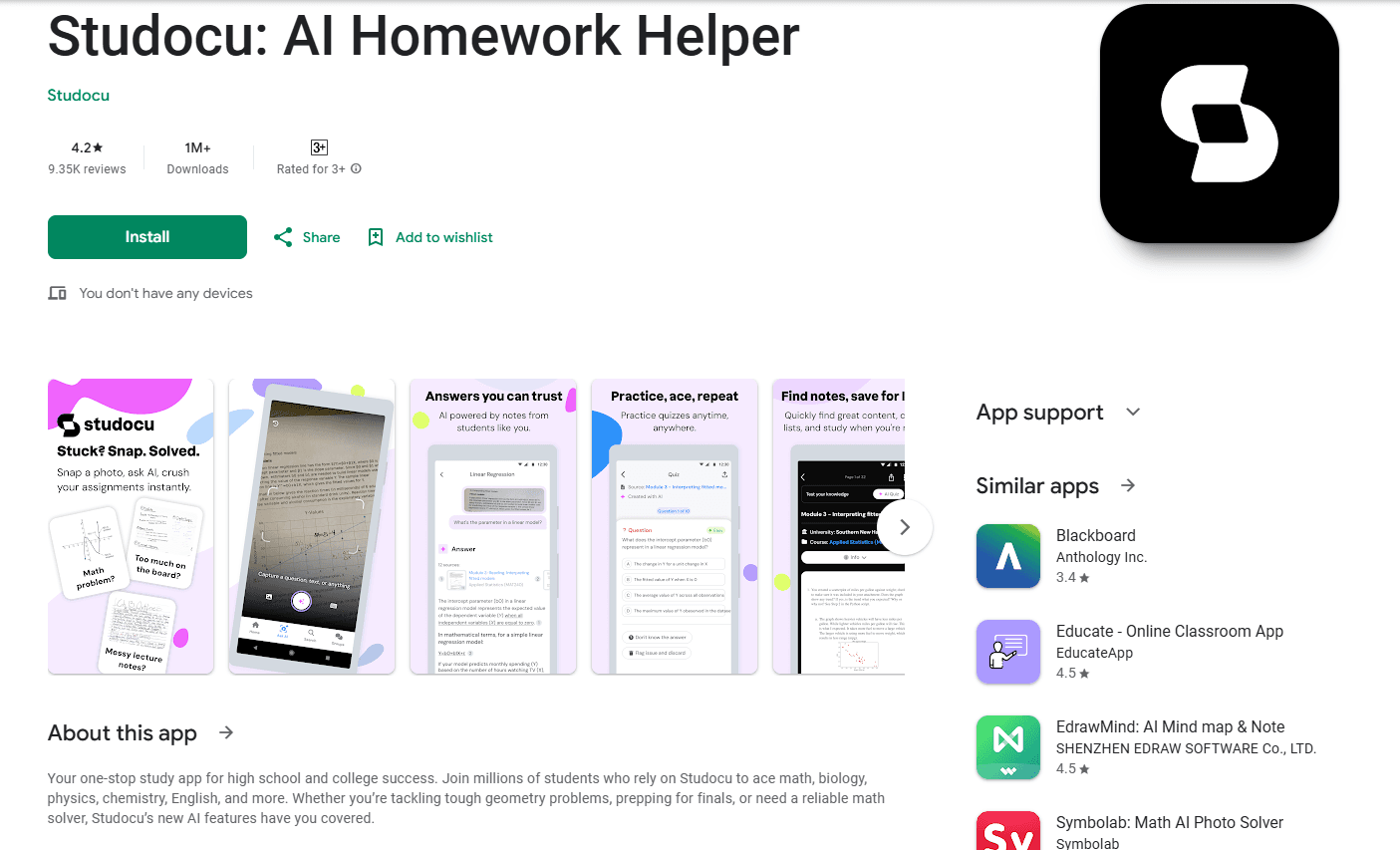
Studocu is an AI study app that pairs a library of 50M+ peer-shared notes with tools for recording lectures, generating quizzes, and getting homework help.
About Studocu: Notes & Practice
What Is Studocu
Studocu is a study notes app where university and high school students share notes, summaries, and practice materials, then use AI tools that work on those same materials. The company started in 2013 as Studeersnel, a project by four students at Delft University of Technology, and now operates from Amsterdam with students across more than 60 countries using it.
The core idea is simple. Instead of hunting through scattered PDFs and group chats before an exam, you pull everything into one project and let the app turn it into notes, quizzes, and practice tests. That combination of a real document library and course-aware AI is what separates Studocu from general chatbots.
The catch is that most premium content sits behind a subscription. You can read many documents for free, but downloading files and reading premium summaries require a paid plan or uploading your own materials to earn free Premium days.
Getting Started
- Sign up with an email address, Google, or Facebook account, then set your university or school and courses.
- Upload your own notes, slides, or a lecture recording, or open a document from the shared library.
- Start a project and add files or recordings to it so the AI has context for your course.
- Use the lecture recorder, quiz generator, or Ask AI to create notes, practice questions, and answers.
- Save summaries, download documents, and revisit quizzes in the practice tab before exam day.
Product Information
A quick look at Studocu: Notes & Practice's pricing, supported platforms, and performance.
Best for
The users, tasks, and scenarios where this tool fits best.
Users
- University students
- High school students
- Study groups
Tasks
- Recording and summarizing lectures
- Turning documents into practice quizzes
- Getting unstuck on homework
Scenarios
- The week before finals
- Back-to-back lecture days
- Catching up after a missed class
Key features
Lecture Recorder
Record a lecture, seminar, or study group directly in the app, and Studocu produces a full transcript organized by course. From there you get an AI summary with key learning points, detailed topic notes, exam call-outs, and action items. You can also schedule reminders so an important session never goes unrecorded.
AI Quiz Generator
Any document you find on Studocu can become a multiple-choice quiz with one tap. Each question comes with instant feedback and an explanation, and you can retry until the material actually sticks. Saved quizzes collect in a practice tab so you can return to weak spots later.
Ask AI
Snap a photo of a tough question or type it out, and Ask AI answers with clear step-by-step explanations for subjects like math, science, and languages. It works as a study tutor and a math solver, and you can ask follow-up questions to clear up anything that still reads as confusing. Answers draw on both advanced AI and the platform's catalog of student notes.
Student Notes Library
The shared library holds more than 50M study resources, from lecture notes and course summaries to essays and practice materials. You can filter by your university and exact course, so what you study matches what your professor actually covers.
Projects and Collaboration
Upload documents, PDFs, slides, or recordings into a project and combine them with resources from the library. Summaries merge several sources into one coherent overview, and you can share a workspace with classmates to co-create notes and practice questions for group projects.
AI Mock Exams
The mock exam tool builds realistic practice tests from your own course materials, so you can rehearse under exam-like conditions before the real thing. As an exam preparation tool, it gives you a low-pressure way to spot the topics you have not locked down yet.
Pros and cons
Pros
- Ties AI tools directly to a large library of real, course-specific documents, so answers reflect your actual syllabus rather than generic output.
- The lecture recorder covers the whole loop: record, transcribe, summarize, and quiz without switching apps.
- Ask AI explains steps instead of only giving answers, which helps more on math and science homework.
- Free access to read many documents, plus a way to earn Premium days by uploading your own notes.
- Works on web, iOS, and Android, so notes sync across phone and laptop.
Cons
- No monthly billing. You either pay quarterly or annually, so trying it for a short term costs more upfront.
- Premium pricing is not published in one place. You have to log in and check the offer for your country, which makes comparing plans harder.
- The quality of shared documents varies by course and institution, so some subjects have far more material than others.
Frequently asked questions
Studocu is a study platform that combines a library of peer-shared notes and summaries with AI tools. Students use it to record lectures, generate quizzes, get homework help, and prepare for exams with materials tied to their specific courses.
Related content
Explore related tools, skills, and articles for Studocu: Notes & Practice.
Studocu: Notes & Practice Alternatives

HireKey
HireKey · Voice & Language · Productivity · LeaningHireKey is an AI job search copilot built by a former tech recruiter. It checks role fit, tailors resumes, runs interview practice and tracks every application.

Lune
Retrograde Labs · Productivity · LeaningLune is a research search engine for scientific AI agents. It runs as an MCP server that lets Claude, ChatGPT and Cursor search peer-reviewed computer science papers and cite them.
Coddy
Coddy · Coding · LeaningCoddy is a gamified platform to learn to code through short interactive lessons in 20+ languages, with a browser editor, an AI tutor and free certificates.