

Study Fetch
Study Fetch · Leaning
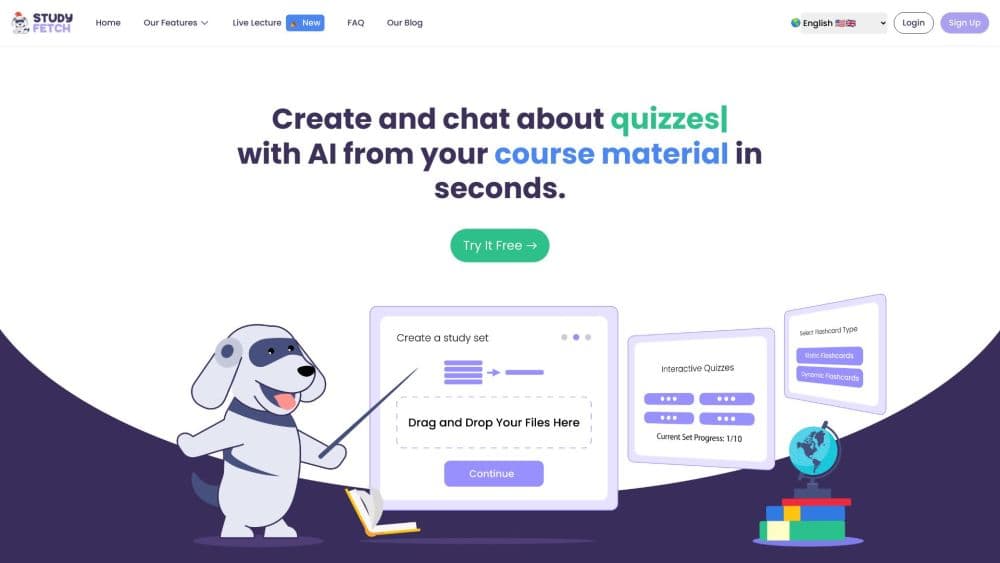
StudyFetch is an AI learning platform that turns lecture slides, PDFs, and class notes into flashcards, quizzes, notes, and a personal tutor called Sparky.
About Study Fetch
What Is StudyFetch
StudyFetch is a study platform built around your own course materials. You upload a lecture deck, a PDF reading, or a recorded lecture, and it turns that material into study tools: flashcards, quizzes, structured notes, and a voice tutor that can walk you through a topic. The idea is to help you actually learn the content instead of handing you an answer to copy.
The platform is aimed at students, from high school through university, and it leans on a tutor character called Sparky. Sparky reads your uploaded material, builds a study plan around your deadlines, and shows up across the other tools as a helper. StudyFetch says more than 8 million students use it and that 92% of regularly active users reported grade improvements, a figure the company derives from its own user surveys.
There are a few things to know before you start. The free plan covers the basic tools with set usage limits, and heavier use needs a paid plan. StudyFetch is a consumer product for students rather than a developer platform, so there's no advertised public API. And because the AI generates everything from your uploads, the quality of the study tools depends on the quality of the material you feed it.
Getting Started
- Go to studyfetch.com and sign up with an email or a Google account to open a free account.
- Upload your material, such as lecture slides, a PDF reading, a syllabus, or a video recording of a class.
- Let Sparky scan the upload and generate a study plan with topics ordered from the basics up.
- Pick a format to study with: flashcards, a quiz, AI notes, or a tutor session with Sparky.
- Track progress in the study plan and revisit the topics you haven't checked off yet.
Product Information
A quick look at Study Fetch's pricing, supported platforms, and performance.
Best for
The users, tasks, and scenarios where this tool fits best.
Users
- High school and university students
- Students who lose hours to note taking
- Learners who want a tutor on call
Tasks
- Turning a slide deck into study tools
- Building an AI study plan before a busy week
- Checking understanding after a lecture
- Capturing a lecture live
Scenarios
- Finals week across multiple subjects
- Working through a dense subject
- Studying with classmates
Key features
Study Plan
Study Plan breaks your uploaded material into small, ordered chunks and turns them into a schedule with clear milestones. Sparky sequences topics so foundational ideas come first, then tracks what you've covered and what's still ahead. It's meant to replace the blank-page feeling of not knowing where to start.
Sparky, the AI Tutor
Sparky is the tutor at the center of StudyFetch. It reads your material, answers questions about it, and works through problems with you rather than just handing over answers. It appears across the other tools, including the study plan and live lecture notes, so the same helper shows up wherever you're studying.
Tutor Me and Voice Conversations
Tutor Me gives you 24/7 help on your material through interactive sessions and voice-to-voice conversations. You can ask about a concept, work through a practice problem, or hold a casual back-and-forth to test whether you really understand a topic.
Live Lecture
Live Lecture records a class and generates notes in real time while you listen. Sparky transcribes the lecture, offers tips during the session, and analyzes the content to point you to what comes next. You finish class with structured notes already built.
AI Notes
Notes turns PDFs, PowerPoints, videos, and slides into clean, formatted notes with headers, bolded vocabulary, and bullet points, with images pulled from your source. You can set the depth, from a full pass over a dense primary reading to summarized for a quick skim.
Arcade Study Games
Arcade turns your notes and flashcards into game-style challenges you can play solo or head-to-head with classmates. Games are built from real course material, and each round reinforces what you need to know, which makes review feel less like a chore.
Pros and cons
Pros
- Turns your own lecture slides, PDFs, and recordings into flashcards, quizzes, and notes, so the tools match your actual course.
- Sparky works across the platform, giving you a tutor that answers questions about your material at any hour.
- Study Plan orders topics from the basics up and tracks progress, which helps when you don't know where to start.
- Live Lecture generates notes while class runs, cutting the time spent rewriting them later.
- A free plan covers the basic tools, so you can test the workflow before paying.
Cons
- Heavy use runs into the free plan's limits, and the paid plan runs about $19.99 per month, so casual users still hit a paywall.
- The study tools are only as good as the material you upload, so a messy or incomplete source leads to weaker flashcards and notes.
- There's no advertised public API, so it's a student-facing product rather than something a developer builds on.
- The platform leans on AI-generated content, so you still need to check explanations against your own notes and textbook before trusting them.
Frequently asked questions
StudyFetch is used to turn your course materials into study tools. You upload slides, PDFs, or lecture recordings and it generates flashcards, quizzes, notes, a study plan, and a tutor session with Sparky.
Related content
Explore related tools, skills, and articles for Study Fetch.
Study Fetch Alternatives

HireKey
HireKey · Voice & Language · Productivity · LeaningHireKey is an AI job search copilot built by a former tech recruiter. It checks role fit, tailors resumes, runs interview practice and tracks every application.

Lune
Retrograde Labs · Productivity · LeaningLune is a research search engine for scientific AI agents. It runs as an MCP server that lets Claude, ChatGPT and Cursor search peer-reviewed computer science papers and cite them.
Coddy
Coddy · Coding · LeaningCoddy is a gamified platform to learn to code through short interactive lessons in 20+ languages, with a browser editor, an AI tutor and free certificates.