

StudyX: AI Homework Helper
Brilian Technology · Leaning · Business
StudyX is an all-in-one AI study tool that solves homework from a photo or PDF, takes notes, and builds flashcards, with step-by-step answers and a large community answer library.
About StudyX: AI Homework Helper
What Is StudyX
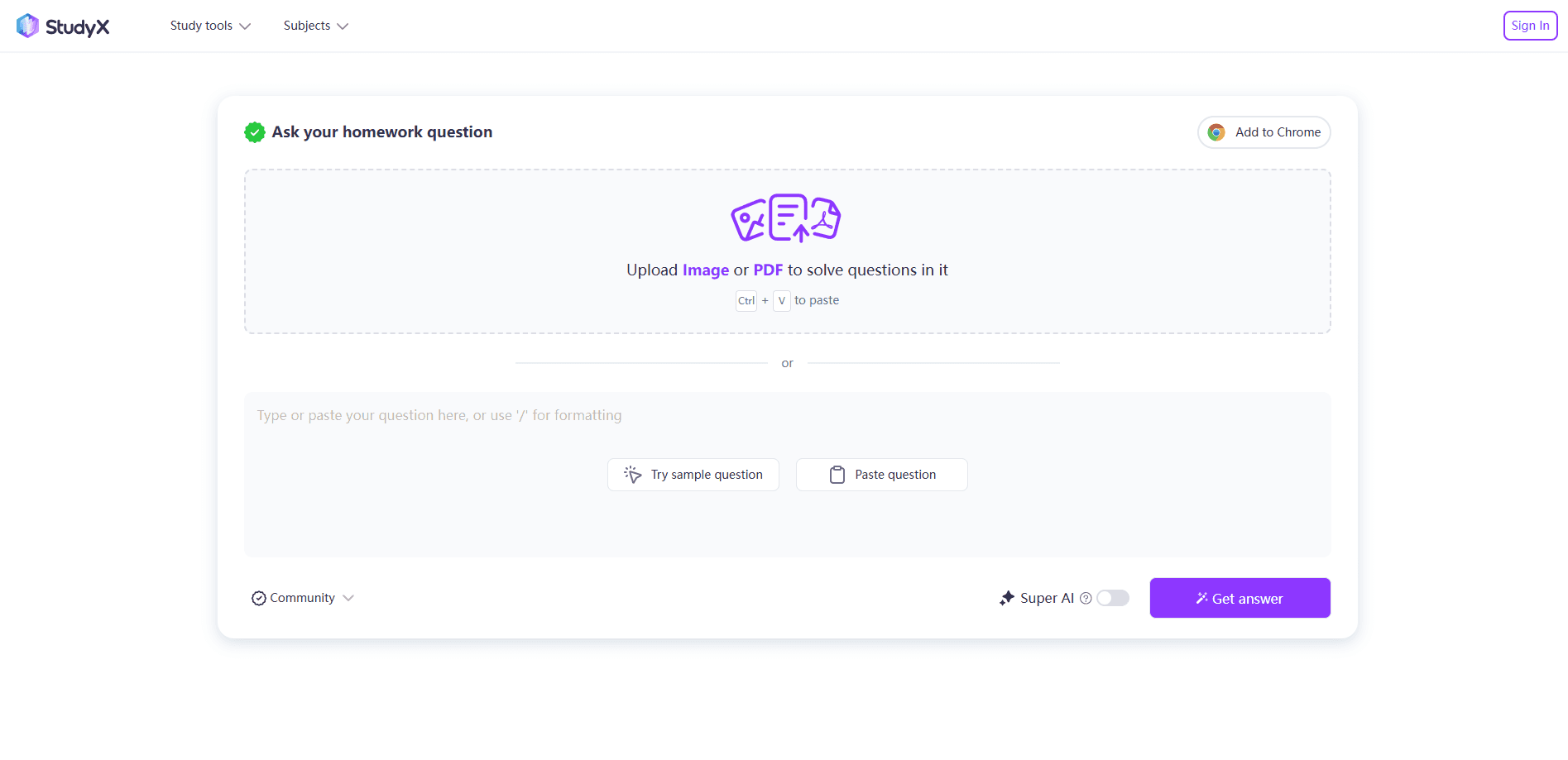
StudyX is a website and mobile app that students use to get homework help and study faster. You type a question, paste it, upload a file, or snap a picture, and the tool returns a worked answer with the steps shown. The same account also handles note-taking, flashcards, quizzes, and basic writing checks, so it works as a single study hub rather than one narrow solver.
The product targets a wide range of learners. StudyX says it covers 50+ subjects and works from middle school through college, and the company reports more than 10 million users. Most people reach for it when a problem stalls their revision or when they want a quick explanation instead of a final number.
There are limits worth knowing. The AI can still slip on tricky or unusual problems, so the step-by-step reasoning matters more than the final answer. Some advanced tools sit behind a premium subscription, and the free path leans on sign-up options and daily allowances. Anything you submit should be checked before you turn it in.
Getting Started
- Open the StudyX website or install the Android or iOS app, and create an account if you want saved history.
- Enter your question by typing, pasting text, uploading a PDF or image, or using the photo and formula tools.
- Read the step-by-step solution, then ask follow-up questions in the AI tutor chat if a step is unclear.
- Save the problem to your study space, or turn related material into notes, flashcards, or a practice quiz.
- Review saved questions before an exam, and check any answer against your own work or a textbook.
Product Information
A quick look at StudyX: AI Homework Helper's pricing, supported platforms, and performance.
Best for
The users, tasks, and scenarios where this tool fits best.
Users
- Middle school, high school, and college students
- Students who get stuck mid-assignment
- Students comparing solvers
- Self-study learners prepping for exams
Tasks
- Solving math and science problems
- Turning slides and PDFs into notes
- Building flashcards and practice quizzes
- Checking writing for originality
Scenarios
- Late-night homework when no one is awake
- Catching up before a big exam
- Working across devices
Key features
Screenshot and formula input
StudyX reads typed, pasted, uploaded, and photographed questions, including handwritten and printed math. The formula tool handles symbols and equations that are slow to type. This range matters because a blocked step usually starts with a question you cannot easily retype.
Step-by-step answers
The solver returns a worked solution rather than a bare result, so you can follow the method and spot where you went wrong. StudyX says its models combine several engines and reports 98% solution accuracy. Treat that figure as the company's own claim and verify tricky steps yourself.
AI tutor chat
After the first answer, you can keep asking follow-up questions in a chat. That back-and-forth suits concept-building, because you can push on a single step until it makes sense instead of accepting the first explanation.
Notes, flashcards, and quizzes
The same account turns textbooks, slides, PDFs, YouTube videos, and lecture recordings into notes, flashcard decks, and practice quizzes. StudyX says it generates a set in under 30 seconds across several input formats, which covers most ways students revise.
Community answer library
StudyX reports 85M+ community answers and a 75M+ question bank. The tool suggests similar questions and links to web results, academic sources, and video lessons, which gives you a second angle when the AI answer is thin. That library is the clearest edge over a plain screenshot homework solver.
Study space and progress tracking
Your questions are saved into a personal study space you can sort and revisit. Keeping problems in one place makes exam review faster, because you already have the questions that gave you trouble.
Writing and originality tools
A set of tools checks for AI-generated text, scans for plagiarism, rewrites text, and paraphrases passages while keeping the meaning. They cover the pre-submission workflow. Treat them as a prompt to revise, not a guarantee of a clean result.
Pros and cons
Pros
- Handles photos, handwriting, PDFs, and formulas, so you rarely have to retype a question.
- Step-by-step answers support learning rather than just handing over a final number.
- Free access with no mandatory sign-up on the core solver lowers the barrier to try it.
- One account covers solving, notes, flashcards, quizzes, and writing checks, which cuts app switching.
- A large community answer library and question bank add context beyond a single AI reply.
Cons
- The AI can be wrong on unusual or advanced problems, so you still have to check the steps.
- Some advanced tools sit behind a premium subscription, and the free path includes daily limits and sign-up prompts.
- The strongest value is the homework solver, and the writing tools are lighter than dedicated detectors.
- Accuracy claims come from the company, so 98% and similar figures are not independently verified.
Frequently asked questions
StudyX is used to solve homework and study faster. You submit a question by typing, uploading, or snapping a photo, and it returns a step-by-step answer. The same account also takes notes and builds flashcards and quizzes.
Related content
Explore related tools, skills, and articles for StudyX: AI Homework Helper.
StudyX: AI Homework Helper Alternatives

HireKey
HireKey · Voice & Language · Productivity · LeaningHireKey is an AI job search copilot built by a former tech recruiter. It checks role fit, tailors resumes, runs interview practice and tracks every application.

Lune
Retrograde Labs · Productivity · LeaningLune is a research search engine for scientific AI agents. It runs as an MCP server that lets Claude, ChatGPT and Cursor search peer-reviewed computer science papers and cite them.
Coddy
Coddy · Coding · LeaningCoddy is a gamified platform to learn to code through short interactive lessons in 20+ languages, with a browser editor, an AI tutor and free certificates.