

Emma: AI Food Scanner
Emma · AI Assistant
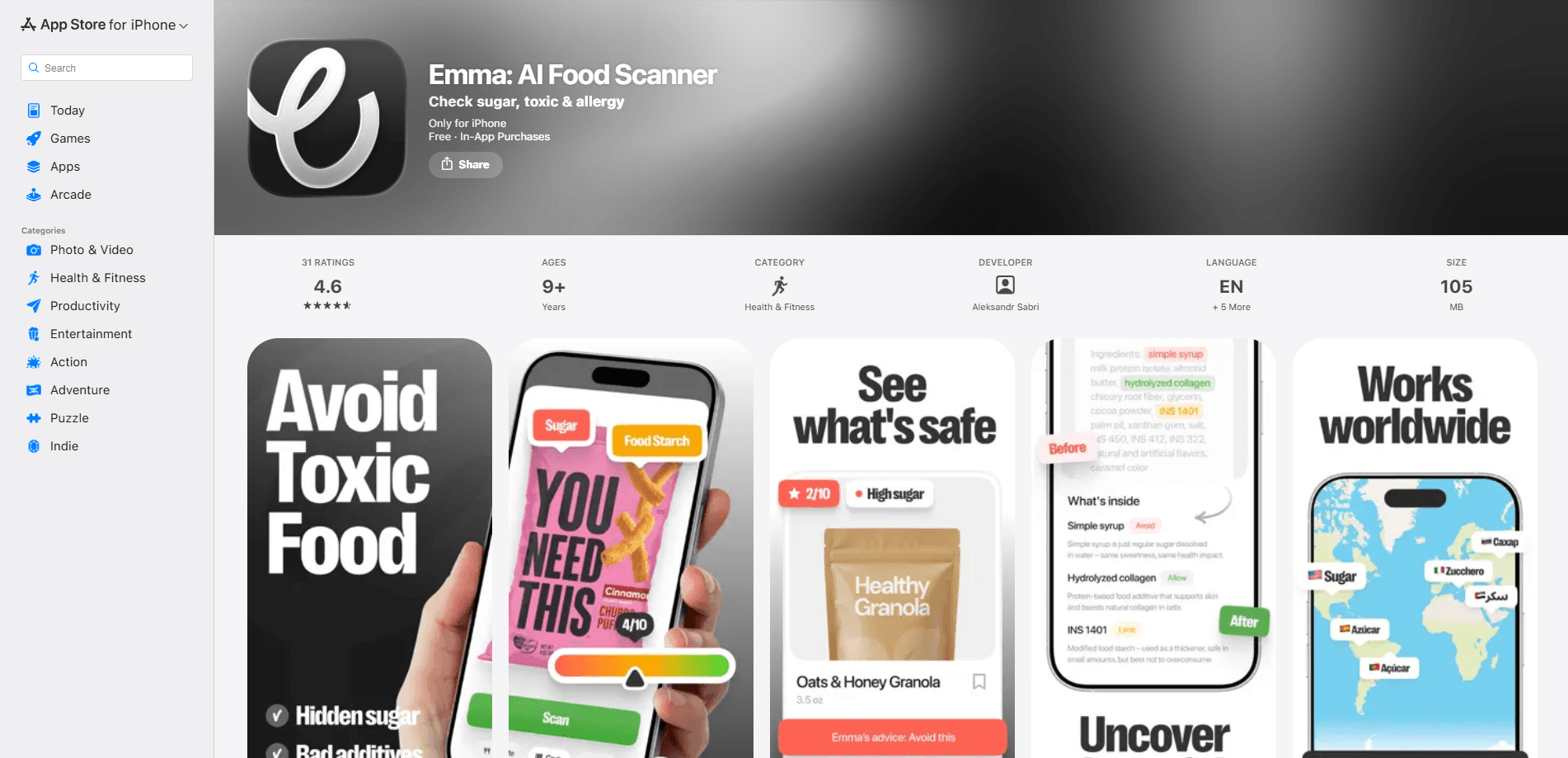
Emma: AI Food Scanner is an iOS app that turns your phone camera into a food label reader. Point it at an ingredient list and it breaks down what's inside, flags hidden sugars, common allergens, and questionable additives, then hands back a plain-language health score. It's built for people who want a straight answer about a product without decoding twenty synonyms for sugar or looking up E-numbers one by one. Call it a hidden sugar detector, an allergen scanner app, and a nutrition scanner app in one tool. The pitch is simple. Scan the label, get the truth.
About Emma: AI Food Scanner
What Is Emma: AI Food Scanner
Emma: AI Food Scanner is a mobile app that analyzes food ingredients and nutrition labels using AI. Instead of matching a barcode against an outdated database, it reads the actual text on the package, which means it works on local brands, imported goods, and anything a product database might miss. The app was made by the team behind Emma, an iOS-only product focused on helping people make faster decisions about what they eat.
The core problem it solves is label confusion. Food companies list sugar under dozens of names, hide additives behind vague terms like "natural flavors," and bury allergens in small print. Emma works as a food ingredient scanner and cuts through that by reading the label and translating the chemistry into a quick verdict. What's good? What should you watch? Does the product fit your diet or allergies? That's the whole point.
The biggest limitation is scope. Emma runs on iOS only, so Android users can't install it. It also leans on your camera reading a physical label, so it won't help with a restaurant menu you can't photograph clearly, and it's a reference tool rather than medical or dietary advice. If you have a serious allergy, you still need to check the package yourself.
Getting Started
- Download Emma: AI Food Scanner from the App Store and open it on your iPhone.
- Set up your profile by choosing your diet and listing any allergens you need to avoid. You only do this once.
- Point your camera at an ingredient list or nutrition panel and let the app scan it.
- Read the results: flagged ingredients, a health score, and any conflicts with your profile.
- Adjust the verdict against the physical label if something looks off, then decide whether the product earns a spot in your cart.
Product Information
A quick look at Emma: AI Food Scanner's pricing, supported platforms, and performance.
Best for
The users, tasks, and scenarios where this tool fits best.
Users
- Shoppers who read every label
- People managing sugar intake
- Anyone with food allergies or intolerances
- Parents buying for picky or restricted diets
Tasks
- Checking a packaged product before buying it
- Comparing two similar products
- Auditing a pantry staple you've trusted for years
- Learning what an unfamiliar ingredient does
Scenarios
- Grocery shopping in a store aisle with spotty signal
- Sorting through a delivery order before putting items away.
- Cooking at home and second-guessing a sauce or seasoning blend.
- Helping a family member with a new dietary restriction adjust their usual buys.
Key features
AI Label Scanning
Emma reads the text on a food label directly, using AI to parse ingredients rather than relying on a barcode database. That's the difference that matters for imported products and local brands, which often aren't listed in mainstream food databases. Point the camera. It scans. You get a breakdown in seconds.
Hidden Sugar Detection
Sugar rarely appears as just "sugar." Emma highlights added and hidden sugars across the aliases manufacturers use, such as cane juice, dextrose, corn syrup solids, and maltodextrin. For anyone watching blood sugar or cutting down on sweets, this turns a vague "contains sugar" into a clear count of how many forms are actually in the product.
Allergen and Additive Flags
You list your allergens once, and every scan checks the ingredients against them. Emma also flags additives and preservatives, explaining what each one is and why it might matter. The point isn't to frighten you about chemistry; it's to give you a reason to pause when a product hides something behind a generic term. Good allergen scanner apps do exactly this.
Plain-Language Health Scores
Each scan ends with a health score and a short summary, so you don't have to interpret a wall of nutritional data. The score is a guide, not a verdict. The app is clear that it doesn't replace a doctor or dietitian. Still, it's faster than comparing grams and percentages across five products. Numbers slow you down. A score doesn't.
Personalized Diet Profiles
Emma adapts to you. Set preferences like low-sugar, vegan, or gluten-free, and the app weights its analysis toward what actually matters for your diet. This is what keeps the results relevant instead of generic, and it's why a scan of the same product can read differently for two people.
Pros and cons
Pros
- Reads the physical label, so it works on products missing from barcode databases.
- Flags hidden sugars under common aliases, which a quick glance would miss.
- Personalizes results to your diet and allergens after a one-time setup.
- Gives a fast health score without forcing you to interpret raw nutrition data.
Cons
- iOS only, so Android users can't use it at all.
- Accuracy depends on a clear photo of the label; blurry or curved packaging can throw off the read.
- The health score is a rough guide, not medical or nutritional advice.
- Full features sit behind a subscription, and the free tier limits how much you can scan.
Frequently asked questions
It scans food and product labels with your camera and explains the ingredients, flagging hidden sugars, allergens, additives, and anything that conflicts with your diet. You get a health score and a plain-language summary instead of a raw ingredient dump.
Related content
Explore related tools, skills, and articles for Emma: AI Food Scanner.
Emma: AI Food Scanner Alternatives

Iplan AI
Iplan AI · Productivity · AI AssistantIplan AI is an AI travel planner that turns a few trip details into a full day-by-day itinerary in seconds. You answer questions about your destination, interests, budget, and travel companions, and the tool builds a plan you can edit, share, and carry with you on any device. It targets travelers who want a solid draft without spending hours in spreadsheets and browser tabs. Think of it as an itinerary generator that does the tedious part for you.

Screenhelp
Screenhelp · Productivity · AI AssistantScreenhelp is an AI screen assistant that turns a single keyboard shortcut into real-time help. You press Ctrl+Shift+Space, it captures what's on your screen, and it streams an answer into a private panel in about two seconds. Think of it as an AI screenshot helper you trigger on demand. It runs on Mac, Windows, and the web, starts free with 30 answers a month, and stays invisible during screen sharing on Zoom, Teams, and Google Meet.

Rainbow
Rainbow · AI AssistantRainbow is an AI weather forecast app built around short-term precipitation nowcasting. Its engine pushes min-by-min rain and snow predictions up to four hours ahead, blending live satellite and radar feeds into hyperlocal forecasts. The app adds live rain radar, a seven-day outlook, precipitation alerts, home-screen widgets, and a hurricane tracker, and it runs on both Android and iOS with a free tier plus paid upgrades.