

SuperCraft
SuperCraft · Image
SuperCraft is an AI design tool for concept generation and product visualization, turning sketches, CAD models or plain text into life-like renders and videos.
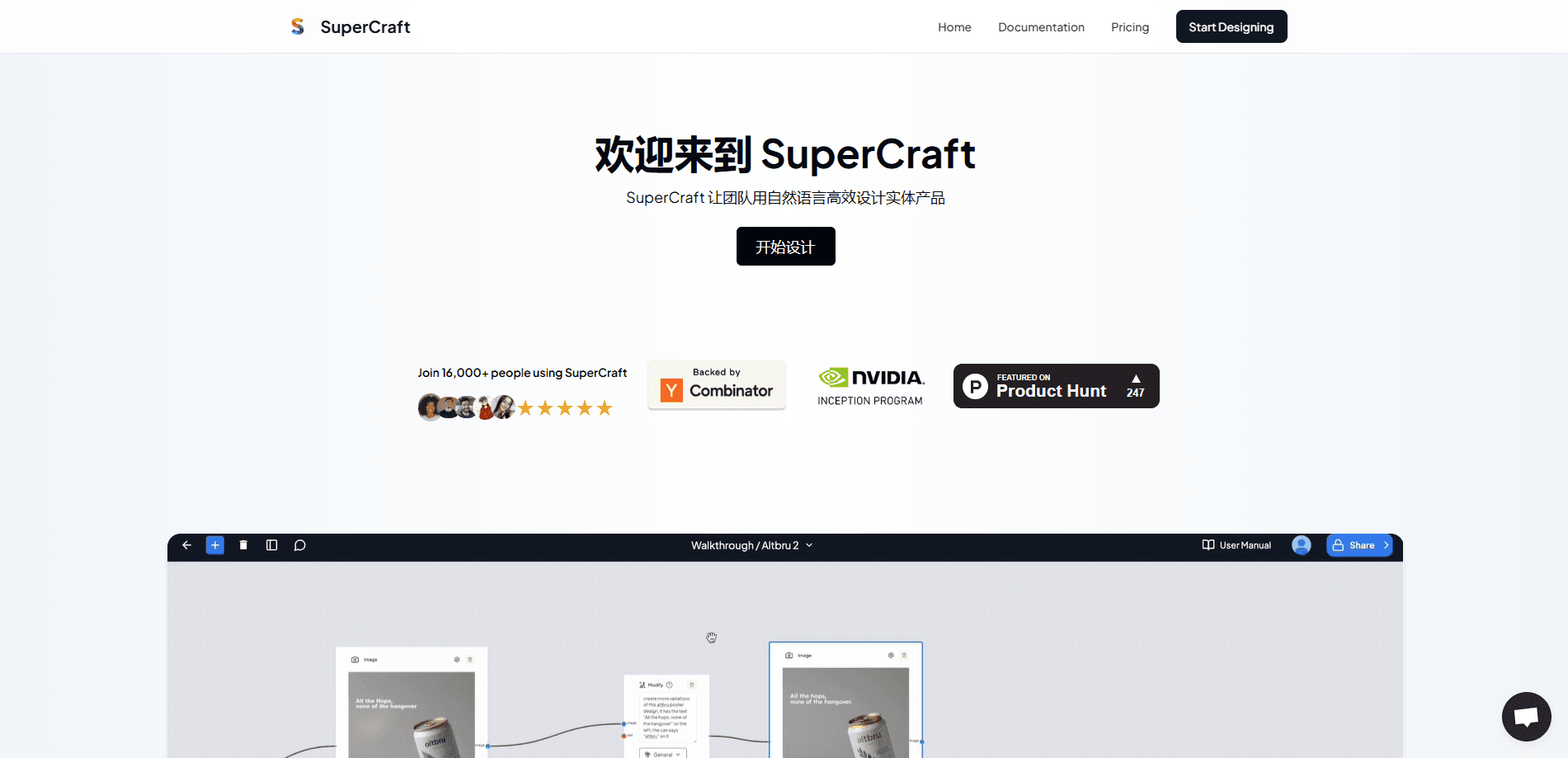
About SuperCraft
What Is SuperCraft
SuperCraft is a design platform for people who make physical products. You describe what you want in natural language, or bring in a rough sketch or an existing CAD model, and the tool generates realistic concept images you can review and refine. It's aimed at industrial designers, product teams and manufacturers rather than illustrators or game artists. Concept generation sits at the center: you bring intent, and the tool turns it into a visual.
The workflow is node-based. Instead of asking for one image and accepting what comes back, you build a chain of nodes that controls how each generation is produced. That structure lets you explore concepts without destroying earlier work, so you can branch, compare and roll back. It's a different mental model from a single-prompt chat box, and it's the part the company leans on hardest.
SuperCraft generates three main outputs. CAD Render turns an existing model or an idea into a photoreal visual. Sketch Render works from loose drawings. Product Video animates a concept so a team can see how it might move and read in a real setting. The pitch is that designers reach a committed direction faster and spend less time explaining ideas through back-and-forth documents.
The company markets itself on privacy and control. It advertises zero data retention and on-prem deployment, plus SSO, two-factor authentication and admin-level access controls. It also claims 99% uptime. SuperCraft says it's backed by Y Combinator and Nvidia, and reports more than 300,000 designs created and over 20,000 users.
Getting Started
- Go to the SuperCraft site and choose Get Started to open the app.
- Describe a product in words, upload a sketch, or bring in a CAD model.
- Add nodes to steer the generation instead of relying on a single prompt.
- Generate a CAD render, a sketch render or a product video from the same concept.
- Invite teammates so they can comment on, approve or reject designs in place.
Product Information
A quick look at SuperCraft's pricing, supported platforms, and performance.
Best for
The users, tasks, and scenarios where this tool fits best.
Users
- Industrial designers who need to explore many concept directions
- Product teams at hardware and consumer goods companies
- Design studios working for outside clients
- Startups that don't have a full design department
- Teams with strict data rules
Tasks
- Turning a rough sketch into a realistic concept
- Rendering an existing CAD model
- Generating product variations
- Producing a product video
- Collecting design feedback
Scenarios
- Kicking off a new product line
- Preparing a client presentation
- Reviewing concepts with a distributed team
- Clearing a security review at a large company
Key features
Node-based workflow for controlled generation
The core of SuperCraft is a node graph rather than a single prompt box. Each node handles a step, and you wire them together to control how a concept is built. The point is non-destructive exploration: you branch and iterate while the earlier versions stay in place. For designers who want to compare directions, this is the feature that shapes everything else.
CAD Render
CAD Render takes a model and produces a life-like visual, so a technical asset becomes something a non-designer can read. It matters most when a team already has geometry and needs presentation-ready imagery without a separate rendering setup.
Sketch Render
Sketch Render works from loose drawings, which is how most concepts actually start. You keep the intent of the sketch while the tool fills in materials, lighting and form. It lowers the bar for people who can draw an idea faster than they can describe it.
Product Video
Product Video animates a concept so a team can see motion and context rather than a still frame. It helps when the question is how a design feels in use, not just what it looks like on a page. Videos also tend to land better with stakeholders than static images.
Privacy, security and deployment control
SuperCraft puts zero data retention, on-prem deployment, SSO, 2FA and admin-level access controls up front. For companies that can't send product data to a consumer AI service, this is the difference between using the tool and ruling it out. It's a headline feature, not a footnote.
Team collaboration
Teammates can comment, approve or reject designs inside SuperCraft instead of routing feedback through other tools. Keeping review in the same place as the design shortens the loop and reduces the chance that a decision gets lost in a thread. It's built for teams, not just individuals.
Speed and exploration claims
SuperCraft claims 50x more variations explored than traditional workflows, a 70% reduction in time spent communicating product ideas, and 10x faster time to commitment. Those are vendor figures, so treat them as direction rather than a guarantee. The underlying idea, that faster iteration and fewer words spent explaining a design move a project along, is what the tool is built around.
Pros and cons
Pros
- The node-based workflow allows non-destructive branching, so you can explore many directions without losing earlier work.
- It starts from a sketch, a CAD model or plain text, which matches how different designers actually begin.
- Renders and product videos give stakeholders something concrete to react to, which shortens design decisions.
- Privacy features such as zero data retention and on-prem deployment open the door to companies with strict data rules.
- Built-in commenting and approvals keep design review in one place rather than spread across email and chat.
Cons
- The company doesn't publish public pricing, so you have to book a demo or contact sales to learn what it costs.
- There's no documented free plan, which makes it hard to try before committing.
- No public API is advertised, so programmatic or custom integrations are unclear.
- The efficiency figures, like 50x variations and 10x faster commitment, come from the vendor without independent testing.
Frequently asked questions
SuperCraft is used to design and visualize physical products. You describe a product in words, or start from a sketch or a CAD model, and the tool generates life-like concepts, renders and product videos. It's built for industrial and product design work rather than illustration or game art.
Related content
Explore related tools, skills, and articles for SuperCraft.
SuperCraft Alternatives

Google EmbeddingGemma 2
Google DeepMind · Writing · Image · CodingGoogle EmbeddingGemma 2 is a 740M-parameter open model that turns text, code, images, audio, and video frames into vectors in one 768-dimension space, running on phones and laptops.

Tractionwave
TractionWave · Image · MarketingTractionWave is an AI attention heatmap tool for static ads. Upload a PNG or JPG and it returns predicted attention, ranked hotspots, and fixes before you spend budget.

Imejis.io
Imejis.io · Image · MarketingImejis.io is an AI design studio for agents and marketing teams. Describe an image in plain words, and it writes the copy, builds the layout, reflows it to every size, then exports a finished file.