

SuperShrimp
SuperShrimp · Leaning · AI Assistant
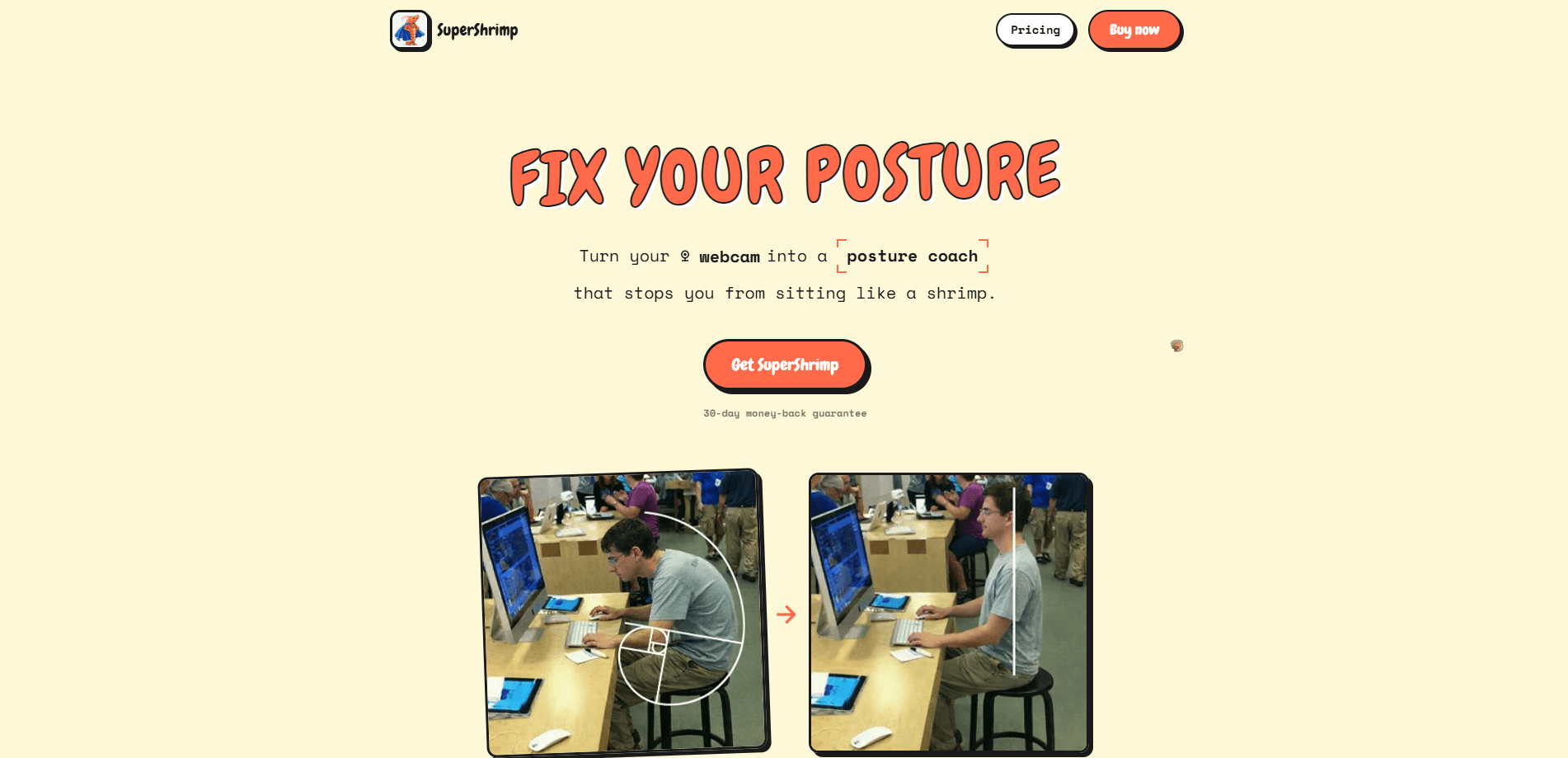
SuperShrimp is a macOS app that turns your webcam into a posture coach. It scores how you sit from 0 to 100, nudges you with a notification when you slouch, and tracks your progress over time. Everything runs on your own machine with on-device AI, so no images leave your computer. If you spend long days at a desk and your back pays for it, this is a low-cost way to catch bad habits in the moment instead of after the damage is done. Ever caught yourself folded over your keyboard at 4 p.m. with no memory of how you got there? That's the exact moment this app is built to interrupt.
About SuperShrimp
What Is SuperShrimp
SuperShrimp is a desktop app for Mac that watches how you sit and tells you, in real time, whether your posture is helping or hurting you. It reads your position through your webcam and runs the analysis locally, so it works without an internet connection and never uploads a frame.
The problem it targets is simple. Most people don't notice they've curled forward until their neck or lower back starts complaining, so a sit up straight app that reacts in the moment fills a gap willpower can't. SuperShrimp catches the slouch the moment it happens and shows you exactly how to sit instead, which turns a vague intention into a habit you can actually build.
The main limit is scope. This is a Mac-only tool built around a webcam, so it won't help you on a phone or a desktop without a camera. It also reads posture, not pain. If you already have a diagnosed back condition, it's a nudge, not a treatment.
Getting Started
- Download SuperShrimp from the official site and open it on your Mac.
- Grant the camera permission the app asks for so it can see your upper body.
- Sit at your desk as you normally would and let the app calibrate your "straight back" baseline.
- Minimize the window and go back to work. Leave it running in the background.
- Review your score and daily trends before you log off to see where your posture fell apart.
Product Information
A quick look at SuperShrimp's pricing, supported platforms, and performance.
Best for
The users, tasks, and scenarios where this tool fits best.
Users
- Remote workers and developers who sit at a Mac for six or more hours a day
- People with early-stage neck or back discomfort
- Anyone who has tried to "just remember to sit up" and failed
Tasks
- Monitoring posture during long focus sessions
- Building a sit-up-straight habit
- Reviewing your week
Scenarios
- An afternoon slump at 3 p.m. when you slowly fold toward the screen
- Working from a kitchen table without an ergonomic chair
- Freelancers who can't justify an expensive ergonomic setup
Key features
Real-Time Posture Scoring
SuperShrimp runs an AI posture analysis through your Mac's webcam, watching your upper body and turning what it sees into a single score on a 0 to 100 scale. The score updates as you move, so this webcam posture tracker gives you a live read on your sitting position at any moment. It also tells you how to adjust, not just that something is wrong.
Slouch Alerts That Actually Reach You
Minimize the app and forget about it. The moment your posture drops below your baseline, a notification pops up with a view of how you're sitting so you can fix it in one glance. This is the part that matters for people whose problem isn't knowledge but memory.
Progress Tracking and Analytics
The analytics break your day into good posture time versus bad, and show daily and weekly trends. Over a few weeks you can see whether your average is climbing or your afternoons keep collapsing. That data is what makes a posture change stick.
Gamified Motivation
Good posture is boring, so SuperShrimp adds a game layer. Every minute you sit right earns XP, and your shrimp character evolves across 10 levels. There's a leaderboard too, if a little competition helps you keep your shoulders back.
On-Device Privacy
All the AI analysis runs locally on your Mac. No images are captured or stored, and posture detection works with no internet connection at all. For anyone uneasy about a camera pointed at their face all day, that design choice is the whole point.
A One-Time Price
SuperShrimp costs $17 once at launch, with a stated rise to $29 later, and it comes with a 30-day money-back guarantee. There's no subscription, which sets it apart from the monthly-fee posture apps that squeeze you for a habit you're trying to build.
Pros and cons
Pros
- Runs entirely on-device, so your webcam feed never leaves your Mac.
- The slouch alert is timely and specific, showing you the problem instead of just flagging it.
- One-time pricing with a 30-day refund window beats the subscription model common in this category.
- Posture score, history, and gamification combine to make a habit that's hard to keep on your own feel doable, which matters more than any single feature here.
- Works offline, so a spotty connection doesn't break your tracking.
Cons
- Mac only, so Windows and mobile users are out of luck.
- It needs your webcam, which rules out desks with no camera and makes some people uncomfortable by default.
- Posture feedback can lag behind fast movements, and lighting or an odd camera angle can throw off accuracy.
- It coaches your sitting position but doesn't address pain, stretching, or underlying injury.
- The gamified shrimp theme won't land for everyone who wants a plain, no-nonsense tool.
Frequently asked questions
SuperShrimp uses your Mac's webcam and on-device AI to score your sitting posture from 0 to 100 in real time. When your posture drops, it sends a notification with a view of how you're sitting so you can correct it.
Related content
Explore related tools, skills, and articles for SuperShrimp.
SuperShrimp Alternatives

Kaggle AI
Google · Coding · LeaningKaggle AI is a community platform where people build, test, and compare machine learning models against shared data. It combines data science competitions, tens of thousands of public datasets, and free cloud notebooks with GPU and TPU access, so anyone with a browser can train a model without buying hardware. Google owns the platform, and joining costs nothing.

Bunch
Bunch AI · Leaning · BusinessBunch is an AI leadership coaching app that turns a few spare minutes a day into real management practice. It hands you one short, personalized tip each day, tracks how you respond, and lets you compare notes with peers inside private groups. The pitch is simple: you lead better by practicing a little, often, instead of sitting through a weekend seminar. Think of it as a leadership training app you actually open.

AI Mock Interview
SQLPad · Coding · LeaningAI Mock Interview is a practice tool built into SQLPad that simulates real job interviews and gives you instant feedback on both what you say and how you say it. You pick a role template or upload a job description, answer questions out loud in real time, and then review a transcript with notes on structure, clarity, and grammar. It's aimed at data professionals prepping for SQL, Python, data engineering, machine learning, and system design roles, and it works entirely in the browser. No install needed.