

SuperStudentAI
SuperStudentAI · Productivity · Leaning
SuperStudentAI is a free AI study assistant for students who want to organize class notes, generate quizzes, build diagrams, and ask questions about their own material.
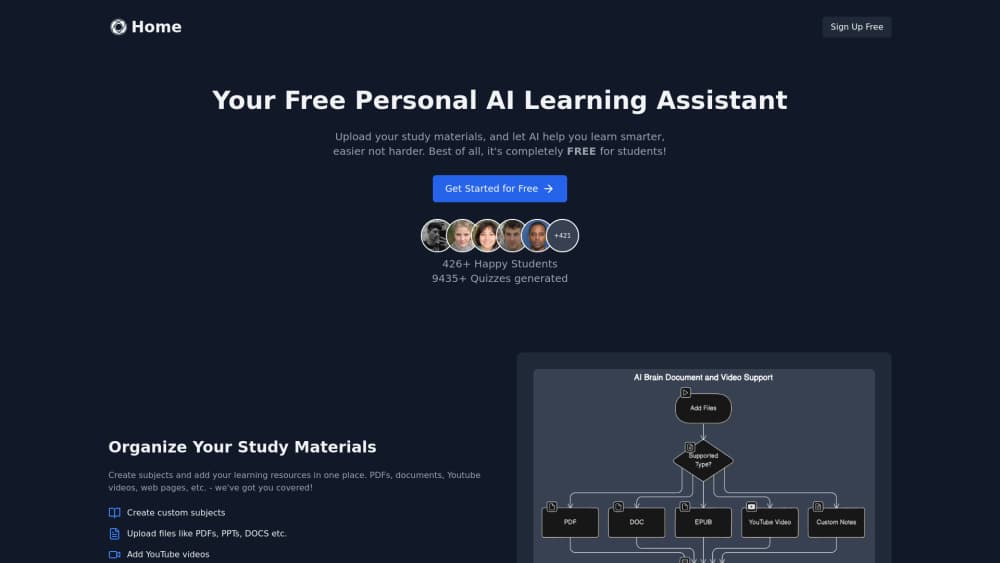
About SuperStudentAI
What Is SuperStudentAI
SuperStudentAI is a web-based study assistant built around one idea: your own course material should be the source of everything the AI helps you do. Instead of asking a general chatbot about a topic, you upload or paste the notes, slides, and readings you were actually given, then work from that.
The pitch is speed on the boring parts. Turning a chapter into practice questions, drawing a concept map, or finding the one paragraph that answers your question are all tasks you can hand off. That leaves more time for the parts that only you can do, like deciding what you still don't understand.
It behaves less like an AI tutor app and more like a set of sharp tools. There's no lesson plan and no grading. You bring the questions.
The limits matter too. It's a study aid, not a replacement for your textbook, and AI-generated quizzes can miss nuance in a dense subject. Treat its output as a first draft you check, not a final answer. The site also doesn't publish detailed pricing tiers or a public changelog, so specifics on paid plans are best confirmed on the official site.
Sound like a lot? It isn't. Most of the setup is one upload.
Getting Started
- Go to superstudentai.com and create an account with your email.
- Add your material: paste text, upload a document, or drop in the notes for the topic you're revising.
- Pick a task from the workspace, like generating a quiz, building a diagram, or opening a chat on the upload.
- Review what the AI produced and edit anything that looks off before you rely on it.
- Save the study set so you can come back to it the night before the exam.
Product Information
A quick look at SuperStudentAI's pricing, supported platforms, and performance.
Best for
The users, tasks, and scenarios where this tool fits best.
Users
- High school and college students
- Self-taught learners
- Study groups
Tasks
- Turning a lecture into practice questions
- Mapping how concepts connect
- Answering questions about your own readings
- Organizing scattered material
- Cramming for a final
Scenarios
- The night before an exam
- Mid-semester catch-up
- Revising on a laptop between classes
Key features
Quiz generation from your own notes
The core AI quiz generator takes the material you upload and turns it into questions you can answer. It's the fastest way to convert passive reading into active recall, which is the part of revision most people skip. The catch is quality: questions on fine distinctions can come out too easy or too vague, so spot-check a few before a session.
Chat over your material
Rather than a general chatbot, the assistant answers against the content you provided. That keeps answers tied to what your course actually covered. Ask it to explain a term in simpler language or to point at which part of your notes covers a topic. It works well for clarification, less well for questions your source doesn't address.
Diagram and concept map building
For subjects where relationships matter more than isolated facts, you can have the assistant sketch a diagram of how ideas link together. History timelines, biology processes, and network diagrams all come out as visual scaffolding. Expect to clean up the labels. Automatic layout gets crowded on big topics.
Study material organization
Notes from multiple sessions can live in one workspace instead of six browser tabs and a folder of blurry photos. A decent study notes organizer is what makes the chat and quiz tools useful over a whole term. The trade-off is that you have to keep uploading. The assistant only knows what you give it.
Subject-agnostic coverage
The tool isn't locked to one field. Students use it for history, biology, and language courses as much as for STEM. That flexibility is the point. Depth varies, so a niche advanced topic may get thinner treatment than a standard intro course.
Browser-based access
It runs in a web browser, so a Chromebook, a library desktop, and your own laptop all work without an install. No setup, no app store, no storage limits to worry about. That also means no offline mode, which matters if you revise on a train or in a dead-zone dorm room.
Pros and cons
Pros
- Free to start, with no download required, so you can test whether the workflow fits before committing.
- Works from your own material, which keeps outputs closer to your syllabus than a generic chatbot.
- Combines several revision tasks (an AI quiz generator, flashcards, diagrams, chat) in one place instead of four separate tools.
- Runs in the browser on any device, handy for students switching between school and home machines.
- Covers multiple subjects, so one account carries you across your whole timetable.
Cons
- No offline mode means you can't revise without a connection.
- Quiz and diagram output needs checking on dense topics, which adds back some of the time you saved.
- The official site gives limited public detail on paid tiers and updates, so you'll want to confirm pricing yourself before relying on the free plan long term.
- No Android or iOS app, so everything goes through the browser.
Frequently asked questions
It's an AI study assistant that turns your own class material into quizzes, diagrams, and answers to your questions. You use it for revision and comprehension, not as a replacement for your textbook.
Related content
Explore related tools, skills, and articles for SuperStudentAI.
SuperStudentAI Alternatives

Udon
Udon · Coding · ProductivityUdon turns an Apple Silicon Mac into a home server you run from a browser, with container controls, file shares, and an optional AI sysadmin.

offstage
offstage cloud · Coding · Productivityoffstage gives AI coding agents and CI jobs a real Mac: a fresh macOS account on Apple silicon, driven over an API and billed by the second.

BotBus
Chengdu Tuyang Tusen Technology Co., Ltd. · Coding · ProductivityBotBus lets you control AI coding agents from your phone and watch: approve commands, start tasks and read results while the code stays on your desktop.