

Supertake
Supertake, Inc. · Productivity · Business
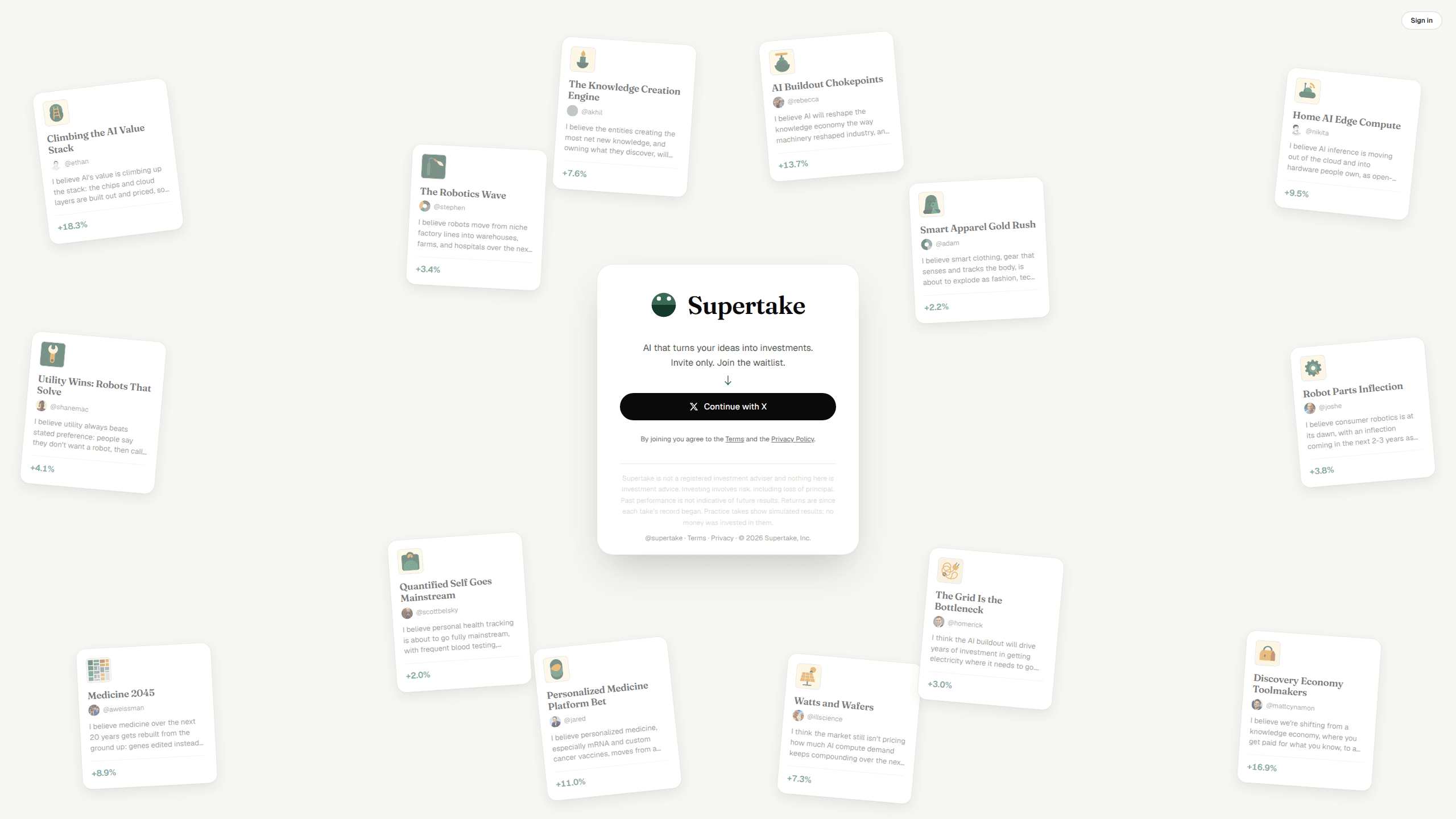
Supertake turns a written investment idea into a managed portfolio of US stocks, then sends the trades to your own brokerage. It's invite-only while in beta.
About Supertake
What Is Supertake
Supertake is an AI investing app from Supertake, Inc., a company built inside Union Square Ventures and shown publicly for the first time on September 28, 2026. You describe a belief about where the world is heading, and the software assembles a basket of US-listed stocks around it, then keeps the weights in line as prices move.
Most people have views about markets and no practical way to use them. An index fund ignores your view. Buying a single stock because a post told you to usually leaves you holding something you can't explain. The pitch here is to invest in your ideas while the software handles selection and rebalancing, and your brokerage handles execution and custody.
Two limits matter before you sign up. Access is gated by a waitlist and invite codes, and the asset list stops at US public equities for now. Crypto, derivatives, and prediction markets are on the roadmap, not in the product.
Getting Started
- Join the waitlist at supertake.com with an email, or enter an invite code if someone passed one along.
- Link a supported brokerage account through the provider's own authorization screen. Practice Mode lets you skip this.
- Write your take in a sentence or two, then read the portfolio the AI trading agent proposes and the reasoning behind each holding.
- Pick manual approval or turn on Autopilot, and set the trading limits you're comfortable with.
- Talk to the portfolio in the app or by email, and publish the take if you want other people to see it.
Product Information
A quick look at Supertake's pricing, supported platforms, and performance.
Best for
The users, tasks, and scenarios where this tool fits best.
Users
- Investors with a thesis and no time to research it
- People who have never bought a stock
- Creators who write or post about markets
Tasks
- Turning a view into a diversified basket
- Daily upkeep
- Testing an idea cheaply
- Comparing your judgment with other people's
Scenarios
- You notice a shift in your own life before it reaches an earnings call, like a hobby going mainstream or a category of stores emptying out.
- You want to keep investing every month but hate picking individual companies.
- A long argument with friends about one industry needs a way to settle it.
Key features
Takes written in plain language
The input is a sentence, not a ticker list. Something like "humanoid robots are coming to every home" is enough for the AI trading agent to work from. That drops the cost of starting to a thought you already had.
Portfolio construction across US equities
Behind each take, the system weighs company financials, competitive position, market cap, and price history, then assigns weights so one bad call doesn't sink the whole position. You see the holdings and can argue with them before any order goes out. This is the AI portfolio management layer, and it keeps running after the first trade.
Trades routed to your own brokerage
Supertake connects to brokerage accounts through provider APIs. Robinhood is named in the company's terms, and Coinbase came up at launch. Once the first orders fill, your AI stock portfolio sits in your own account, visible in both apps. Supertake never takes custody and can't withdraw funds.
Autopilot or approve each trade
Manual mode sends a proposal and waits for your yes. Autopilot investing works inside limits you set and can buy or sell without a per-trade check. You can switch between the two, which matters on a travel day or when a position moves fast.
Practice Mode
Practice Mode builds and manages the same kind of portfolio with simulated money. No brokerage connection, no orders, no risk. The numbers are hypothetical and labeled that way, so treat a good run as a rehearsal, not a track record.
Shared takes and a public leaderboard
Every take can be published. Another user can fork it and put their own money behind it, and the strongest performers rise on a leaderboard. That makes the product partly a social feed, which is either the reason you'll stay or the part you'll ignore.
Pros and cons
Pros
- Cuts out the research phase that stops most people from acting on an idea.
- Daily management and rebalancing run without you logging in.
- Practice Mode is a working sandbox, not a demo video, and it needs no brokerage account.
- Free to use through the private beta.
- The social layer gives you a way to compare your read against other investors.
Cons
- Invite-only beta with a waitlist, so you may not get in this week.
- US-listed equities only, which rules out most of the world's markets for now.
- Supertake isn't a fiduciary or a broker, so every order and every tax consequence is yours.
- Leaderboard returns are self-reported or simulated in places, which makes them a weak signal of real performance.
Frequently asked questions
It takes a written belief about the future, builds a portfolio of US stocks that expresses it, and can place the trades in your brokerage account. After that it monitors the portfolio daily and rebalances when the mix drifts.
Related content
Explore related tools, skills, and articles for Supertake.
Supertake Alternatives

Base Code
Base44 (Wix) · Coding · ProductivityBase Code is a shared cloud development environment from Base44. Teammates describe changes to an existing GitHub codebase in chat, preview them live and send them back as pull requests.

Knocket
Knocket (Tencent RTC team) · Productivity · Business · ChatbotKnocket is a free live chat and contact page tool that lets visitors message you from your website, app, or a shareable link, with every reply handled from Telegram or one inbox.

FloorGen
Vinit Kumar (FloorGen) · Productivity · China AIFloorGen is a browser-based floor plan maker that turns a sentence or a sketch into an editable 2D plan and a 3D walkthrough. Export to PDF, DXF or video, and draw without an account.