

SupPixel AI
SUPIR team (XPixel research group) · Image
SupPixel AI is the official web app for the SUPIR model. It upscales and restores blurry or compressed photos, and you can steer what it rebuilds by typing a text prompt.
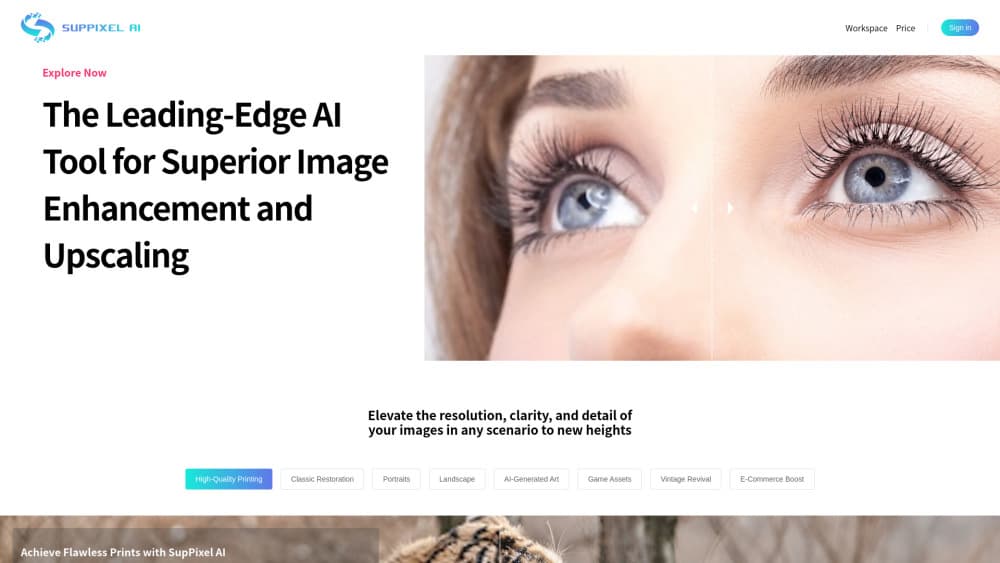
About SupPixel AI
What Is SupPixel AI
SupPixel AI is the hosted version of SUPIR, a research model built for photo-realistic image restoration. The people behind the model published it in early 2024, and the online app is where most users meet it. You upload a photo, pick a scale factor, and the model rebuilds detail that compression or a low-resolution sensor wiped out.
The problem it solves is narrow but common. Phone photos from ten years ago, screenshots blown up for print, and pictures downloaded and re-saved a dozen times all lose texture in the same way. Normal resizing just stretches those pixels. A diffusion model trained on degraded images guesses at the missing grain, skin pores, and fabric weave instead of smoothing them into plastic.
The biggest limitation is control. A generative model that invents detail can also invent things that were never there, and faces are where that shows up first. SupPixel gives you a fidelity slider and a text prompt to pull results back toward the original, but you still need to compare output against source on anything that matters. There's no public API and no desktop app, so anything you process has to go through the browser.
Getting Started
- Open suppixel.ai and sign in with a Google account.
- Upload the photo you want to restore. Small files with heavy compression respond best.
- Choose a scale factor, then write a short prompt describing the scene, such as the subject, the lighting, or the material of a garment.
- Pick a fidelity setting. Lean toward likeness if the photo is a portrait or a document, toward visual quality if it's a wallpaper or a mockup.
- Download the result and compare it side by side with the original before you use it anywhere public.
Product Information
A quick look at SupPixel AI's pricing, supported platforms, and performance.
Best for
The users, tasks, and scenarios where this tool fits best.
Users
- Photographers cleaning up old client files
- Family archivists scanning prints
- Designers who need a placeholder photo at print size
Tasks
- Restoring a compressed screenshot for a slide deck
- Recovering detail in a dark or noisy photo
- Preparing product photos for a marketplace listing
- Fixing an old portrait for a family print
Scenarios
- A folder of scanned family photos that need one consistent pass
- A marketing mockup that needs a bigger background image
- A single damaged photo you want to rescue
Key features
Text-Guided Image Restoration
SUPIR takes a written description of the scene alongside the image. Tell it the photo shows a wool coat under tungsten light and the model leans toward that texture and color temperature. That's the main difference from an older AI image upscaler, which only looks at pixels and can't be told what it's looking at.
Fidelity and Quality Controls
A slider trades likeness for visual polish. Turn it one way and the output stays close to the source, flaws included. Turn it the other way and the model adds cleaner detail, which looks better on a wall and less like the original person. For any photo where identity matters, this setting decides whether the result is usable.
Detail Recovery on Faces and Skin
Skin is where diffusion restoration is most obvious, for better and worse. Pores, eyelashes, and hair strands come back sharp on a good source. On a source where the face is only a few dozen pixels wide, the model fills in a plausible face, and that face may not be the person you photographed.
Cleanup of Compression and Sensor Noise
Heavy JPEG artifacts, banding, and low-light grain are what this model was trained to undo. If you want to fix blurry photos from an old phone, this is the pass that does most of the work. Photos that look muddy at 100 percent often come back with usable edges. Noise that sat on top of fine texture is the harder case, since the model can't tell the difference between grain and detail.
Browser-Only Workflow
There's nothing to install and no GPU to buy. Upload, adjust, download, and the heavy lifting happens on their servers. That makes it practical on a laptop or a phone, and it also means your files leave your machine, which matters if the photo is confidential.
Free Starting Credits
New accounts get a small pool of credits after Google sign-in, enough to test the model on a handful of images. Past that you buy credit packs, so cost scales with how many images you process rather than a monthly seat.
Pros and cons
Pros
- Text prompts give you a way to correct a restoration that guessed wrong, which most upscalers don't offer.
- The fidelity slider makes it possible to keep a portrait recognizable instead of drifting into a different face.
- Runs entirely in a browser, so an older laptop or a phone is enough.
- Free credits cover a real test on your own photos before you pay anything.
- Strong on compression artifacts and low-light grain, the two problems that ruin most phone photos.
Cons
- Credits run out fast on large images, and there's no unlimited tier, so a big archive gets expensive.
- Faces at very low resolution come back as someone who looks plausible but may not be the person.
- Text, logos, and fine print inside an image often turn into garbled shapes, so you can't use it on screenshots of documents.
- No public API and no batch upload means you can't script a large job or plug it into an existing pipeline.
Frequently asked questions
It restores and enlarges photos using the SUPIR diffusion model. You give it a low-quality image and a short description, and it rebuilds resolution and texture. It's built for photographs, not illustrations or line art.
Related content
Explore related tools, skills, and articles for SupPixel AI.
SupPixel AI Alternatives

Google EmbeddingGemma 2
Google DeepMind · Writing · Image · CodingGoogle EmbeddingGemma 2 is a 740M-parameter open model that turns text, code, images, audio, and video frames into vectors in one 768-dimension space, running on phones and laptops.

Tractionwave
TractionWave · Image · MarketingTractionWave is an AI attention heatmap tool for static ads. Upload a PNG or JPG and it returns predicted attention, ranked hotspots, and fixes before you spend budget.

Imejis.io
Imejis.io · Image · MarketingImejis.io is an AI design studio for agents and marketing teams. Describe an image in plain words, and it writes the copy, builds the layout, reflows it to every size, then exports a finished file.