
Swapface
Swapface · Image · Video
Swapface is a Windows face swap app that runs on your own PC, swapping faces in live streams, videos, and photos without sending your files to a server.
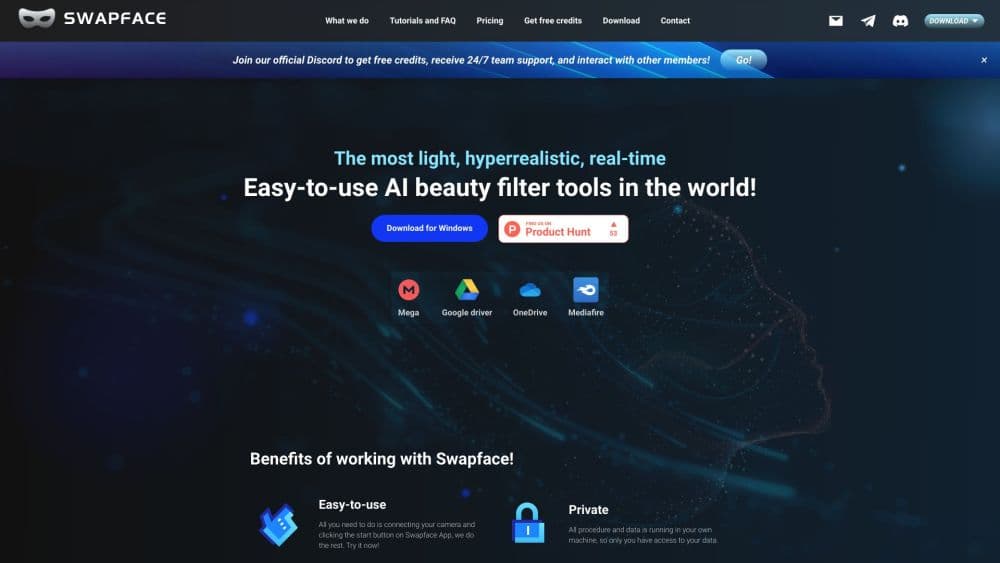
About Swapface
What Is Swapface
Swapface is a face swap tool for Windows that swaps faces in real time. It works on your own machine, so the video feed and the source photos never leave your computer. If you've looked at AI face swap software before, the local design is what separates it from the browser-based crowd. That setup is the company's main selling point, and it matters for anyone who worries about where a face model ends up.
The app covers three jobs in one window: live face swap for streaming, video face swap for recorded clips, and image face swap for stills. You pick a source face from the built-in gallery or upload your own photo, open the target feed or file, and hit Start. The rest happens automatically.
Before you commit, know the hardware bill. Swapface leans on an NVIDIA GPU, and the official system requirements ask for a discrete card with 6GB of VRAM or more. A laptop with integrated graphics won't run it well. The app is also Windows-only, so Mac and mobile users are out.
Getting Started
- Download Swapface from the official site and install it on a Windows 10 or Windows 11 machine with an NVIDIA GPU.
- Sign up with an email address and verify the code that lands in your inbox.
- Pick an output folder where the app will save your finished files.
- Choose a source face from the built-in gallery or upload a clear photo of your own.
- Open the live camera, a video, or an image, then click Start to run the swap.
Product Information
A quick look at Swapface's pricing, supported platforms, and performance.
Best for
The users, tasks, and scenarios where this tool fits best.
Users
- Streamers and live creators
- Comedy and meme makers
- Privacy-minded users
- Hobbyist video editors
Tasks
- Swapping a face on a live stream
- Swapping a face in a video
- Swapping a face in a photo
- Making GIFs and short reaction clips
- Building character content
Scenarios
- A streamer wants to go live as a character for a themed night, and the swap holds up on camera without a second machine.
- Someone turns a family photo into a lighthearted clip for a group chat, keeping the file on their own drive the whole time.
- A creator records a batch of short videos under one face to keep a channel's look consistent.
Key features
Real-Time Live Face Swap
The live mode swaps your face on a webcam feed and passes it straight to streaming software. That lets a creator appear as someone else during a broadcast, not after one. It's the feature that sets Swapface apart from tools that only process uploaded files, and the app touts the near-instant latency as the reason to use it over the rest.
One-Second Image Face Swap
Image face swap takes a still and a source face and returns a finished picture in about a second. It suits profile photos, thumbnails, and quick jokes where you don't want to wait. You upload the target image, add a face, and the app handles detection and blending on its own.
Video and GIF Face Swap
The video path applies a face to every frame of a clip or GIF and keeps the original motion and expressions. It's built for social posts, memes, and short creative clips rather than long-form editing. Processing time scales with the length and size of the file.
Local Processing for Privacy
All the heavy work runs on your own PC, so no footage or source photo is uploaded. For anyone swapping a face on a personal webcam or a private video, that keeps the material off a third-party server. The trade-off is that your hardware, not the company's, does the computing.
Built-In Face Gallery
The app ships with a gallery of ready-made faces you can drop onto a target right away. You can also add your own headshot to reuse across projects. Picking from the gallery is the fastest route when you just want a quick swap.
Modest Hardware Needs
The official requirements call for a mid-range NVIDIA card, an i5 or Ryzen 5, and 16GB of RAM, with an RTX 2060 or RTX 3060 listed as the baseline. That keeps the bar lower than many local deepfake pipelines, which often demand top-tier GPUs. The recommended setup steps up to an RTX 4060 Ti or RTX 5070 and 32GB of RAM. Plenty of deepfake software asks for a top-tier card, so a mid-range baseline is a real advantage here.
Pros and cons
Pros
- Real-time swap works on a live camera feed, so you can broadcast as another face instead of editing after the fact.
- Everything runs locally, so your video and source photos stay on your own PC.
- Image swaps land in about a second, which makes quick edits painless.
- The built-in face gallery means you can start swapping without preparing a photo first.
- Hardware needs stay modest, with a mid-range NVIDIA card doing the job.
Cons
- It's Windows-only. Mac and mobile users have no version to install, so they can't use it at all.
- An NVIDIA GPU is required, so anyone on integrated graphics or an AMD card is shut out.
- Paid tiers sit behind the free version, and the app doesn't publish a clear public price, so you learn the cost only after signing up.
- Video output takes far longer than a photo and can look rough when the source face is low quality.
Frequently asked questions
Swapface swaps faces in real time and in files. It replaces a face on a live webcam feed, in a video, or in a photo, all on your own Windows PC. It's built for streaming, short videos, and stills where you want a fast, believable face change.
Related content
Explore related tools, skills, and articles for Swapface.
Swapface Alternatives

Google EmbeddingGemma 2
Google DeepMind · Writing · Image · CodingGoogle EmbeddingGemma 2 is a 740M-parameter open model that turns text, code, images, audio, and video frames into vectors in one 768-dimension space, running on phones and laptops.

Tractionwave
TractionWave · Image · MarketingTractionWave is an AI attention heatmap tool for static ads. Upload a PNG or JPG and it returns predicted attention, ranked hotspots, and fixes before you spend budget.

Imejis.io
Imejis.io · Image · MarketingImejis.io is an AI design studio for agents and marketing teams. Describe an image in plain words, and it writes the copy, builds the layout, reflows it to every size, then exports a finished file.