

SwapFans
SwapFans · Image · Marketing
SwapFans is a browser-based AI face swap platform. It swaps faces in photos, GIFs and clips up to 15 seconds, and builds reusable AI influencer characters on pay-as-you-go tokens.
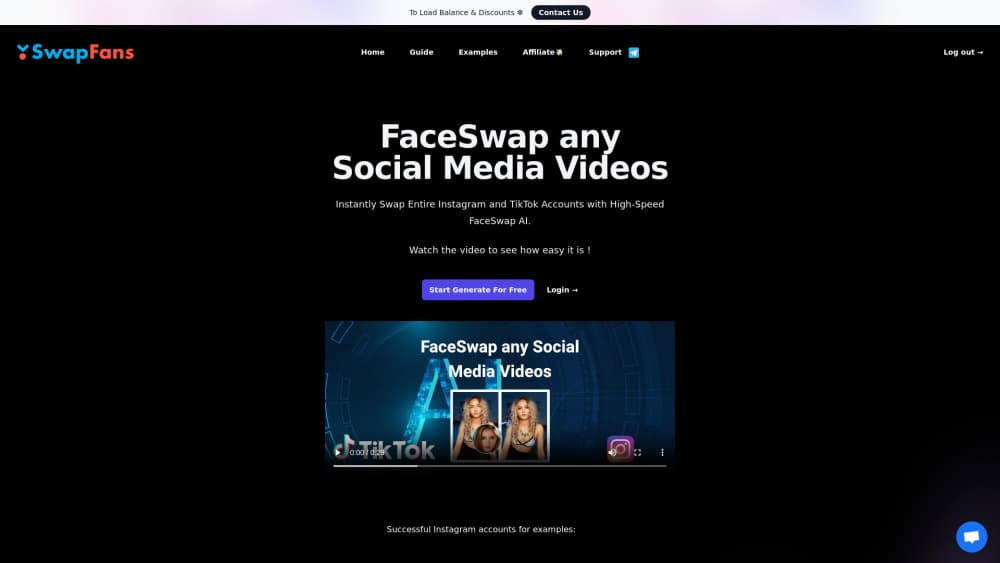
About SwapFans
What Is SwapFans
SwapFans is a web app that does face replacement and a handful of neighboring jobs: generate images from prompts, turn those images into short videos, cut out backgrounds, and train a custom character that looks the same across every output. Everything runs in a browser tab, so there's nothing to install and no GPU to buy.
The reason people land on it is speed of access. You sign up, get a starter batch of tokens, and a single-photo face swap costs 2 tokens, roughly twenty cents. That beats the usual pattern in this category, where you commit to a monthly subscription before you know whether the output holds up.
The limit is the same thing that keeps it cheap. Face swap video work is capped at about 15 seconds per clip, and multi-face scenes cost more tokens. Results lean on what you feed in. A sharp, evenly lit, front-facing source photo produces something believable. A dark group shot at an angle produces something that looks like a mask. Treat it as a fast social-content tool, not a post-production suite.
Getting Started
- Create an account at swapfans.ai and claim the free token allowance that comes with signup.
- Pick a tool from the dashboard. Face swap, AI influencer, text to image, and background tools sit behind separate entry points.
- Upload the source media and the target face. For a photo swap you need two clear faces, one per role.
- Run the generation and review the result. Face fix and upscale cost 1 token each and clean up soft edges or low resolution.
- Download the file and post it. Tokens stay in your balance until you spend them, and there's no monthly reset to plan around.
Product Information
A quick look at SwapFans's pricing, supported platforms, and performance.
Best for
The users, tasks, and scenarios where this tool fits best.
Users
- Social media creators
- Marketers running brand accounts
- E-commerce sellers
- Hobbyists testing ideas
Tasks
- Swapping your face into a clip
- Building a repeatable character
- Cleaning up a crowd shot
Scenarios
- Daily short-form posting
- Ad creative testing
- Concept work before a shoot
Key features
AI Face Swap for Photos
Drop in a source photo and a target face, and SwapFans returns a merged image in seconds. The single-image swap costs 2 tokens, about twenty cents. Multi-face mode runs 4 tokens and keeps each person's identity separate, which is the part most cheap tools get wrong.
Face Swap Video and GIF
Video swaps run on clips up to roughly 15 seconds, at 4 tokens per clip, and GIF swaps cost 3. The tool tracks head movement and expression through the clip rather than pasting a still frame, so a talking-head video keeps its timing. Longer footage has to be cut into segments first, which is the main workflow tax here.
Virtual Influencer Generator
This is the feature that separates SwapFans from a plain face swap utility. You train a custom model for 99 tokens, then generate that same character in new poses, outfits and settings for 2 to 3 tokens an image. Output goes up to 4K. For anyone building a faceless brand account, it removes the hardest part, which is consistency.
Text to Image and Image to Video
Prompt-based generation covers the usual ground for a browser AI image generator: type a description, get an image for 2 tokens. Image to video turns a still into a short clip, with quality and ultra modes priced at 6 and 15 tokens per five seconds. It's a reasonable way to animate a character you already trained.
Background Changer and Remover
One click strips a background, one click swaps in a new one, 2 tokens either way. For product photos and profile images this is the fastest path in the app. Edges are clean on simple subjects and need a manual touch-up on hair and thin straps.
Face Fix and Upscale
Two cheap cleanup passes at 1 token each. Face fix sharpens features that come out soft after a swap, and upscale raises resolution on an image that's too small to post. Neither one rescues a bad source photo, but both make a decent result postable.
Pros and cons
Pros
- Pay-as-you-go tokens mean no subscription, so a quiet month costs nothing.
- The virtual influencer workflow delivers a consistent character, which most face swap tools can't do at all.
- Everything runs in a browser, on any OS, with no install and no local GPU.
- Starter tokens at signup let you test real output instead of a demo video.
- Per-use prices are transparent: 2 tokens for a photo swap, 4 for a video clip, 99 for a trained character.
Cons
- Video swaps cap out around 15 seconds, so long-form content means stitching clips together by hand.
- Heavy use adds up. A minute of finished video runs about 16 tokens, and a weekly content calendar can pass $100 fast.
- Quality tracks your source footage. Low light, odd angles and fast motion all produce visible artifacts you'll have to redo.
- No public API, so teams that want AI face swap online inside their own product have to look elsewhere.
Frequently asked questions
Tokens cost about $0.10 each and you buy them as you need them. A single photo swap is 2 tokens, a 15 second video swap is 4, and training a custom AI influencer is 99. There's no monthly fee.
Related content
Explore related tools, skills, and articles for SwapFans.
SwapFans Alternatives

Google EmbeddingGemma 2
Google DeepMind · Writing · Image · CodingGoogle EmbeddingGemma 2 is a 740M-parameter open model that turns text, code, images, audio, and video frames into vectors in one 768-dimension space, running on phones and laptops.

Tractionwave
TractionWave · Image · MarketingTractionWave is an AI attention heatmap tool for static ads. Upload a PNG or JPG and it returns predicted attention, ranked hotspots, and fixes before you spend budget.

Imejis.io
Imejis.io · Image · MarketingImejis.io is an AI design studio for agents and marketing teams. Describe an image in plain words, and it writes the copy, builds the layout, reflows it to every size, then exports a finished file.