

Swatle AI-powered Task Management Platform
Swatle · Productivity
Swatle is an AI project management platform that turns chat messages into tasks, drafts whole projects from a short brief, and puts Kanban boards, Scrum sprints, and AI chatbots in one workspace.
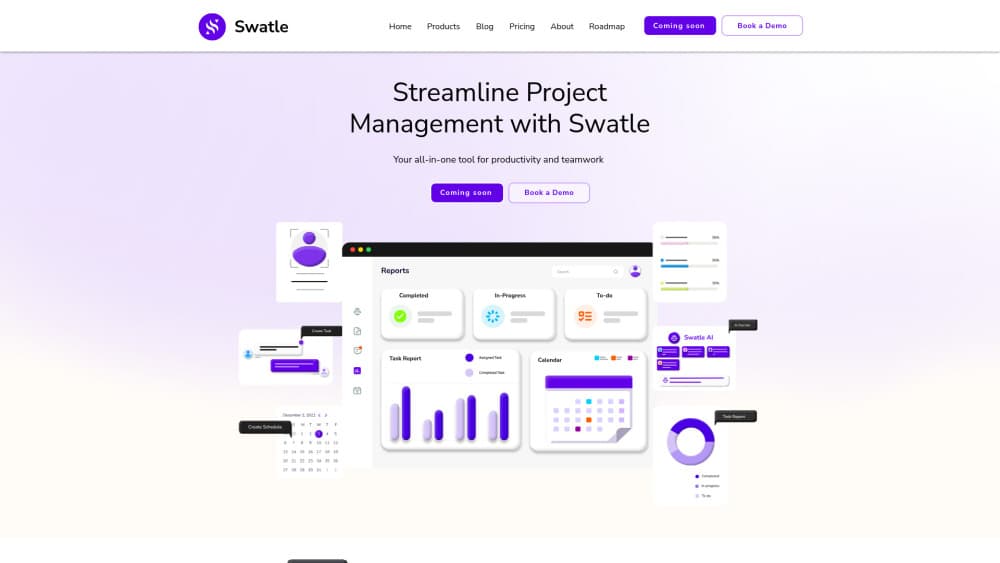
About Swatle AI-powered Task Management Platform
What Is Swatle
Swatle is a work management platform built around conversation. You type what needs doing, and a task appears with an owner, a status, and a due date. The company began with a Slack-style messenger for project teams and kept adding the rest of the workflow: boards, sprints, forms, documents, and AI assistants.
The problem it targets is tool sprawl. A small team usually runs chat in one app, tasks in another, docs in a third, and pays separately for AI. Swatle puts all of it behind one login. The AI handles the tedious parts, drafting a project structure from a paragraph of context, estimating how long a task will take, and answering support questions from your own written material.
The limits are worth knowing before you migrate a team. Reporting is preset, so unusual metrics end in a spreadsheet export. Everything runs in a browser, which means no installable desktop or mobile client. And the AI is most useful when your workspace has some history in it, not on day one.
Getting Started
- Sign up at app.swatle.ai with an email address. The free plan doesn't ask for a card.
- Create a workspace, then invite teammates by email and set them as admin or member.
- Start a project in Kanban, Scrum, or Planning mode, or describe the work and let AI build the project skeleton for you.
- Add work by typing in a chat, dropping a card on the board, or connecting a form that turns submissions into tasks.
- Optional: publish a chatbot trained on your knowledge base, or plug an external agent into the API.
Product Information
A quick look at Swatle AI-powered Task Management Platform's pricing, supported platforms, and performance.
Best for
The users, tasks, and scenarios where this tool fits best.
Users
- Small product teams
- Startup founders who run delivery themselves
- Agencies working with outside clients
Tasks
- Turning a conversation into a tracked task
- Sprint planning
- Customer support inside the same workspace
Scenarios
- Replacing three subscriptions with one
- Project portfolio management for a small studio
- Onboarding a new hire mid project
Key features
Conversational Task Creation
You write a sentence in a project room or a direct message, and Swatle turns it into a task. The card keeps the message context, so the assignee sees the request and the surrounding discussion instead of a bare title. It's the feature that removes the most friction from daily use, since nobody has to open a form to log a five minute job.
AI Project Generation
Give the assistant a short brief, such as the goal, the deadline, and the type of work, and it returns a project with phases, tasks, and an owner layout. On the Pro plan this runs fully automated, while Basic accounts get the manual structure. The output is a starting point, not a finished plan, and it shows how much of a project template you can reuse across clients.
Kanban Boards, Scrum Sprints, and Gantt Timelines
Projects come in three modes. Kanban handles continuous flow with custom statuses and priorities. Scrum adds sprints, epics, subtasks, story points, and bugs. Planning mode shows roadmaps and a Gantt timeline, with a calendar view and project reports on Pro. Views share the same real time data, so a card moved on the board updates the timeline too.
AI Chatbots Trained on Your Knowledge Base
Every workspace can hold rich documents with code blocks and images, and you can publish a chatbot trained on that material. The bot can be embedded on a website, answers questions from customers, and creates tickets from the conversation. Support teams get a first line of defense without buying a separate help desk product.
Forms and Workflow Automation
You build branded collection forms, share a public link, and each submission creates a task in the right project. Analytics on the form show where people drop off. This covers intake work that usually lives in a spreadsheet, such as bug reports, content requests, or client briefs, and it keeps the resulting tasks in the same board the team already watches.
BYOA and API Access
The Pro plan includes RESTful APIs and secure API keys, so you can connect an external AI agent and let it read or write workspace data. Swatle calls this BYOA, short for bring your own agent. It means a custom assistant built on your own model can file tasks, pull status, and run checks without a human copying data between systems.
Pros and cons
Pros
- Chat and tasks live in one place, so a request doesn't need to be retyped into a project tracker.
- AI handles project setup and effort estimates, which cuts the blank page problem on a new engagement.
- Pricing is per user and predictable: $7 for Basic and $12 for Pro, with 20% off on annual billing.
- The client role on Pro gives outside stakeholders visibility without full member access.
- Chatbots trained on internal docs work as a lightweight help desk with no extra subscription.
Cons
- Reports are preset, so teams tracking custom metrics still export to a spreadsheet.
- There's no installable desktop or mobile app, which is a real problem for field work on a phone.
- The Basic plan stops at 25 users and leaves out AI project generation, API access, and client roles, so growing teams hit the upgrade sooner than expected.
- AI output needs review, especially project skeletons and time estimates, which can be optimistic compared with what the work actually takes.
Frequently asked questions
Swatle is used to plan and run projects in one workspace: tasks and Kanban boards, Scrum sprints, Gantt timelines, team chat, intake forms, a knowledge base, and AI chatbots. Teams pick it when they want project management and internal communication under one login instead of two subscriptions.
Related content
Explore related tools, skills, and articles for Swatle AI-powered Task Management Platform.
Swatle AI-powered Task Management Platform Alternatives

Base Code
Base44 (Wix) · Coding · ProductivityBase Code is a shared cloud development environment from Base44. Teammates describe changes to an existing GitHub codebase in chat, preview them live and send them back as pull requests.

Knocket
Knocket (Tencent RTC team) · Productivity · Business · ChatbotKnocket is a free live chat and contact page tool that lets visitors message you from your website, app, or a shareable link, with every reply handled from Telegram or one inbox.

FloorGen
Vinit Kumar (FloorGen) · Productivity · China AIFloorGen is a browser-based floor plan maker that turns a sentence or a sketch into an editable 2D plan and a 3D walkthrough. Export to PDF, DXF or video, and draw without an account.