
Syntetica.ai
Syntetica Generative Technologies SL · Productivity
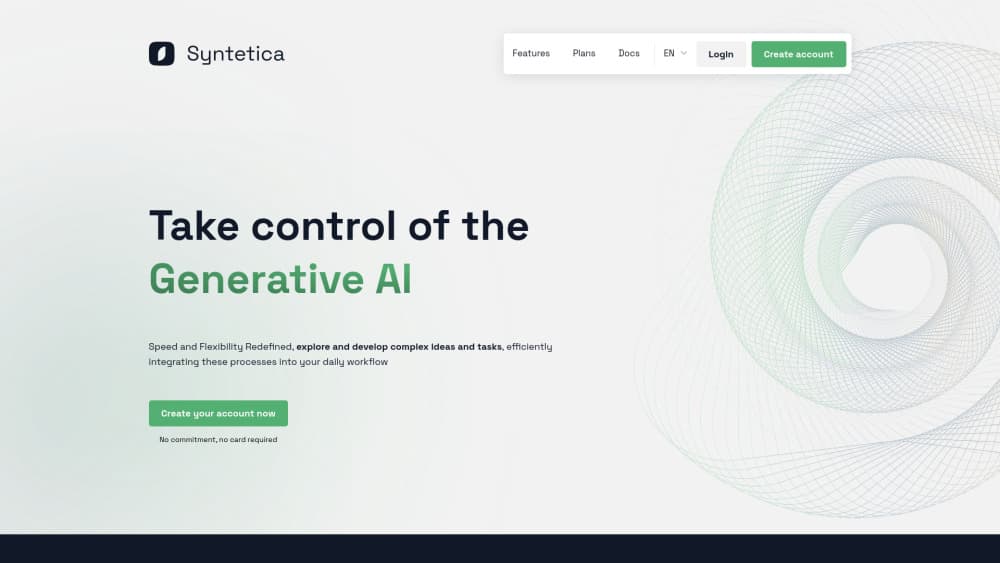
Syntetica.ai is a no-code AI document generator and content automation platform for teams that need consistent, repeatable files.
About Syntetica.ai
What Is Syntetica.ai
Syntetica.ai is a generative AI platform for building documents, presentations, spreadsheets, and other structured content through reusable processes rather than one-off prompts. You design a process once, feed it your own briefs or source files, and run it again whenever the work comes back around.
The main problem it targets is repetition. Teams that produce the same kind of document every week, whether that's a report, a proposal, or a batch of social copy, usually rebuild the steps each time from memory. Syntetica.ai turns those steps into a saved process that anyone on the team can run. It also exports finished work in Word, PowerPoint, or Excel. The output drops straight into tools people already use.
That flexibility is also the catch. Paid tiers run on tokens, a unit measured per generation. Heavy users may need to top up. Larger organizations should also confirm security and data handling directly, because the public pages don't spell out the commitments behind its AI workflow automation.
Getting Started
- Create an account with an email address and password.
- Claim the welcome bonus of 10,000 free tokens, which lands in your balance right away.
- Start from a ready-made app from the library, or open the no-code builder and lay out your first process.
- Add inputs, such as a brief, a spreadsheet, or an existing document, and set the instructions for each step.
- Run the process, check the result, and download it as Word, PowerPoint, or Excel.
Product Information
A quick look at Syntetica.ai's pricing, supported platforms, and performance.
Best for
The users, tasks, and scenarios where this tool fits best.
Users
- Marketing teams that ship the same report or campaign brief every cycle
- Small businesses without a developer on staff
- Operations and admin staff who assemble documents from existing files
- Consultants and freelancers
Tasks
- Report generation
- Proposal and contract drafting
- Presentation building
- Social and marketing copy
- Document conversion
Scenarios
- A weekly content batch that one person currently rebuilds by hand every Monday.
- A one-person marketing function that needs agency-level output on a small budget.
- Team handoffs where the person who built a process leaves and someone else has to run it.
- Early project research, where you want a structured first draft to edit rather than a blank page.
Key features
No-Code App Builder
Syntetica.ai centers on a visual builder that lets you design an AI app without touching code. You lay out the steps of a process on a canvas, connect the inputs, and set what each block should do. Someone who can describe a workflow can build one here, which is the main reason the platform suits non-technical marketing and operations teams who have never shipped a software project.
Repeatable Saved Processes
A process you design once can be run again and again, by you or by a teammate. This matters when the same document type returns every month. The structure stays fixed. You spend your time on the content rather than the setup, and stored processes stay accessible for later reuse whenever a similar job comes back around the following quarter.
File-Based Inputs
Rather than asking you to paste text into a prompt box, Syntetica.ai accepts files as source material. Text documents, spreadsheets, and presentations can all be fed into a generation process, and existing documentation can be reused as a foundation instead of rewritten from scratch. The output inherits the structure of whatever source files you put in at the start.
Multi-Format Output
Finished work downloads as Word, PowerPoint, or Excel. You pick the format that fits. A written report, a client presentation, or a working spreadsheet. For teams already living in Microsoft Office every working day, this removes the copy-paste step that usually follows an AI-generated draft before anyone can send it to a client.
Real-Time Collaboration
Multiple people can work on a project at once, and tasks can be assigned and tracked in one place. Access and permission policies control who sees what. That matters once a process holds client or internal data. Shared processes mean the workflow doesn't depend on a single person holding the instructions in their head.
Interactive Content Editing
Results aren't frozen text. You can rearrange tables, adjust charts, and change details directly in the interface and see the effect right away. That's a small feature on paper but a useful one. It means a generated draft stays editable instead of becoming a file you have to rebuild from scratch whenever a reviewer asks for a change.
Intelligent Agents and Chatbots
The platform includes agents and chatbots that handle interactive tasks alongside document generation. They lean on natural language processing to carry on a conversation rather than return a fixed reply. Ever had the same customer question land in your inbox five times in a single morning? For teams fielding repeat questions, this is the piece that handles the back-and-forth while the document side handles the deliverables.
Pros and cons
Pros
- No-code builder makes AI app design approachable for people without a development background.
- Repeatable processes save real time on recurring document types like reports and proposals.
- File inputs work with documents, spreadsheets, and presentations you already have.
- Exports to Word, PowerPoint, and Excel, so output fits standard office workflows.
- Free tier is genuinely usable: 10,000 welcome tokens, 2 GB of storage, and up to 2 users.
Cons
- Paid plans are billed in tokens, and heavy generation will run them down faster than a flat-rate plan would.
- Most generative AI platforms hit limits in non-English languages, so check output quality in your target language before relying on it.
- Platform coverage looks web-only, so there's no dedicated desktop or mobile app to work offline.
- Security and data handling terms aren't detailed on the public pages, which is a gap for regulated industries.
Frequently asked questions
It's a generative AI platform for building complex documents through reusable processes. You design a generation workflow once, then run it again with new inputs whenever you need the same type of output.
Related content
Explore related tools, skills, and articles for Syntetica.ai.
Syntetica.ai Alternatives

Base Code
Base44 (Wix) · Coding · ProductivityBase Code is a shared cloud development environment from Base44. Teammates describe changes to an existing GitHub codebase in chat, preview them live and send them back as pull requests.

Knocket
Knocket (Tencent RTC team) · Productivity · Business · ChatbotKnocket is a free live chat and contact page tool that lets visitors message you from your website, app, or a shareable link, with every reply handled from Telegram or one inbox.

FloorGen
Vinit Kumar (FloorGen) · Productivity · China AIFloorGen is a browser-based floor plan maker that turns a sentence or a sketch into an editable 2D plan and a 3D walkthrough. Export to PDF, DXF or video, and draw without an account.