

Tackly
Tackly · Productivity
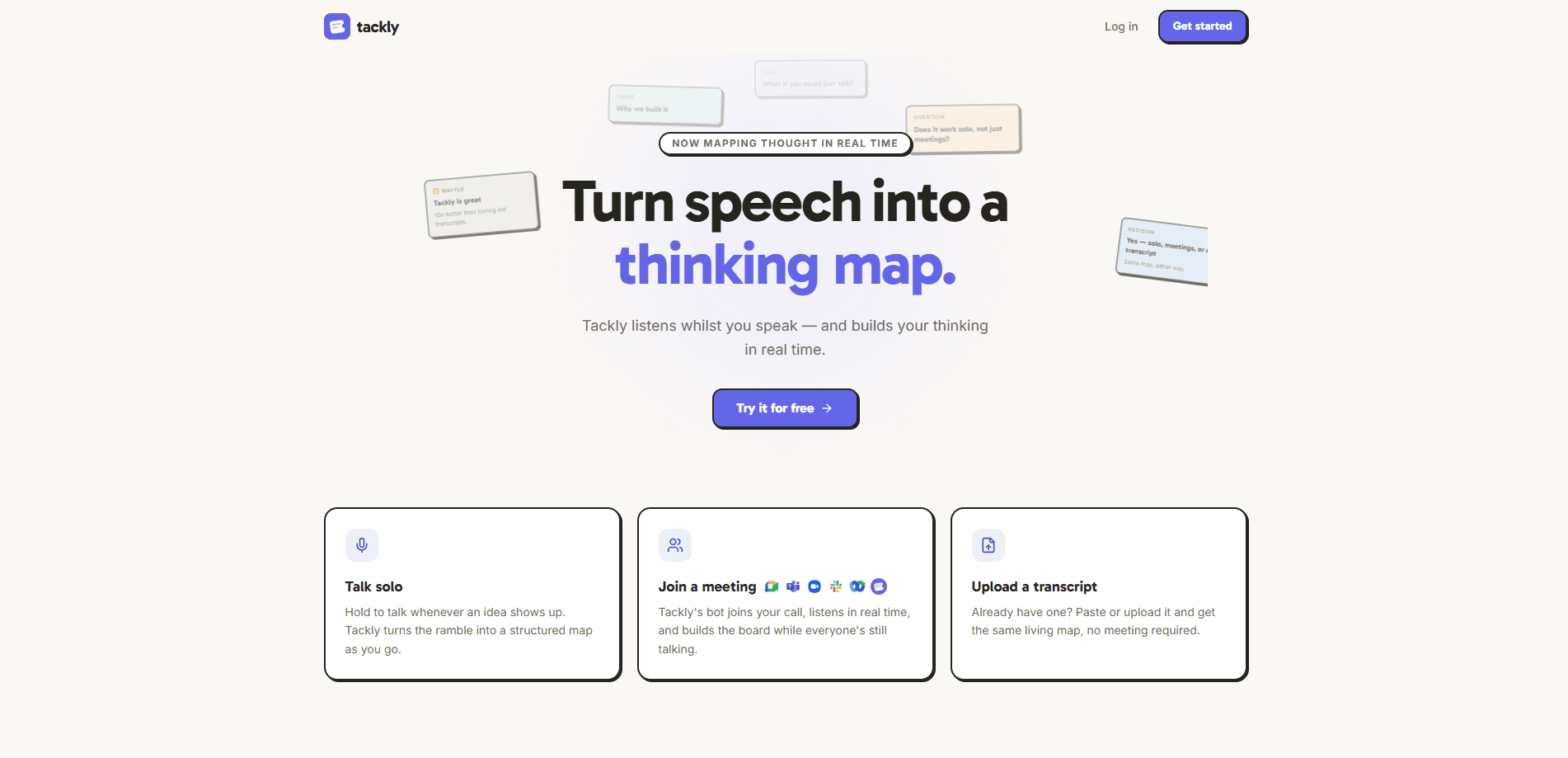
Tackly is a browser-based AI notetaker that maps your thinking instead of handing you a wall of transcript. It listens to meetings, calls, or rambling voice notes and organizes what it hears into a live board of decisions, risks, and action items as you speak. You can share that board instantly, and according to the company you don't even need an account to use it. If you take meeting notes by hand and lose the thread halfway through, it's aimed squarely at you.
About Tackly
What Is Tackly
Tackly is an AI notetaker that runs in your browser, which means there's nothing to install and no desktop app to keep updated. Its calling card is the "thinking map": rather than dumping a raw transcript on you, it sorts what was said into structured pieces, so a messy call ends up as readable decisions, open risks, and next steps.
Most meeting transcription tools stop at capturing words. Tackly's angle is that the value isn't in the words themselves but in the shape of the conversation. It builds that shape live, while the meeting is still happening, so you can glance at the board and catch what someone missed.
The trade-off is scope. This is a young browser tool, not a mature suite. There's no published API, no mobile app, and no public pricing page as of this writing, so you're trusting the free browser experience and sharing flow rather than a deep integration story. Teams that live inside Zoom, Teams, or Notion and expect a native connector should check what's supported before committing.
Getting Started
- Open tackly.co in a modern browser. No install, and the company says no sign-up is required to start.
- Start a session and let Tackly listen to your meeting, call, or dictated notes while you talk.
- Watch the board fill in as it sorts speech into decisions, risks, and actions in real time.
- Share the finished board with a link, so people who missed the call can read the outcome instead of the whole conversation.
Product Information
A quick look at Tackly's pricing, supported platforms, and performance.
Best for
The users, tasks, and scenarios where this tool fits best.
Users
- Founders and small teams who run a lot of calls and hate writing up notes afterward
- Project managers who need a running record of decisions and risks, not a transcript to reread
- Anyone who thinks out loud and wants those scattered ideas captured in a usable shape
Tasks
- Turning a rambling brainstorm into a clean list of decisions and next steps
- Capturing action items during a client call without stopping the conversation
- Summarizing a quick voice memo into something a teammate can act on
Scenarios
- Weekly stand-ups where the same questions get re-asked because nobody wrote down the answer
- One-on-one check-ins where you want the commitments recorded, not paraphrased later
- Early-stage planning sessions full of half-formed ideas that need sorting
Key features
Live thinking map
The core of Tackly is that it doesn't wait until the meeting ends to organize. It builds the board as people speak, sorting what it hears into decisions, risks, and actions. That matters in the moment: you can spot a decision that wasn't actually agreed, or a risk nobody flagged, while there's still time to say something. A transcript tells you what happened after the fact. A live board lets you steer.
Speech and transcript input
Tackly accepts live speech or an existing transcript, so it fits both a call happening now and text you already have sitting in a file. That flexibility is handy for people who record calls elsewhere and just want the messy output turned into something structured. You're not locked into one capture method.
Instant sharing with no account
Sharing is the part that saves real time. Once the board exists you can pass it to someone who wasn't on the call, and they get the organized version rather than a two-hour recording. According to the company, no account is needed, which removes the usual friction of "sign up first, then invite your team." For a quick client recap or a handoff to a colleague, that's the whole point.
Browser-based, nothing to install
Tackly runs in the browser, so there's no app to download, no updates to chase, and no platform lock-in to Windows or macOS. You open a tab and go. For people who bounce between machines or work on a locked-down laptop, that's less friction than the desktop-first notetakers.
Assistant grounded in the board
Tackly includes an assistant that answers questions using only the content of that board, not the open internet. That keeps responses tied to what was actually discussed, so you can ask "what did we decide about the launch date?" and get an answer from your own meeting rather than a guess. It's a narrower kind of AI help, and for meeting recall that's the safer design.
Pros and cons
Pros
- Organizes speech into decisions, risks, and actions instead of a raw transcript
- Builds the board live, so you catch gaps while the meeting is still running
- Works in the browser with no install and, per the company, no account needed
- Sharing is a link away, which makes recaps fast for people who missed the call
- Accepts either live speech or a transcript you already have
Cons
- No published API, so you can't wire it into your own tools or automate a workflow
- No public pricing page, which makes it hard to plan for anything beyond casual use
- Browser-only and no mobile app, so phone-based capture isn't an option
- Young product with a thin integration story, so heavy Zoom or Teams users may find it too standalone
Frequently asked questions
It's an AI notetaker that turns speech into a structured thinking map. Instead of a transcript, you get a live board of decisions, risks, and action items as the conversation happens.
Related content
Explore related tools, skills, and articles for Tackly.
Tackly Alternatives

Udon
Udon · Coding · ProductivityUdon turns an Apple Silicon Mac into a home server you run from a browser, with container controls, file shares, and an optional AI sysadmin.

offstage
offstage cloud · Coding · Productivityoffstage gives AI coding agents and CI jobs a real Mac: a fresh macOS account on Apple silicon, driven over an API and billed by the second.

BotBus
Chengdu Tuyang Tusen Technology Co., Ltd. · Coding · ProductivityBotBus lets you control AI coding agents from your phone and watch: approve commands, start tasks and read results while the code stays on your desktop.