

Tactiq.io
Tactiq · Productivity
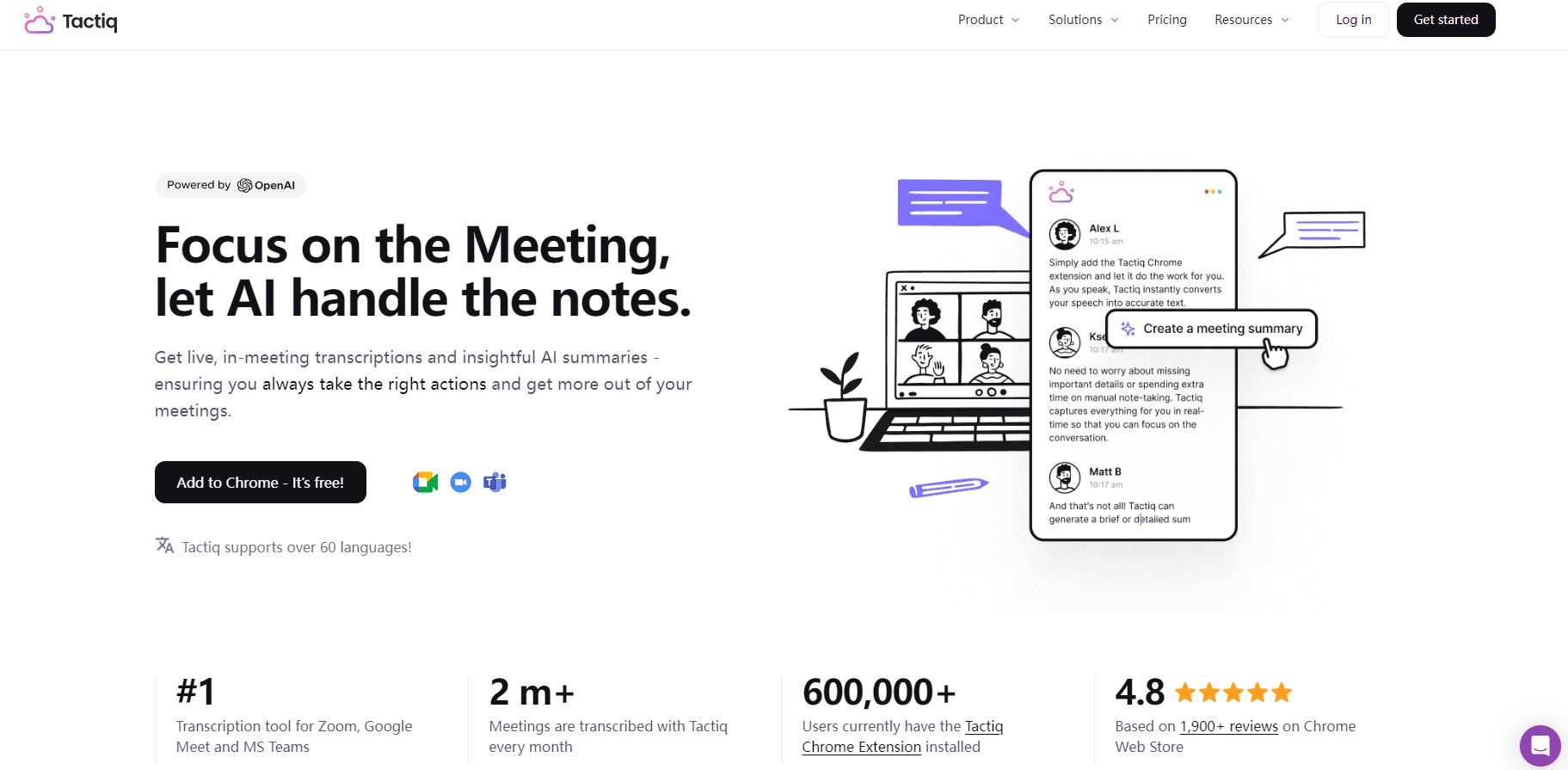
Tactiq.io is an AI note taker that transcribes Google Meet, Zoom, and Teams calls live and turns them into summaries and action items.
About Tactiq.io
What Is Tactiq.io
Tactiq.io is a browser-based AI meeting notes tool built for people who spend their day in video calls. It sits in Chrome as an extension, listens to your microphone and system audio, and writes a transcript while the meeting is still running. You walk out with notes already done. That's the whole point. No one has to replay a recording or type up what was decided.
The pitch is simple: a real-time AI note taker and meeting summary tool for Google Meet, Zoom, and MS Teams. It works without an AI bot joining as a participant, so nobody gets the "Tactiq has joined the meeting" notification. That detail matters to sales teams and anyone whose clients don't want a stranger's name on the attendee list.
We'll be upfront about the limits. The free plan caps you at 10 transcripts a month, so heavy users will need a paid tier fast. Speaker identification is good but not flawless in noisy calls. And the AI summaries still need a human skim before you send them to a client. Is that a dealbreaker? Not for most teams. Tactiq is a time saver, not a replacement for judgment.
Getting Started
- Add the Tactiq.io extension from the Chrome Web Store and sign in with your Google account.
- Join a meeting in Google Meet, Zoom, or MS Teams as you normally would.
- Click the Tactiq icon and hit Start, then let the transcript run through the call.
- Choose a one-click AI action (summary, action items, or follow-up email) when you need the notes.
- Review, edit, and share the transcript to Slack, Notion, or your team space.
Product Information
A quick look at Tactiq.io's pricing, supported platforms, and performance.
Best for
The users, tasks, and scenarios where this tool fits best.
Users
- Sales and account teams
- Project managers
- Recruiters and interviewers
- Students and researchers
Tasks
- Writing meeting summaries
- Drafting follow-up emails
- Capturing action items
- Searching past meetings
Scenarios
- Back-to-back client calls where no time exists to write notes between them.
- Cross-language meetings where some attendees speak Portuguese, Spanish, or another supported language.
- Sharing context with a team through Slack, Notion, or Linear without retyping anything.
Key features
Bot-free live transcription
Tactiq.io runs inside your browser and captures audio without an AI note taker bot showing up as a participant. For meetings with external clients, that means no awkward "who's the robot?" question. Transcriptions start live and update as people talk. Simple as that. The notes reflect the call without a post-meeting upload step.
One-click meeting summary and action items from meetings
When the call wraps, a single click generates a meeting summary or a list of action items from meetings. You can also turn custom questions into reusable prompts, so a recurring "what are the risks?" ask becomes a saved button. It's the feature most people stay for. The free plan includes a taste of it with limited AI credits.
Ask Tactiq AI across meetings
You can ask questions and have Tactiq look back over previous transcripts. Instead of scrolling through hours of notes, you type the query and get the answer with context. Search works across transcripts and AI-generated insights. It helps when you half-remember a decision but not the meeting it came from.
Workflow automations and integrations
Tactiq pushes transcripts and meeting summaries into Slack, Notion, Linear, HubSpot, and Google Drive. You can build automations that trigger on meeting end and share context to a channel or doc automatically. Teams on the Team and Business tiers can auto-share transcripts with specific groups. That cuts the manual copy-and-paste.
Multi-language and speaker identification
Tactiq recognizes 60+ languages and labels who said what. Multi-language meetings are where it surprises people. Speaker labels get shakier when several people talk at once. That's a real limit. Still, for one-on-one calls and clear panel discussions, the labels hold up well enough for a first draft.
Security for teams and enterprises
Higher tiers add advanced data retention controls, SAML SSO, SOC 2 Type II, GDPR compliance, ISO 27001, and HIPAA support. Business and Enterprise plans also include a Tactiq MCP beta and a Claude Connector beta, which matters if you want your meeting transcripts and summaries fed directly into other AI tools without exporting files by hand.
Pros and cons
Pros
- Works as a Chrome extension with no AI bot joining the call, which suits client-facing meetings.
- Live transcription means notes are ready the moment the call ends.
- Generous feature set on paid tiers. That includes automations, SSO, and compliance certifications.
- Produces action items and follow-up email drafts from the transcript in one click.
- Supports 60+ languages, so multilingual teams get usable notes.
Cons
- The free plan's 10 transcripts per month runs out quickly for anyone in daily meetings.
- Speaker identification struggles with cross-talk and heavy accents, so labels need a review.
- It's Chrome-only, so Firefox and Safari users can't install it.
- AI summaries can miss nuance and need a human edit before they go to a client.
Frequently asked questions
Tactiq.io records and transcribes online meetings in real time, then creates summaries, action items, and searchable notes. It's an AI note taker for anyone who wants meeting transcription and Google Meet notes, Zoom transcription, and Teams notes without doing it by hand.
Related content
Explore related tools, skills, and articles for Tactiq.io.
Tactiq.io Alternatives

Udon
Udon · Coding · ProductivityUdon turns an Apple Silicon Mac into a home server you run from a browser, with container controls, file shares, and an optional AI sysadmin.

offstage
offstage cloud · Coding · Productivityoffstage gives AI coding agents and CI jobs a real Mac: a fresh macOS account on Apple silicon, driven over an API and billed by the second.

BotBus
Chengdu Tuyang Tusen Technology Co., Ltd. · Coding · ProductivityBotBus lets you control AI coding agents from your phone and watch: approve commands, start tasks and read results while the code stays on your desktop.