

Taidai.io
Unknown · Productivity
Taidai.io is a free browser tool that turns emails, meeting notes, and rough text into an editable to-do list using OpenAI's GPT-4o. No account is needed and nothing is stored on its servers.
About Taidai.io
What Is Taidai.io
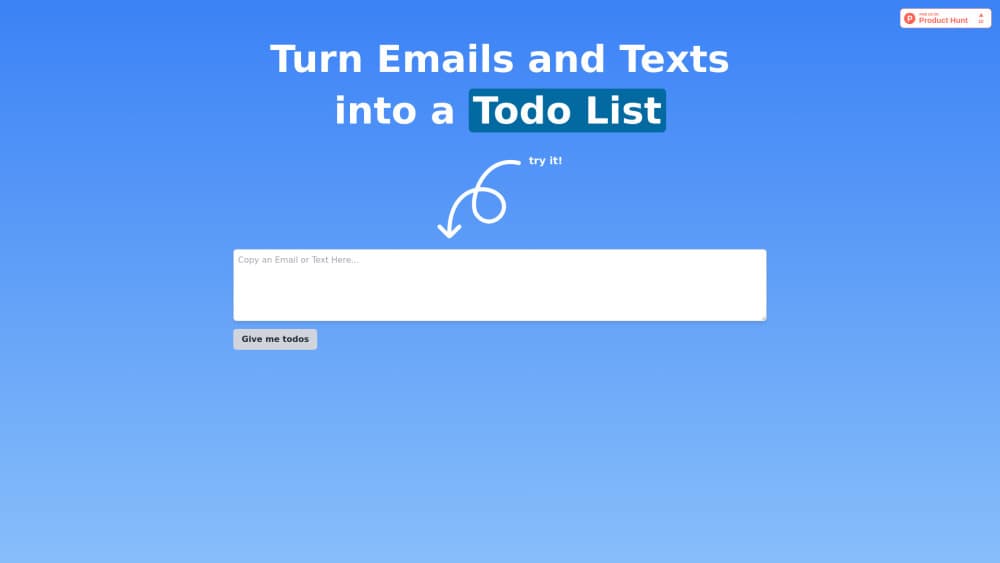
Taidai.io was a free AI to-do list generator with one job: read a block of text and hand back a task list. You pasted an email thread, a page of meeting notes, or a rough brain dump, pressed one button, and got items written as actions you could tick off. Nothing needed installing, and it worked as a plain email to task list shortcut.
The tool ran on OpenAI's GPT-4o. No account, no dashboard, no project setup, which is why people reached for it instead of a full AI task manager. The whole interaction took under a minute.
Its scope stayed narrow. Note to checklist conversion was the whole product: no due dates, no priorities, no reminders, no calendar sync. The list sat in your browser's local storage, so clearing site data erased it.
One caveat matters before you plan around it. As of November 2026, taidai.io no longer loads the tool and the domain returns unrelated content. Everything on this page describes what the free AI todo tool did while it was live, and the alternatives in the FAQs cover what to use now.
Getting Started
- Open taidai.io in any modern browser. The tool required no download or extension.
- Paste the text you wanted to process into the input box. Email threads and meeting notes worked best.
- Press "Give me todos" and wait a few seconds for the model to return a list.
- Click any task to reword it, then tick items off as you finished them.
Product Information
A quick look at Taidai.io's pricing, supported platforms, and performance.
Best for
The users, tasks, and scenarios where this tool fits best.
Users
- Busy professionals
- Students
- Project managers
Tasks
- Email triage
- Meeting follow-ups
- Brain dump cleanup
- Content planning
Scenarios
- Monday inbox cleanup
- Right after a client call
- Workshop wrap-up
Key features
One-Click Text to Task Conversion
Paste raw text, hit one button, get a list. The text to task converter handled whole email threads and pages of notes in a single pass, and it rewrote each request as an action rather than quoting the source.
Editable Task Items
Every generated line stayed editable. You could click into a task and reword it, split it, or delete it when the model guessed wrong, which kept the output from feeling like a fixed transcript summary.
Completion Tracking
Finished items could be checked off in place. For a short list this replaced a separate note, since the same screen held both the plan and the progress.
Local Browser Storage
Lists were saved to your browser's local storage, so a refresh or an accidental tab close didn't wipe the work. The tradeoff: clearing site data or switching devices meant starting over.
No Account or Signup
There was no registration step. That removed the usual friction of a free AI todo tool and also meant no profile, no email list, and no onboarding flow to sit through.
No Server-Side Data Storage
According to the tool's documentation, text was processed in real time and not retained on its servers. Anyone pasting client emails or internal notes should still read a vendor's privacy terms before trusting that claim.
Pros and cons
Pros
- Free with no account, so testing it cost nothing but a minute.
- Fast enough for one-off cleanup: a long email became a task list in seconds.
- Editable output made it practical for real work, not just a demo.
- Local-only storage kept short lists private and available after a refresh.
Cons
- The site is offline as of November 2026, so you can't use it today.
- Only tasks come out: no due dates, priorities, reminders, or calendar sync, which means a second app for scheduling.
- Output quality depends on the model, and vague input produced vague tasks you had to rewrite.
- Clearing browser data erased every saved list, with no export or backup path.
Frequently asked questions
It converts pasted text, such as an email or a set of meeting notes, into a to-do list. You paste, press one button, and get editable action items.
Related content
Explore related tools, skills, and articles for Taidai.io.
Taidai.io Alternatives

Base Code
Base44 (Wix) · Coding · ProductivityBase Code is a shared cloud development environment from Base44. Teammates describe changes to an existing GitHub codebase in chat, preview them live and send them back as pull requests.

Knocket
Knocket (Tencent RTC team) · Productivity · Business · ChatbotKnocket is a free live chat and contact page tool that lets visitors message you from your website, app, or a shareable link, with every reply handled from Telegram or one inbox.

FloorGen
Vinit Kumar (FloorGen) · Productivity · China AIFloorGen is a browser-based floor plan maker that turns a sentence or a sketch into an editable 2D plan and a 3D walkthrough. Export to PDF, DXF or video, and draw without an account.