

talat
Nick Payne and Mike Franklin · Productivity
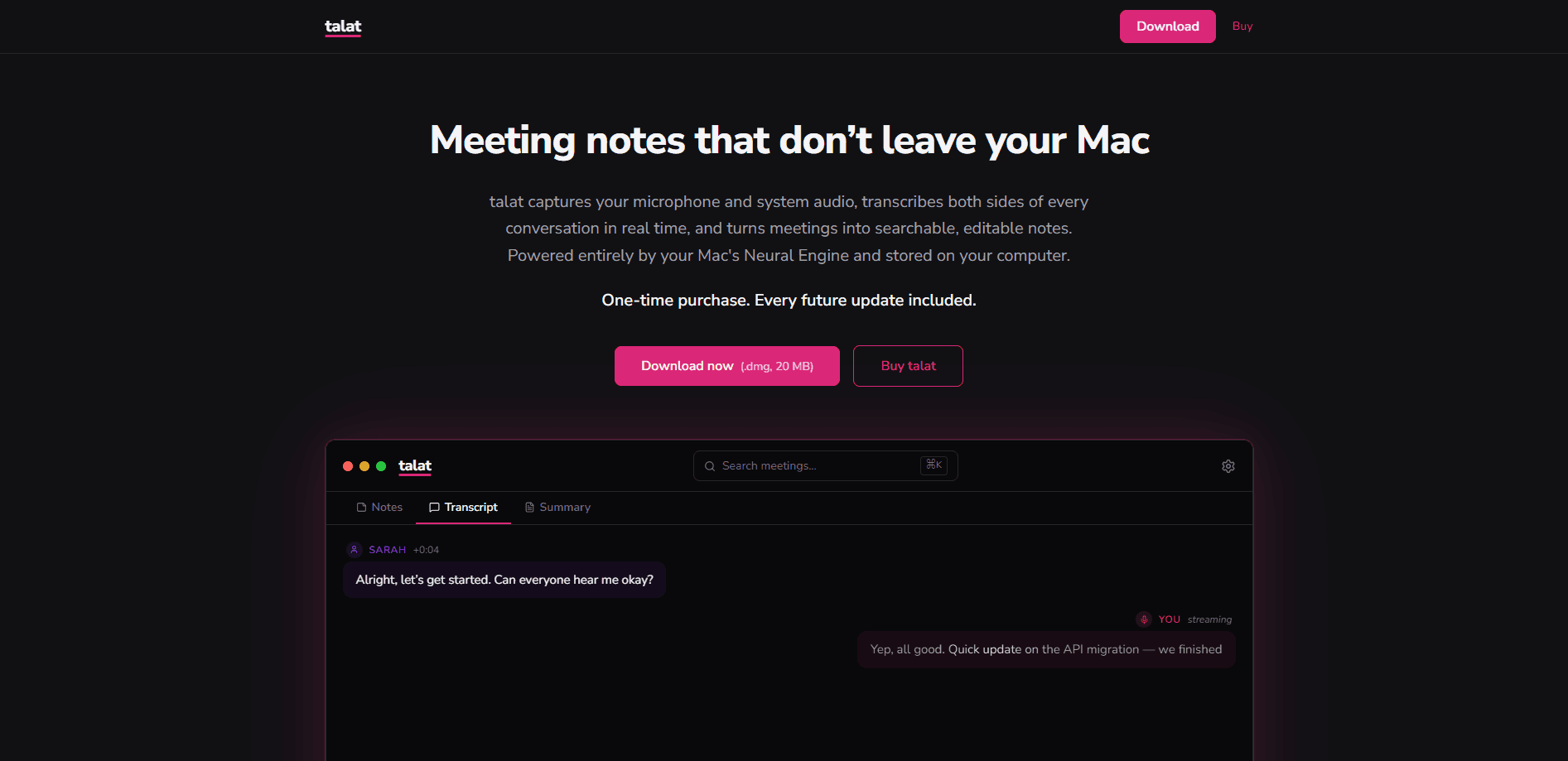
talat is a private transcription software and local transcription app for Mac and Windows that records, transcribes, and summarizes meetings without sending your audio anywhere. It runs speech recognition and speaker detection on your own machine, then hands the transcript to a local language model that writes up notes, decisions, and action items. The app starts from your calendar, exports to Markdown, Obsidian, PDF, or a webhook, and uses a one-off licence instead of a subscription. No monthly bill. No account. Nothing leaves your desk.
About talat
What Is talat
talat is an AI meeting note taker built around one idea: your recordings shouldn't sit on someone else's server. Everything runs on your computer using on-device models, so the audio, the transcript, and the summaries stay in your files. There's no cloud account processing your calls, and the developers have no server holding your meeting content.
That design choice shapes what the app is and isn't. It's lighter and faster than cloud tools because it doesn't upload multi-hour recordings, and it works offline once installed. The trade-off is that it leans on your own hardware. A slower Mac runs the local model more slowly than a rented GPU would. That's the cost of keeping data home. Fine trade, most days.
talat is a one-off purchase rather than a monthly plan. You don't create an account to use it, and it doesn't track your meetings. If you want a cloud model for summarization anyway, you can point it at one. The app doesn't need it. The logic behind that flexibility is simple: if your transcripts never depend on a rented service, the tool keeps working on your terms long after a subscription competitor might change its pricing or shut down entirely.
Getting Started
- Download talat from the official site and install it on your Mac or Windows machine.
- Connect the calendars you use, such as Apple Calendar or Google Calendar, so meetings can start automatically from your schedule.
- Record a session from your browser meeting on Zoom, Meet, Teams, or FaceTime, or use dictation for voice typing.
- Check the transcript and fix any speaker labels talat got wrong, then let the local model produce a summary.
- Export the notes to Obsidian, Markdown, PDF, or a webhook, or pull them into an MCP-aware assistant.
Product Information
A quick look at talat's pricing, supported platforms, and performance.
Best for
The users, tasks, and scenarios where this tool fits best.
Users
- Privacy-conscious professionals
- Freelancers and consultants
- Mac power users
Tasks
- Meeting notes and action items
- Voice dictation
- Transcribing existing recordings
Scenarios
- Client calls under confidentiality
- Working on a plane or in a low-signal office
- Research and interviews
Key features
Fully local transcription
talat captures system audio and your microphone, then transcribes it on your computer using an on-device model. That means your audio is never uploaded for processing, and you get a working transcript with no internet connection. For anyone who records sensitive conversations, this is the whole point of the app.
Built-in and bring-your-own AI models
talat ships with a local model, Qwen3.5-4B, so summarization works out of the box. If you'd rather use something bigger or already pay for one, you can connect a cloud model such as Qwen, Claude, OpenAI, or a local Ollama setup. You decide what processes the text, and you can keep everything on-device if you want. Your call, every time.
Speaker detection and transcript editing
talat tries to label who said what during the meeting, then lets you reassign speakers after the fact. You can edit, delete, or split transcript segments as you review. It's not always perfect on messy audio, but fixing a few labels beats re-listening to a whole call. Small fixes, big time saved.
Calendar and meeting-app integration
Connect Apple Calendar or Google Calendar and talat can start recording from your schedule, without you remembering to hit record, and it captures audio from Zoom, Meet, Teams, FaceTime, and basically any other conferencing app, since it grabs system audio rather than sitting inside one platform. That last point matters more than it sounds: a tool bolted onto one app stops working the moment you switch, while system audio capture keeps working across whatever meeting software you happen to open next. Good design. Rare, too.
Exports that fit your workflow
Notes go out as Markdown, PDF, or straight into Obsidian, and webhooks can push data to another tool when a meeting ends. If you use an MCP-aware assistant, talat exposes an MCP server you can point it at. The options matter because a transcript you can't move is a transcript you won't use. Lock-in is the enemy here.
One-off licence, no account
You buy a licence once instead of paying monthly, and you don't need to sign up to use the app. The only data the developers hold is your email and a licence identifier if you buy. For people tired of subscription creep across their tools, this is a real difference. Pay once and move on.
Pros and cons
Pros
- Audio, transcripts, and summaries stay on your own computer, which suits confidential calls.
- Works offline, so flights and spotty connections don't break your workflow.
- One-off payment with no recurring subscription and no account to create.
- Flexible exports to Obsidian, Markdown, PDF, and webhooks, plus an MCP server.
- You can swap in your own model, local or cloud, rather than being locked to one provider.
Cons
- Runs on your hardware, so summary speed depends on your machine's specs.
- Windows support is newer and the app has been most associated with the Mac.
- Not SOC 2 certified, which can be a blocker if your procurement checklist demands it.
- Fewer built-in extras than some cloud note takers, since the focus is privacy first.
Frequently asked questions
Yes. Audio capture, transcription, speaker identification, and summarization all run on your computer by default. The developers have no server receiving your meeting content, so they can't see your recordings or notes even if they wanted to. The only exception is if you deliberately connect a cloud model for summarization, and even then they don't receive your data.
Related content
Explore related tools, skills, and articles for talat.
talat Alternatives

Base Code
Base44 (Wix) · Coding · ProductivityBase Code is a shared cloud development environment from Base44. Teammates describe changes to an existing GitHub codebase in chat, preview them live and send them back as pull requests.

Knocket
Knocket (Tencent RTC team) · Productivity · Business · ChatbotKnocket is a free live chat and contact page tool that lets visitors message you from your website, app, or a shareable link, with every reply handled from Telegram or one inbox.

FloorGen
Vinit Kumar (FloorGen) · Productivity · China AIFloorGen is a browser-based floor plan maker that turns a sentence or a sketch into an editable 2D plan and a 3D walkthrough. Export to PDF, DXF or video, and draw without an account.