

Talking Avatar
TalkingAvatar · Image · Voice & Language · Video
Talking Avatar is an AI lipsync tool that makes a photo or a clip talk, clone a voice from one sentence, and stand in for you on camera. It runs on Windows.
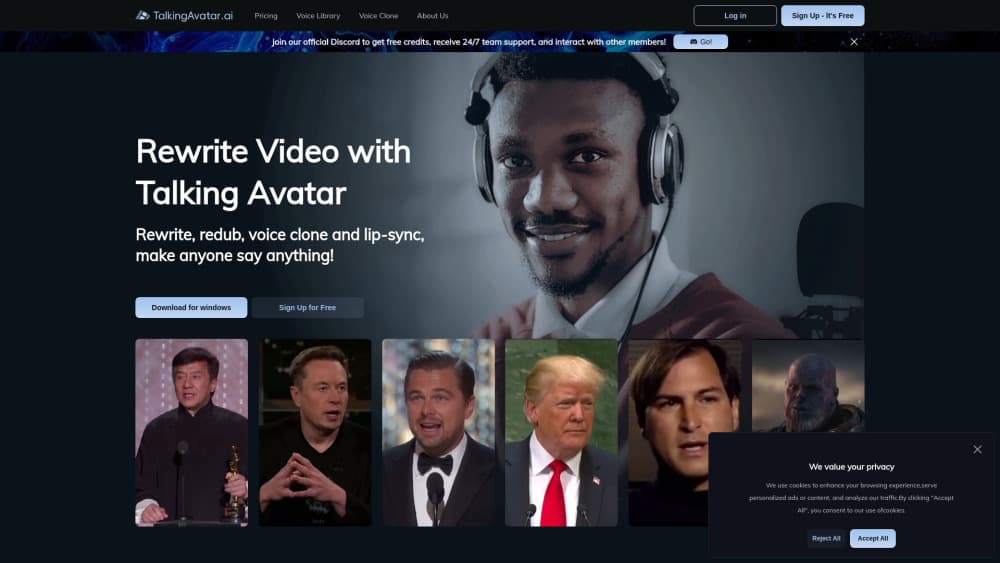
About Talking Avatar
What Is Talking Avatar
Talking Avatar is a desktop app and online studio for lip-sync video, built by a small UK-based team and best known as talkingavatar.ai. You feed it a face, a voice, and a script, and it produces a video where the mouth lines up with the words. The idea is to skip the camera, the mic, and the reshoots.
The tool covers a few jobs under one roof. It rewrites and redubs an existing clip, animates a single photo into a talking avatar, and streams a live body double into Zoom, Twitch, or TikTok. A one-sentence voice clone is the hook, since a short sample gets you a voice that most listeners can't separate from the original. If you run a podcast from NotebookLM audio, the app can split the speakers and sync each one's lips to their own track.
It isn't a browser-first service. The core app installs on Windows, and the hardware requirements are real, with a discrete GPU recommended for smooth playback. Photos and clips you animate need proper rights and consent, and the strong limits sit around render length and the plans that unlock heavier use.
Getting Started
- Create an account on talkingavatar.ai and pick the option you need: rewrite a clip, animate a photo, or stream live.
- Download the Windows app for the desktop features, or open the online studio for lighter jobs.
- Add your source, either a photo, an existing video, or a live camera feed.
- Record or upload voice audio, or type a script and let the app clone a voice and read it.
- Render the video, check the lip-sync, and export or stream it to your channel.
Product Information
A quick look at Talking Avatar's pricing, supported platforms, and performance.
Best for
The users, tasks, and scenarios where this tool fits best.
Users
- Content creators without a studio
- Podcasters working from NotebookLM audio
- Teachers and trainers
- Streamers who'd rather not be on camera
Tasks
- Rewriting a video with a new script
- Cloning a voice from a sample
- Animating a still photo
- Syncing several speakers at once
- Going live as an avatar
Scenarios
- Publishing a weekly explainer
- Reusing one podcast in another language
- Sitting out a camera day on a meeting
- Reviving an old video
Key features
Photo to Avatar
Photo to Avatar animates a single still image into a talking face, so you don't need footage of the person to get a speaking clip. You upload a portrait, give it a script and a voice, and the app maps the speech onto the face. It's the fastest way in when all you have is a headshot, and the output lives or dies on how clear and front-facing the photo is.
One-Sentence Voice Cloning
The voice clone takes a single sentence of audio and builds a voice that reads whatever you type. Talking Avatar leans on this as its headline feature, since most clone tools ask for far more samples before they sound convincing. Creators use it to keep one voice across a whole series, or to redub old footage in the same tone. A thin or noisy sample still shows, so clean audio pays off.
Rewrite and Redub Video
Rewrite and Redub lets you change what a video says without reshooting it. You swap the script, keep the person and the footage, and the app matches the new audio to the existing lips. It's the practical route for updating a stale clip or producing a multilingual cut from one shoot. Long clips take longer to render, so big jobs are better trimmed first.
Multi-Speaker Lip-Sync
Multi-speaker lip-sync handles a conversation rather than a single talking head. It matches each mouth to its own audio track. It fits interviews, panels, and two-host podcasts. That includes audio pulled straight from NotebookLM. Without it, a two-person clip means lining up each segment by hand, which is where most of the time goes.
Stream Avatar
Stream Avatar is a live body double that lip-syncs to your voice as you speak, aimed at Zoom, Twitch, and TikTok. You join a call or a broadcast with your face as an avatar instead of a webcam feed, and it can even speak your lines for you. Real-time sync is the hard part, so the experience tracks your hardware more than the offline render does.
Avatar and Voice Libraries
The avatar and voice libraries give you ready-made faces and voices to start with, so you don't have to build every asset from scratch. You can pick a preset presenter, pair it with a library voice, and publish a clip the same day. Custom builds still take more care, but the libraries cut the time between an idea and a finished video.
Pros and cons
Pros
- Voice cloning from one sentence lowers the bar, since most tools want longer samples before a voice sounds right.
- The app covers photo animation, video redubbing, and live streaming in one place, so you don't juggle separate tools for each job.
- Multi-speaker lip-sync handles podcasts and interviews, including NotebookLM audio, without manual track-by-track work.
- A free tier lets you test the core features before you pay, with no credit card required.
- The stream avatar solves a specific, common need: showing up on camera without actually being on camera.
Cons
- The core experience is a Windows install, so Mac, Linux, and mobile users are left with the lighter online studio.
- Smooth performance wants a discrete GPU, which rules out older or budget laptops for the heavier features.
- There's no advertised public API, so developers who need to build the lip-sync into their own product are out of luck.
- Renders take time on long clips, so quick turnarounds on big files aren't realistic.
Frequently asked questions
Talking Avatar is an AI lipsync tool, sold as talkingavatar.ai, that turns a photo or a video into a talking clip with matching lip movement. It also clones voices and streams a live avatar into calls and broadcasts. The main app runs on Windows, with a lighter online studio.
Related content
Explore related tools, skills, and articles for Talking Avatar.
Talking Avatar Alternatives

Google EmbeddingGemma 2
Google DeepMind · Writing · Image · CodingGoogle EmbeddingGemma 2 is a 740M-parameter open model that turns text, code, images, audio, and video frames into vectors in one 768-dimension space, running on phones and laptops.

Tractionwave
TractionWave · Image · MarketingTractionWave is an AI attention heatmap tool for static ads. Upload a PNG or JPG and it returns predicted attention, ranked hotspots, and fixes before you spend budget.

Imejis.io
Imejis.io · Image · MarketingImejis.io is an AI design studio for agents and marketing teams. Describe an image in plain words, and it writes the copy, builds the layout, reflows it to every size, then exports a finished file.