

Talklet
Talklet · AI Assistant · Chatbot
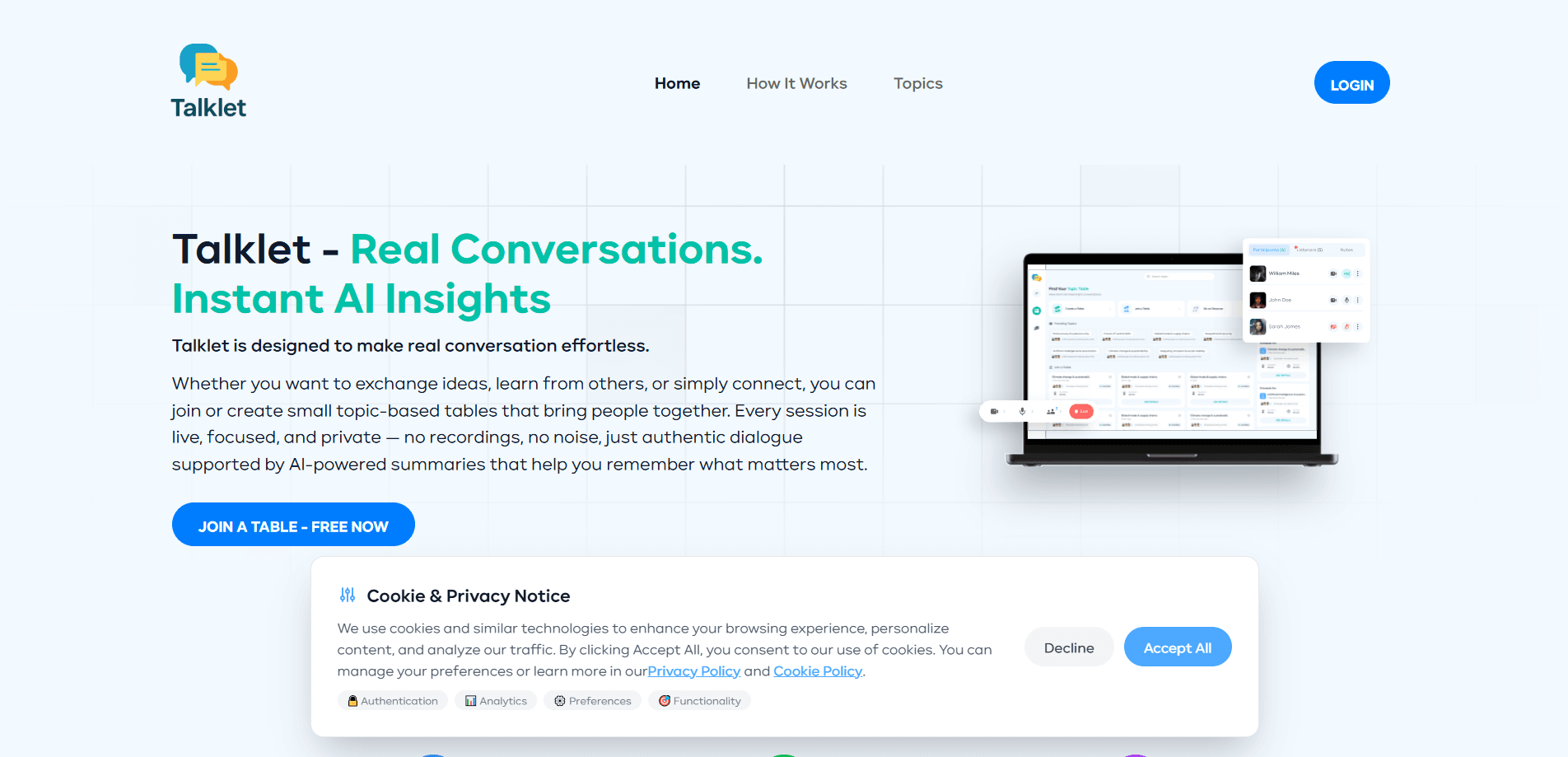
Talklet is a voice-first AI conversation app built for people who need to think out loud without booking a call or owing anyone a follow-up. It gives you seven AI characters tuned to different subjects, from work and money to mood and health, and every conversation ends with a short written reflection you can keep. Think of it as an AI talking companion that also works as a reflection journal app. A small human group also opens on Sundays for the questions that need real people. If you've ever wanted a voice chat with an AI that pushes back, this is close.
About Talklet
What Is Talklet
Talklet positions itself as a quiet place to talk through what's on your mind. Instead of agreeing with everything you say, its AI characters disagree on purpose, which matters when the answer you need is the one you don't want to hear. Every session ends with a reflection written in your own words: what you explored, and what you said you'd try next.
The product splits into two halves. The AI side is voice-first and always available, so you can start a conversation at 11pm about a job offer or a family argument without scheduling anything. The human side is a small group that meets every Sunday, aimed at the questions that feel wrong to hand to a machine. Why keep both? Because some problems need a person, and some just need to be said out loud.
Privacy is where Talklet stakes its clearest claim. The site says no card is needed to start, no recordings are kept, and no transcript is stored. Only the written reflection survives, and it belongs to you. The team is based in Norway and describes itself as GDPR-first. I couldn't verify how that plays out in every market.
Getting Started
- Open talklet.com and start a free session without entering payment details.
- Pick one of the seven AI characters, each tuned to a different topic, or open the general chat.
- Talk out loud for as long as you need; the character listens, asks, and pushes back when it matters.
- Read the reflection that appears after the call and save the next step you committed to.
- Join a Sunday group session if you want the same conversation with actual people.
Product Information
A quick look at Talklet's pricing, supported platforms, and performance.
Best for
The users, tasks, and scenarios where this tool fits best.
Users
- People facing a hard conversation at work
- Anyone who processes better out loud
- Privacy-conscious users in the EU
Tasks
- Rehearsing a difficult talk
- Working through a decision
- Turning scattered thoughts into a plan
Scenarios
- A late-night worry that can't wait for a friend to be free
- Weekly reflection on a Sunday afternoon
- Repeating the same anxious loop at work
Key features
Seven Topic-Tuned Characters
Talklet isn't one generic assistant. It ships seven AI characters, each set up for a different kind of conversation: work, money, mood, health, what you're building, and what's next. That structure means you pick the right counterpart before you start, which cuts the awkward warm-up you get from asking a blank chatbot to understand your situation.
Characters That Disagree On Purpose
Most AI chatbots agree with whatever you say, which is useless when you're stuck. Talklet's characters are built to push back, and the product leans on that as its main differentiator. If you want a yes-man, this isn't it. If you want to hear the objection you've been avoiding, the design puts it in front of you.
Written Reflections After Every Call
When a session ends, Talklet writes a short note covering what you explored and the next step you named. It's saved to a private record that grows each time you talk. This is the feature that fixes the usual problem with thinking out loud: whatever you worked out this morning is gone by tonight unless someone wrote it down.
Voice-First Sessions
You talk, the character listens and responds. No prep, no scheduling, and no camera if you don't want one. Ten minutes are free across all characters, which is enough to test whether speaking your problem out loud actually helps you. The voice format suits the specific moment when you're tangled up and typing feels too slow.
Sunday Human Groups
The AI side has a counterpart: a small group that meets every Sunday for the questions that need real people. It's a deliberate split. Machine conversations cover the fast, private, repeat-as-often-as-you-want cases, and the weekly group covers the ones where you want to be heard by someone who isn't a model.
No Recordings, No Stored Transcript
Talklet says it keeps no audio and no transcript. Only the reflection is kept. For a mental wellness app, that's the detail that decides trust. The trade-off is real too: if you want to re-read what you actually said word for word, you can't. You get the summary, not the tape.
Kept in Your Own Words
Reflections are written in your language rather than a clinical report. The example on the site reads like notes to yourself, not a diagnosis. It means the record stays useful over time, and it's yours to keep or ignore without a dashboard telling you how you feel.
Pros and cons
Pros
- Voice-first design removes the typing friction that stalls journaling and chat apps.
- Characters that disagree fill a real gap left by agreeable chatbots.
- No recordings and no stored transcripts suit anyone nervous about AI and mental health data.
- Reflections give each session a written takeaway instead of a vague sense of having vented.
- Sunday human groups cover the cases where an AI counterpart isn't the right answer.
Cons
- Everything runs in a browser, so there's no native desktop or mobile app for offline use.
- Ten free minutes across all characters runs out fast if you're testing more than one, and pricing above the free tier isn't published clearly on the site.
- No API means you can't wire Talklet into another tool or workflow you already use.
Frequently asked questions
Talklet is an AI voice chat app for talking through what's on your mind out loud with an AI character, then keeping a short written reflection. People use it to rehearse hard conversations, work through decisions, and sort out worries when no one else is free.
Related content
Explore related tools, skills, and articles for Talklet.
Talklet Alternatives

Iplan AI
Iplan AI · Productivity · AI AssistantIplan AI is an AI travel planner that turns a few trip details into a full day-by-day itinerary in seconds. You answer questions about your destination, interests, budget, and travel companions, and the tool builds a plan you can edit, share, and carry with you on any device. It targets travelers who want a solid draft without spending hours in spreadsheets and browser tabs. Think of it as an itinerary generator that does the tedious part for you.

Screenhelp
Screenhelp · Productivity · AI AssistantScreenhelp is an AI screen assistant that turns a single keyboard shortcut into real-time help. You press Ctrl+Shift+Space, it captures what's on your screen, and it streams an answer into a private panel in about two seconds. Think of it as an AI screenshot helper you trigger on demand. It runs on Mac, Windows, and the web, starts free with 30 answers a month, and stays invisible during screen sharing on Zoom, Teams, and Google Meet.

Rainbow
Rainbow · AI AssistantRainbow is an AI weather forecast app built around short-term precipitation nowcasting. Its engine pushes min-by-min rain and snow predictions up to four hours ahead, blending live satellite and radar feeds into hyperlocal forecasts. The app adds live rain radar, a seven-day outlook, precipitation alerts, home-screen widgets, and a hurricane tracker, and it runs on both Android and iOS with a free tier plus paid upgrades.