

Tana
Tana Inc. · Productivity · Leaning
Tana is an agentic meeting platform where AI agents join your video calls, capture context, and turn the conversation into docs, tasks, and decisions as you talk.
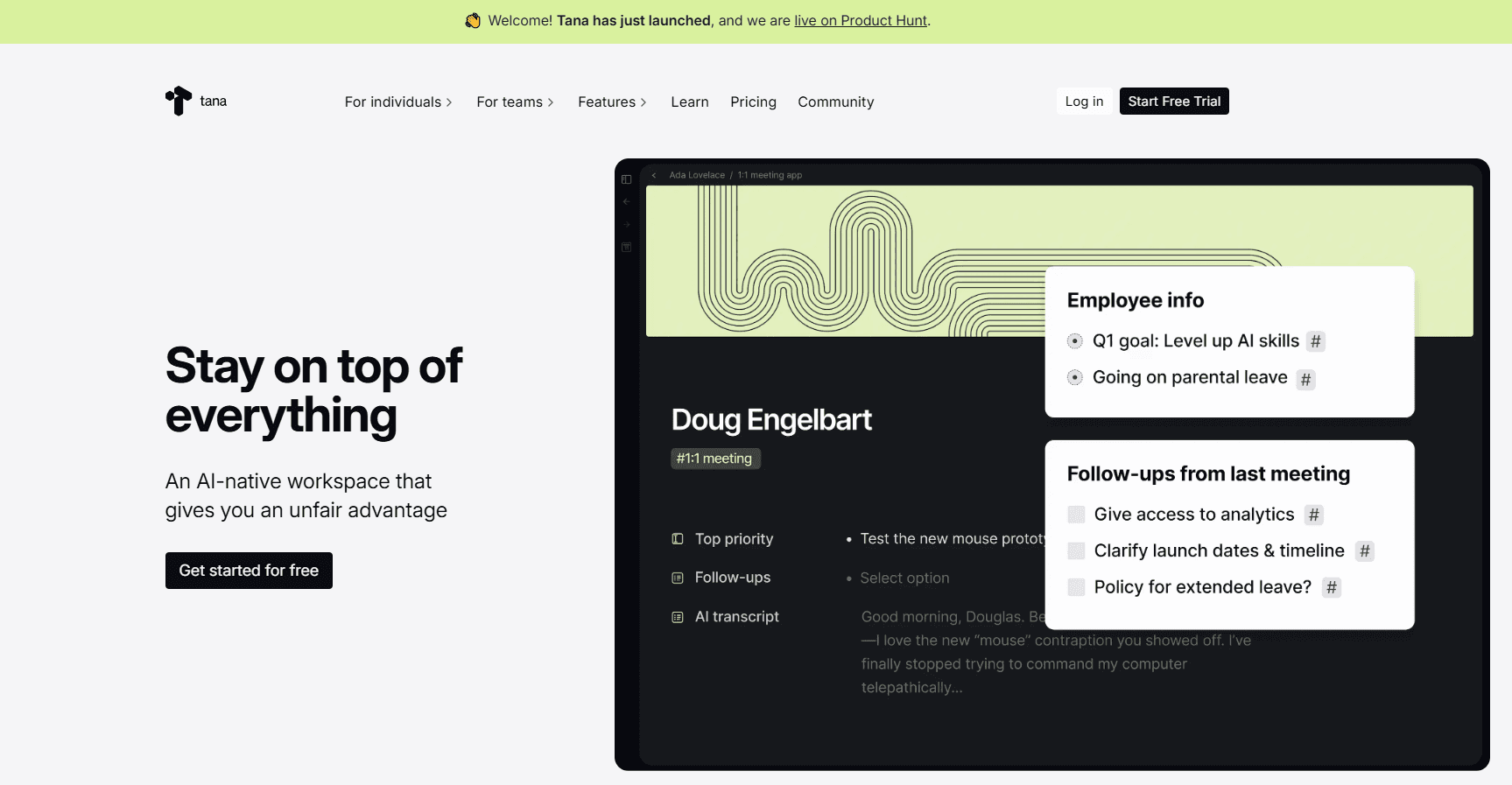
About Tana
What Is Tana
Tana is a workspace built around meetings. Instead of recording a call and summarizing it afterward, Tana runs the call itself and puts AI agents inside it. Those agents can draft documents, file issues, and update a shared knowledge base while people are still talking. The company behind it is Tana Inc., which also makes a separate product called Tana Outliner.
The problem it targets is the work that piles up after a call ends. Notes go stale, action items get lost, and nobody remembers why a decision was made. Tana keeps a persistent context graph, which acts as the team's memory, and pulls relevant history into later meetings. It also matches new information against what's already stored and proposes merges, so the record improves instead of collecting duplicates.
The biggest limitation is scope. Tana wants to be where meetings happen, not a layer you bolt onto Zoom or Google Meet. Joining from a native call gives agents visual context and real-time access. Capture an external Zoom or Teams meeting and you lose the live part. It also isn't a coding environment, a project management suite, or a general AI assistant. Expect to move some of your workflow into Tana to get the most from it.
Getting Started
- Create a Tana account and set up a workspace, or join an existing one through an invite link.
- Connect your calendar so upcoming meetings sync and pull in context before each call.
- Start or schedule a video call. Guests can join from a link without installing anything or making an account.
- Tell the agents in plain language what you want done, and Tana builds a skill around it.
- After the call, review the summary, artifacts, and merge proposals, then approve what should be applied.
Product Information
A quick look at Tana's pricing, supported platforms, and performance.
Best for
The users, tasks, and scenarios where this tool fits best.
Users
- Product and engineering teams
- Consultants, coaches, and advisors
- VCs and investors
- Managers and knowledge workers with heavy meeting loads
Tasks
- Turning a conversation into a document
- Filing bugs and feature requests mid-call
- Keeping a shared knowledge base current
- Logging decisions so they're findable later
- Researching topics during a live call
Scenarios
- User interviews and customer feedback sessions
- Design or product reviews
- Investor and founder meetings
- Back-to-back meeting days
- Capturing a third-party Zoom, Meet, or Teams call
Key features
Native Video Calls With Real-Time Transcription
Tana runs video calls inside its own workspace rather than as a plugin. Camera, microphone, screen sharing, and chat all work as you'd expect, and it holds up for meetings of up to about 50 people. Calls are transcribed in real time across 33 languages, and you can present a document, canvas, or your screen on a shared stage where guests follow along. Anyone can join by link without a Tana account.
AI Agents That Act During the Meeting
The agents aren't taking notes and summarizing later. They have the same tools as a human participant, so they can edit documents, build canvases, and share screens mid-call. You configure them through skills, which are codified workflows that decide which tools and integrations each agent should use. You describe what you want in plain language and Tana generates the skill, so nobody has to write prompts or learn advanced AI techniques.
A Context Graph That Works as Team Memory
Everything a meeting produces lands in a shared context graph, a collaborative knowledge base with granular access control. When the same person, company, decision, or topic shows up across several meetings, Tana proposes merging them into one record instead of making duplicates. That keeps answers grounded in maintained information. Unlike systems where agents can only append, Tana can edit or delete existing entries, and every AI change runs through a proposal you approve first.
Artifacts That Ship Work to Your Tools
At the end of a call, Tana generates rich artifacts like storyboards and customer journeys from the transcript and visuals. Bugs, feature requests, and product ideas go to Linear, Jira, and GitHub in the right format with the full context attached. Calendars tie each artifact back to the meeting it came from, so outcomes reach the people and systems where the work actually continues.
Integrations and an MCP Server
GitHub, Slack, Linear, and calendars (Google Calendar and Outlook) connect directly through OAuth. AI chat can push prompts into external coding tools like Cursor, GitHub Copilot, Codex, and Lovable through deep links that arrive pre-filled. Tana also exposes an MCP server, so agents such as Claude Code and Claude Desktop can read and write the workspace during a live call.
Proposals, Access Control, and Data Ownership
Access stays granular, so you decide who sees what across spaces and chats. AI-generated changes arrive as proposals that show the diff and what's being updated across the graph, and you accept or reject them. Your data belongs to you: you can export the context graph even if you downgrade or cancel, Tana won't train LLMs on it, and it complies with GDPR and SOC 2 with HIPAA in progress.
Pros and cons
Pros
- Agents do real work during the call, not after, so documents and tickets are ready when the meeting ends.
- The context graph keeps organizational memory accurate by proposing merges instead of piling up duplicates.
- Merge proposals and granular access control give you a review step before AI changes land.
- Broad integrations plus an MCP server connect Tana to trackers, calendars, and external AI tools.
- Works in a browser on desktop and mobile, with apps for Mac, Windows, and Linux.
Cons
- Agents are most useful in native Tana calls, so teams that live in Zoom or Google Meet get less from the live features.
- It's not a development environment or a project management suite, so code still runs and tasks still live in your other tools.
- Some integrations, like Attio and Affinity CRMs and email follow-ups, are marked coming soon, which limits parts of the investor workflow today.
- Native iOS and Android apps aren't available yet, so mobile use means the browser for now.
Frequently asked questions
Tana is an agentic meeting platform. It runs native video calls and puts AI agents inside them, so the agents capture context and produce documents, tasks, and decisions during the conversation. It's from Tana Inc. and is a separate product from Tana Outliner, the earlier note-taking outliner the company also still offers.
Related content
Explore related tools, skills, and articles for Tana.
Tana Alternatives

Base Code
Base44 (Wix) · Coding · ProductivityBase Code is a shared cloud development environment from Base44. Teammates describe changes to an existing GitHub codebase in chat, preview them live and send them back as pull requests.

Knocket
Knocket (Tencent RTC team) · Productivity · Business · ChatbotKnocket is a free live chat and contact page tool that lets visitors message you from your website, app, or a shareable link, with every reply handled from Telegram or one inbox.

FloorGen
Vinit Kumar (FloorGen) · Productivity · China AIFloorGen is a browser-based floor plan maker that turns a sentence or a sketch into an editable 2D plan and a 3D walkthrough. Export to PDF, DXF or video, and draw without an account.