

TaskGPT
TaskGPT · Productivity
TaskGPT is an AI agent for macOS that turns plain-language requests into real actions, like moving files or drafting email. It uses your own API key and keeps data local.
About TaskGPT
What Is TaskGPT
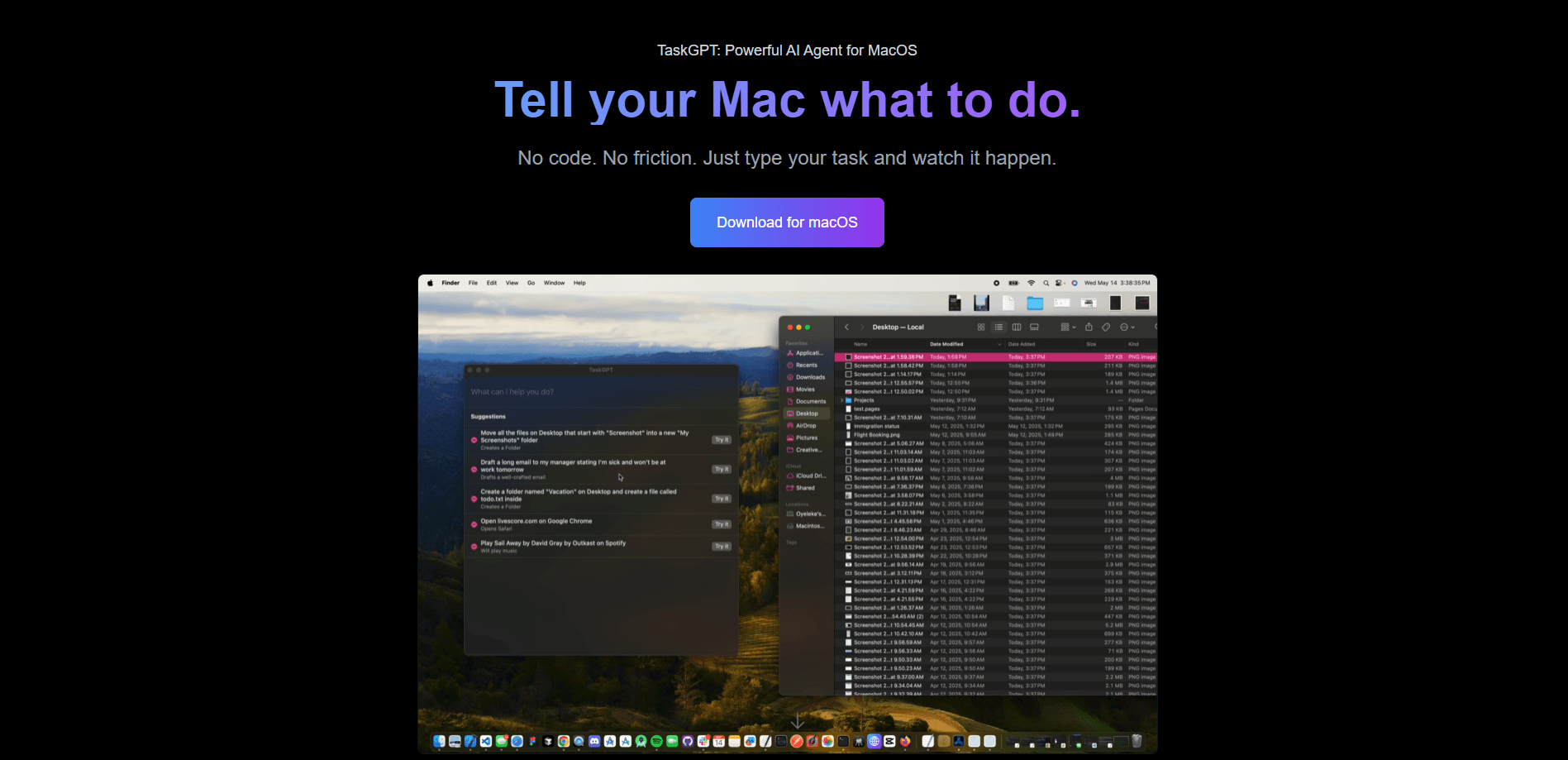
TaskGPT is a Mac app for natural language automation: it listens to what you want in everyday words and then does it on your computer. Tell it to move every screenshot older than a month into a folder, and it works out the steps and runs them on screen. The company behind it describes the product as a privacy-first Mac agent that aims to match the feel of Apple Shortcuts, except you don't have to build the shortcut yourself.
The problem it targets is the gap between wanting something done and knowing which menus, scripts, or settings get you there. Instead of hunting through Finder or learning a scripting language, you type a sentence and TaskGPT converts it into a sequence of actions. The app shows the steps in the foreground, so you can watch what it's about to do before it touches your files.
The clearest limit is the model. TaskGPT owns no servers and doesn't ship its own AI, so you bring an API key from a provider you already use. That keeps your data local and your costs tied to your own usage, but it also means setup starts with getting that key.
Getting Started
- Download TaskGPT from its site and install it on your Mac.
- Paste in an API key from your AI provider, since the app runs on your own account rather than a hosted backend.
- Type what you want in natural language, such as "archive these files" or "show me how to do this in Xcode."
- Watch the steps run in the foreground and stop them if anything looks wrong.
- Reuse or tweak the steps for the next task so repeated jobs get faster.
Product Information
A quick look at TaskGPT's pricing, supported platforms, and performance.
Best for
The users, tasks, and scenarios where this tool fits best.
Users
- Mac owners who want automation without scripting
- Privacy-conscious users
- People juggling repetitive Finder and app chores
Tasks
- Clearing up desktop clutter
- Pulling quick answers from the web
- Getting step-by-step system help
- Drafting everyday messages
Scenarios
- Weekly file housekeeping
- Switching tools mid-task
- Learning an unfamiliar app
- Quick personal admin
Key features
Natural Language Task Execution
You describe the job the way you would tell a colleague, and TaskGPT turns it into concrete steps rather than a chat reply. It reads the request, plans the sequence, and then executes it against real apps and files on your Mac. That's the core difference from a plain chatbot, which can talk about a task but can't touch your system.
Privacy-First Local Design
The app runs on your machine and the company states it owns no servers, so your files and commands stay with you. You supply the API key, which means your prompts go to the model provider you chose rather than to a TaskGPT backend. For people who won't hand their file system to a hosted service, that's the selling point.
Bring Your Own API Key
TaskGPT doesn't bundle a subscription to its own AI. You plug in a key from a provider you already pay for, so cost scales with your own usage instead of a fixed seat price. The trade-off is that setup asks you to have that key ready before the first task.
Foreground Step Visibility
Tasks run in the foreground, so you see each action as it happens instead of trusting a black box. If a step looks off, you can stop it before it changes anything important. That's a real safeguard for file moves and deletes, where a silent mistake is hard to undo.
Finder and System Control
It reaches into Finder to move, rename, and sort files, and it can drive apps and the wider system. Examples include archiving an app in Xcode or clearing out old screenshots. This is the everyday office work that eats time but rarely justifies a custom script.
Web and Browser Tasks
TaskGPT can open a browser and pull back something specific, like a current market figure or a page you need on screen. That turns a multi-step lookup into a single request. It works best for quick, well-defined fetches rather than long research sessions.
Pros and cons
Pros
- Turns plain sentences into real actions on your Mac, so you skip the scripting learning curve.
- Keeps data local and uses your own API key, which suits privacy-minded users.
- Costs track your own model usage because there's no bundled subscription.
- Runs tasks in the foreground, so you can watch and stop anything that looks wrong.
- Handles common Finder and app chores, like sorting files and walking through unfamiliar features.
Cons
- Limited to macOS, so Windows and Linux users are out of luck.
- You need your own API key before you can do anything, which adds setup work for newcomers.
- No hosted servers means no cloud sync or remote control of another machine.
- The exact pricing and roadmap aren't published in one place, so you check the site and your own provider for current terms.
Frequently asked questions
It turns a plain-language request into concrete steps and runs them on your Mac. You can ask it to move files, open a browser, look something up, or walk you through a feature inside an app.
Related content
Explore related tools, skills, and articles for TaskGPT.
TaskGPT Alternatives

Base Code
Base44 (Wix) · Coding · ProductivityBase Code is a shared cloud development environment from Base44. Teammates describe changes to an existing GitHub codebase in chat, preview them live and send them back as pull requests.

Knocket
Knocket (Tencent RTC team) · Productivity · Business · ChatbotKnocket is a free live chat and contact page tool that lets visitors message you from your website, app, or a shareable link, with every reply handled from Telegram or one inbox.

FloorGen
Vinit Kumar (FloorGen) · Productivity · China AIFloorGen is a browser-based floor plan maker that turns a sentence or a sketch into an editable 2D plan and a 3D walkthrough. Export to PDF, DXF or video, and draw without an account.