

Tattoon
Urbo Labs · Image
Tattoon is an AI tattoo generator for iPhone that turns a written idea into original tattoo art, shows a virtual tattoo try on in AR on your own body, and helps you find a local artist.
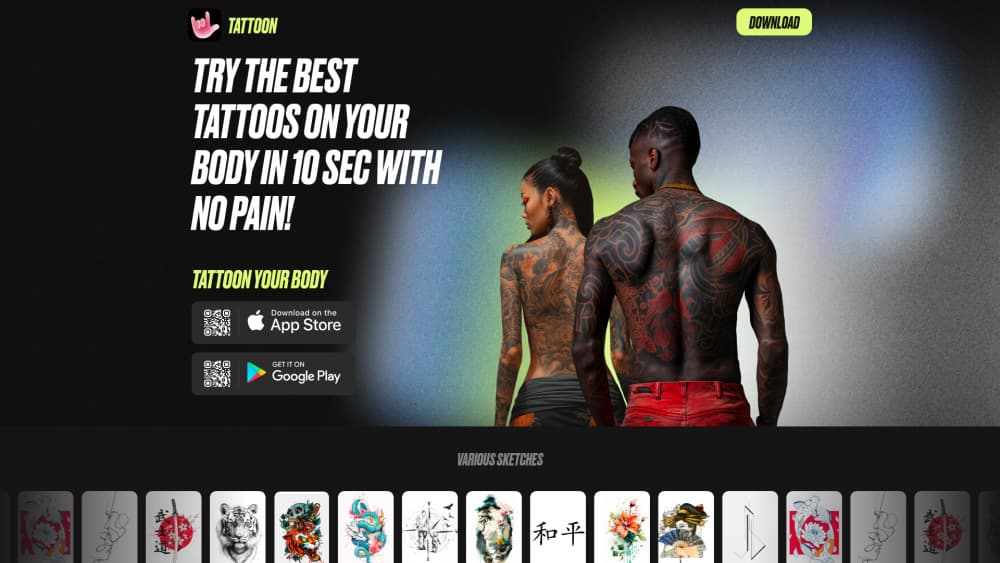
About Tattoon
What Is Tattoon
Tattoon is a tattoo design app from Urbo Labs that runs on iPhone and iPad. You describe the piece you have in mind, pick a style, and the app returns original artwork you can save, restyle, or hold up against your own skin. It sits in the space between a flash sheet and a consultation with an artist.
The problem it targets is commitment anxiety. A tattoo is permanent, expensive, and hard to undo, so most people want to see a design on their own arm or ankle before booking. Tattoon answers that with an AR tattoo preview, plus a browsing feed of tattoo ideas when you have no starting point at all.
The limits matter as much as the features. Tattoon is iPhone only, its design output is reference art rather than a print ready stencil, and a real artist still has to redraw the piece for the needle. Treat it as a planning tool, not a replacement for a studio.
That makes the tattoo app most useful in the weeks before an appointment, when you're narrowing style and placement rather than walking out with finished ink.
Getting Started
- Download Tattoon from the App Store and open it on an iPhone running iOS 16 or later.
- Browse the design library or type a prompt describing the subject, style, and mood you want.
- Generate a few variations, then keep the ones that fit your arm, back, or ankle.
- Open the AR camera and drag the design onto your skin to check scale and placement.
- Save the shortlist and take it to a tattoo artist, or use the artist finder to book a consultation.
Product Information
A quick look at Tattoon's pricing, supported platforms, and performance.
Best for
The users, tasks, and scenarios where this tool fits best.
Users
- First-timers who haven't picked a design yet
- People planning a second or third piece
- Tattoo-curious users who may never book
Tasks
- Turning a written idea into artwork
- Checking size and placement
- Comparing styles side by side
- Finding someone to do the work
Scenarios
- The month before a first appointment
- Covering an old tattoo
- A friend's tattoo night
Key features
AI Tattoo Design Generator
The core tool takes a text prompt and returns original tattoo artwork in the style you choose. You get multiple results per run, so the workflow is iterate and discard rather than accept the first image. It's the fastest way in the app to move from a vague idea to something you can judge.
AR Tattoo Preview
The AR tattoo preview places a design on your own body through the camera, and you drag, resize, and reposition it until the scale looks right. This is the part that separates the app from a plain image generator, because placement problems show up immediately on a real limb.
Design Library and Styles
A curated set of designs covers traditional, modern, tribal, and geometric looks, among others. Browsing is useful when you have no prompt in mind, and it doubles as a style reference you can point at when you talk to an artist.
Tattoo Artist Finder
The tattoo artist finder lists studios and artists with portfolios, reviews, and booking routes. You can check whether someone actually works in the style you generated before you send a message, which saves a round of dead end calls.
Tattoo Ideas and Trend Feed
A running feed of tattoo ideas covers current styles, motifs, and techniques. It's the browsing layer of the app rather than a generation tool, and it works well as a low effort way to narrow down what you like over a few weeks.
Aftercare Guidance
The app includes care notes on healing, skincare products, and touch-ups. For a first tattoo this is practical reference material in the same place as your design shortlist. It doesn't replace the instructions your own artist gives you.
Pros and cons
Pros
- Free to download, so you can test the generator and AR preview before paying anything.
- The virtual tattoo try on shows scale on your own body, which catches placement mistakes early.
- Design browsing and AI generation live in one tattoo app, so you don't need separate tools for inspiration and output.
- Artist discovery is built in, which shortens the gap between having a design and booking a consultation.
- Aftercare content is bundled with the design tools, a real help for first-timers.
Cons
- iPhone and iPad only, so Android users can't use it at all and there's no web version.
- Output is reference art, not a stencil, so your artist still has to redraw the design for the needle, which can change how it looks.
- In-app purchases run from $5.99 a week to $49.99 a year, and the free tier's limits aren't spelled out on the store page, so you find out by hitting a wall.
- The listing shows a small rating base and the last update landed in October 2024, so the feature set has been static while rival apps shipped newer models.
Frequently asked questions
Tattoon generates tattoo designs from a text prompt, previews them on your body in AR, and helps you find a local tattoo artist. It's a planning tool for people deciding on a design, not a studio service.
Related content
Explore related tools, skills, and articles for Tattoon.
Tattoon Alternatives

Google EmbeddingGemma 2
Google DeepMind · Writing · Image · CodingGoogle EmbeddingGemma 2 is a 740M-parameter open model that turns text, code, images, audio, and video frames into vectors in one 768-dimension space, running on phones and laptops.

Tractionwave
TractionWave · Image · MarketingTractionWave is an AI attention heatmap tool for static ads. Upload a PNG or JPG and it returns predicted attention, ranked hotspots, and fixes before you spend budget.

Imejis.io
Imejis.io · Image · MarketingImejis.io is an AI design studio for agents and marketing teams. Describe an image in plain words, and it writes the copy, builds the layout, reflows it to every size, then exports a finished file.