

Team-GPT
Team-GPT (now Juma) · Productivity · Leaning
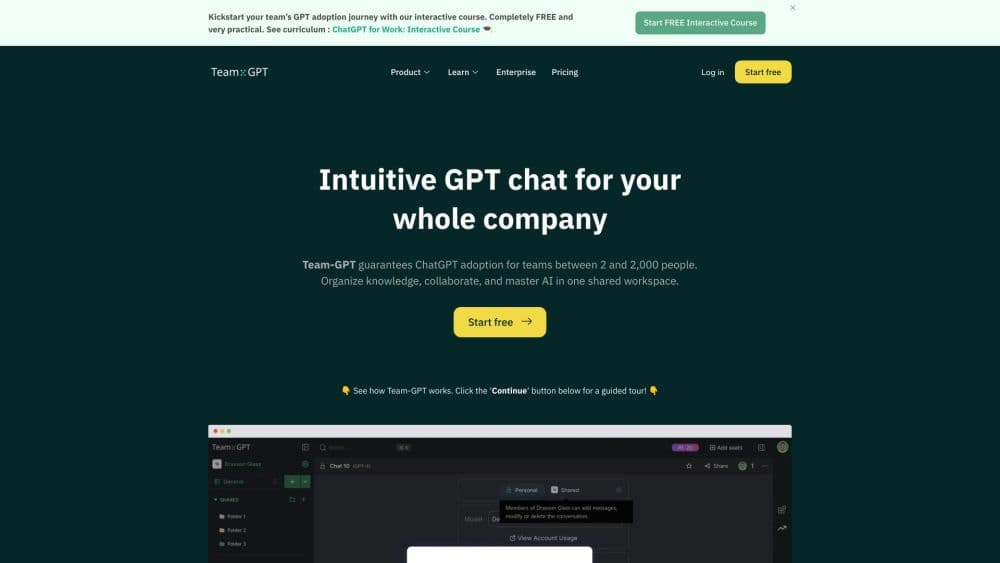
Team-GPT is a team AI workspace that puts ChatGPT, Claude, and Gemini in one shared space, with projects, a prompt library, and unlimited seats. It now runs AI marketing Flows as Juma.
About Team-GPT
What Is Team-GPT
Team-GPT is a team AI collaboration platform built for teams rather than individuals. Instead of everyone buying a separate ChatGPT or Claude subscription, a team shares one multi-model AI workspace where those models sit side by side, organized into folders and projects. Prompts are saved and reused, and the context behind a shared AI project stays with the project, so a new teammate can pick up work without re-explaining it.
The product has since been renamed Juma, turning the Juma AI marketing platform into the company's new focus, and repositioned around AI marketing Flows, the ready-made tasks that turn a brief into a finished deliverable. The underlying workspace, the multi-model setup, and the shared knowledge base are the same. What changed is the emphasis: from "run any model together" to "get marketing work done together."
Two limits matter when you are deciding whether to bring it in. It is built for teams and workspaces, so it is heavier than a personal chatbot subscription if you are working alone. And the newer Flow features are aimed at marketing and agency work, which means the value skews toward teams that produce campaign assets, reports, and content on repeat.
Getting Started
- Sign up at team-gpt.com and create a workspace for your team.
- Pick a model for the task at hand. Claude, ChatGPT, and Gemini are available in the same chat, so you can compare answers without leaving the page.
- Set up a project and add context. Drop in brand guidelines, documents, and instructions so every reply draws on the same background.
- Work with your team. Share folders, save useful prompts to the library, and let colleagues build on each other's conversations.
- Or run a Flow. Describe the deliverable you need, and Juma plans the steps and produces a finished asset.
Product Information
A quick look at Team-GPT's pricing, supported platforms, and performance.
Best for
The users, tasks, and scenarios where this tool fits best.
Users
- Marketing teams
- Agencies managing several clients
- Small businesses replacing several AI subscriptions
Tasks
- Running an SEO article draft
- Auditing ad spend
- Building a campaign brief
- Keeping prompts consistent
Scenarios
- Onboarding a new marketer
- Handling a seasonal workload spike
- Comparing model output before a decision
Key features
Multi-Model Workspace
Team-GPT runs Claude, ChatGPT, Gemini, Perplexity, and other models inside one multi-model AI workspace interface, so you are not locked to a single vendor or paying for separate seats. You can put two models in the same chat and compare their answers directly. For teams, that flexibility matters when one model is better at writing and another at analysis, and nobody wants to keep switching tabs to find out which.
Projects and Shared Context
A project holds the background a piece of work needs: brand guidelines, documents, web pages, and instructions. Once it is set up, every prompt inside that project draws on the same context, which is what keeps output consistent across a team. It also means a colleague who joins later sees the same starting point rather than a bare chat window.
Prompt Library
The prompt library is a shared shelf of prompts, personas, and custom instructions the whole team can save and reuse. The best-performing prompts stop living in one person's notes and become something everyone can run. For teams producing similar work each week, this is the feature that turns a few good prompts into a repeatable process.
ChatFolders and Collaboration
Chats organize into folders, so a workspace stays readable as it grows past a few dozen conversations. ChatFolder collaboration, along with projects and the shared library, makes the workspace something a team works inside together, rather than a stack of separate personal accounts. Sharing a conversation is a matter of opening it in the folder everyone already knows.
AI Marketing Flows
Under the Juma name, the product adds Flows: ready-made sequences that carry a task from brief to finished asset. Some 700 flows cover ad reports, social carousels, competitor analysis, and content. Each Flow can pick the model it needs, or you can specify one, and a Flow that fails to complete does not consume credits. It is the clearest shift from "a chat tool for teams" to "a way to ship marketing work."
Enterprise Security and Integrations
The platform is certified for SOC 2 Type II, ISO 27001, GDPR, and HIPAA, and it states that AI providers do not train on workspace data. Integrations reach Google Drive, Notion, HubSpot, Meta Ads, and Google Ads, so Flows can act on data where it already lives. Enterprise plans add private cloud deployment, SSO, and platform administration for teams with stricter requirements.
Pros and cons
Pros
- One workspace covers Claude, ChatGPT, and Gemini, which removes several overlapping personal subscriptions.
- Unlimited seats on every plan mean adding teammates does not raise the bill seat by seat.
- Projects and a shared prompt library keep output consistent, which matters most when several people write the same kind of content.
- The compliance set (SOC 2 Type II, ISO 27001, GDPR, HIPAA) answers the security questions enterprise buyers ask early.
- Only completed Flows use credits, so a failed run costs nothing.
Cons
- The pivot to marketing Flows narrows the pitch. If you want a general-purpose AI chat hub rather than a marketing tool, the fit is looser than it used to be.
- Credits, not seats, drive the cost once you run Flows, so heavy usage can climb faster than a flat subscription would.
- It is built for teams. A solo user will pay for workspace features they never touch.
- The brand changed from Team-GPT to Juma, so older guides, bookmarks, and screenshots may still carry the previous name.
Frequently asked questions
Team-GPT is a shared AI workspace for teams. It runs several AI models in one place, keeps projects and prompts organized, and now adds marketing Flows that carry a task from a brief to a finished deliverable. Teams use it to write, research, analyze ad data, and produce campaign assets without juggling separate subscriptions.
Related content
Explore related tools, skills, and articles for Team-GPT.
Team-GPT Alternatives

Base Code
Base44 (Wix) · Coding · ProductivityBase Code is a shared cloud development environment from Base44. Teammates describe changes to an existing GitHub codebase in chat, preview them live and send them back as pull requests.

Knocket
Knocket (Tencent RTC team) · Productivity · Business · ChatbotKnocket is a free live chat and contact page tool that lets visitors message you from your website, app, or a shareable link, with every reply handled from Telegram or one inbox.

FloorGen
Vinit Kumar (FloorGen) · Productivity · China AIFloorGen is a browser-based floor plan maker that turns a sentence or a sketch into an editable 2D plan and a 3D walkthrough. Export to PDF, DXF or video, and draw without an account.