

Teamble
Teamble · Productivity
Teamble is an employee feedback and performance app that runs inside Slack and Microsoft Teams, handling 360 reviews, surveys and 1:1s.
About Teamble
What Is Teamble
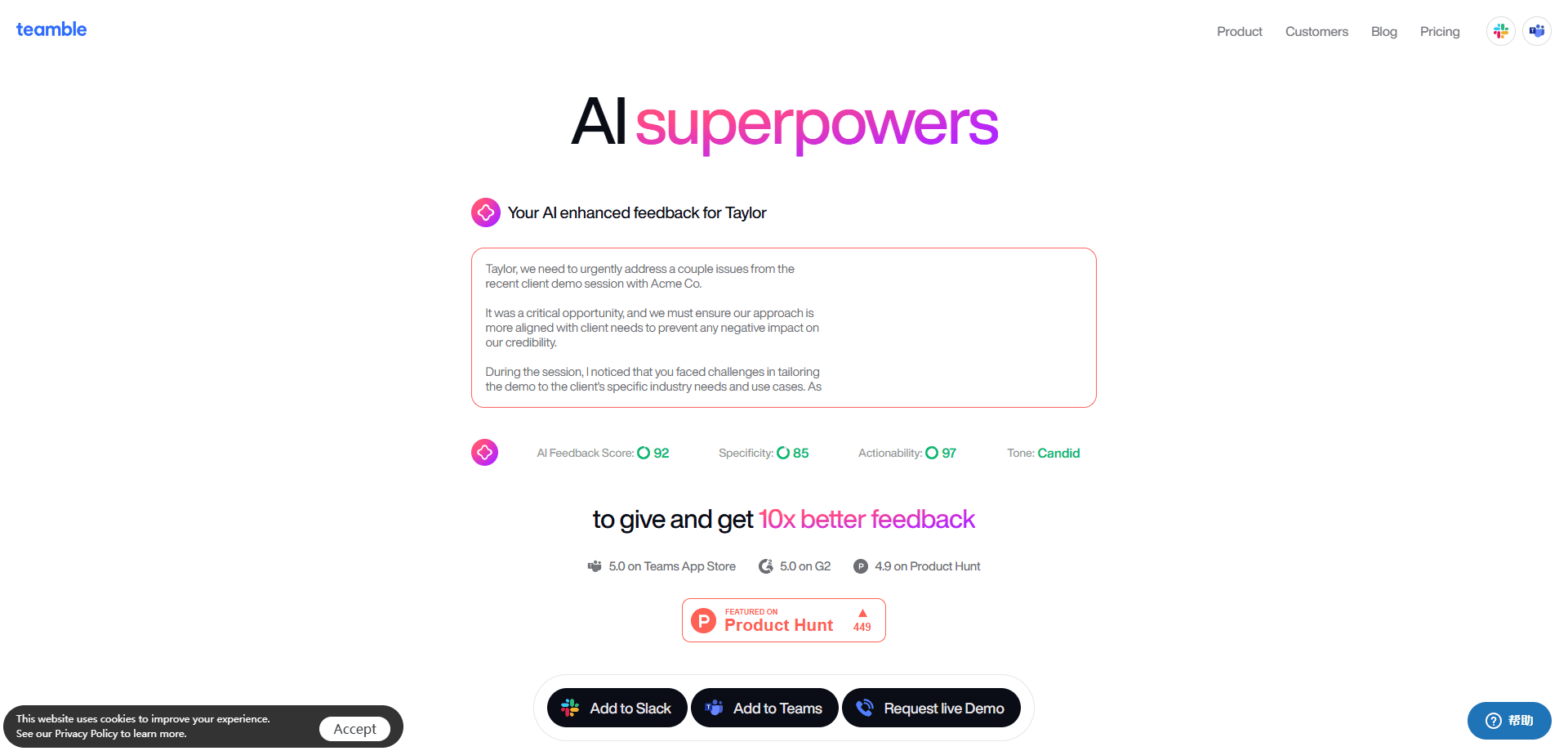
Teamble is a feedback and performance app that lives inside Slack and Microsoft Teams. Teams run 360 reviews, collect continuous feedback, send surveys and hold 1:1s without asking staff to open a separate tool. Teamble AI draws on workplace psychology and promises to double as an employee engagement platform, not just a review tool. The pitch is adoption. People already have Slack or Teams open all day, so the work happens where they already are.
The product was built with input from Adam Grant, a workplace psychologist, and that shows in how it frames feedback. Instead of a blank box, Teamble offers science-backed templates and a library of competencies, strengths and growth areas, so a manager knows what to ask and an employee knows how to phrase an answer. Reviews, surveys and one-on-ones all pull from the same structure.
The limits are worth knowing up front. Teamble is tied to Slack and Teams, so a company that doesn't use either has no path in. The Base plan is free forever but caps surveys at five users and ten questions. And the deeper performance management tools, including a custom review builder and people analytics, sit on the custom-priced Business plan rather than the published tiers.
Getting Started
- Install the Teamble app from the Slack Marketplace or Microsoft Teams and authorize it for your workspace
- Invite your team and set roles so managers and members see the right features
- Pick feedback templates from the library or customize competencies, strengths and growth areas
- Set goals, schedule surveys and start running 1:1s and 360 review cycles
- Review the insights dashboard and adjust templates as your team's needs change
Product Information
A quick look at Teamble's pricing, supported platforms, and performance.
Best for
The users, tasks, and scenarios where this tool fits best.
Users
- HR and People Ops teams
- Engineering and product managers
- Professional services firms
- Small teams and startups
- Team leads new to managing people
Tasks
- Running 360 feedback cycles
- Sending engagement and pulse surveys
- Holding one-on-one meetings
- Setting and tracking goals
- Building feedback habits
Scenarios
- A quarterly review cycle comes around
- A manager has a 1
- A team runs remote across countries
- A firm has layered roles and sub-roles
- Engagement dips mid-quarter
Key features
Native Slack and Microsoft Teams Integration
Teamble runs where your team already talks. There's no new dashboard to log into and no separate app to push people toward. Feedback, surveys and one-on-ones happen inside Slack or Teams, and the company's Deloitte case study credits that integration with fast adoption. For teams burned by tools nobody opens, that's the feature that decides the rest.
360 Feedback and Continuous Feedback
The core of the product is feedback that keeps moving. Teamble supports unlimited 360 feedback on the free Base plan, with anonymous options and a library of competencies, strengths and growth areas to structure what gets said. Members can give and request feedback on demand, so a review cycle draws on months of input instead of a rushed week.
Science-Backed Templates and Profiles
Teamble was built with workplace psychologist Adam Grant, and the templates carry that framing. Instead of a blank prompt, you get structures for what to ask and how to frame growth areas. Team and Business plans add profiles with personality traits, working styles and icebreakers, which helps a manager coach someone whose style differs from their own.
Surveys and Insights
Surveys cover engagement, performance, DE&I and L&D, and the Base plan includes unlimited surveys capped at five users and ten questions. Paid tiers lift that cap and add data visualization and analytics. The point isn't the survey itself. It's turning responses into a read on how the team is doing between formal reviews.
One-on-Ones and Goal Setting
Managers get a running record for each report, so a 1:1 starts from history rather than a blank page. Goals can be set and tracked with nudges between reviews, and custom competencies feed into both. That pairing is what separates a check-in ritual from a real feedback loop, since the goal from last month shows up in this month's conversation.
Performance Management and Admin Tools
The Business plan handles the heavier HR work. It adds a custom performance review builder, a management dashboard, advanced reporting and people analytics, plus premium support and consulting on people operations. This is where a firm replaces its spreadsheet process. Deloitte's member firm, for instance, cut the number of people needed to run reviews from thirteen down to two.
Pros and cons
Pros
- Runs inside Slack and Microsoft Teams, so adoption doesn't depend on a new tool
- The Base plan offers unlimited 360 feedback and surveys free forever
- Science-backed templates and a competency library give structure to feedback
- Team plan is cheap at $7 per user per month compared with full HR suites
- Business plan adds a custom review builder and people analytics for larger firms
Cons
- Only works if your company uses Slack or Microsoft Teams, with no standalone option
- The free Base plan caps surveys at five users and ten questions, so it's a starting point rather than a full rollout
- The custom review builder and analytics sit on the custom-priced Business plan, so serious performance management needs a sales conversation
- No public API means you can't wire Teamble into your own HR systems without built-in connectors
Frequently asked questions
Teamble is an employee feedback and performance app. Teams use it to run 360 reviews, collect continuous and anonymous feedback, send engagement surveys and hold one-on-ones, all from inside Slack or Microsoft Teams rather than a separate platform.
Related content
Explore related tools, skills, and articles for Teamble.
Teamble Alternatives

Udon
Udon · Coding · ProductivityUdon turns an Apple Silicon Mac into a home server you run from a browser, with container controls, file shares, and an optional AI sysadmin.

offstage
offstage cloud · Coding · Productivityoffstage gives AI coding agents and CI jobs a real Mac: a fresh macOS account on Apple silicon, driven over an API and billed by the second.

BotBus
Chengdu Tuyang Tusen Technology Co., Ltd. · Coding · ProductivityBotBus lets you control AI coding agents from your phone and watch: approve commands, start tasks and read results while the code stays on your desktop.