

TechStacker – AI Tech Stack Generator
Praveen (independent developer) · Coding
TechStacker – AI Tech Stack Generator is a free web tool that turns a short project description into a complete technology stack recommendation. You type an idea like "SaaS for dentists" or "fitness social app," and the AI returns a full-stack tech stack: frontend frameworks, backend runtimes, databases, authentication, and hosting options for each layer of the build. Finding the best tech stack for a project usually eats a weekend. This tool cuts that down to seconds.
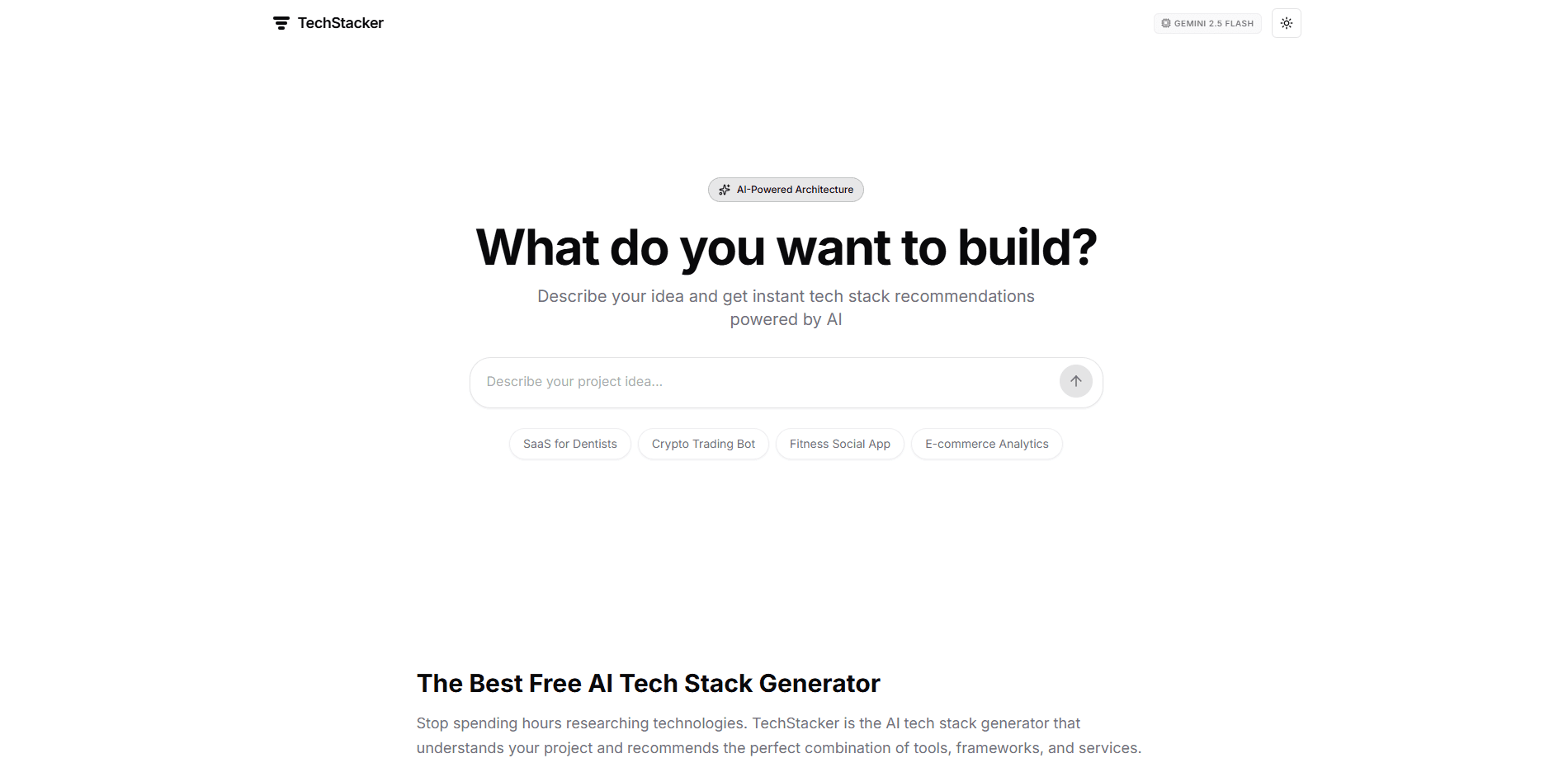
About TechStacker – AI Tech Stack Generator
What Is TechStacker – AI Tech Stack Generator
TechStacker is an AI-powered architecture planner. Instead of picking technologies by browsing blog posts and Reddit threads, you describe what you want to build in plain language and the tool drafts a stack around it. The engine runs on NVIDIA's Nemotron Super model, a Llama-3.3 variant, so recommendations lean on modern, cloud-native defaults.
The main problem it solves is decision fatigue. A developer starting a new project faces dozens of small choices, and each one has a crowd of opinions behind it. TechStacker collapses that into a single starting point you can accept, tweak, or argue with. The tool is free to use, runs in the browser, and needs no account or install.
The limits matter too. It suggests stacks, it doesn't build or test them. Not even close. Recommendations come from a model, not from a human architect who knows your team, budget, or compliance needs. Treat the output as a strong first draft, not a final ruling.
Getting Started
- Open the TechStacker site in your browser. There's nothing to install and no sign-up wall.
- Type a description of your project into the prompt box, or tap a preset like "Crypto Trading Bot."
- Hit Generate and wait a few seconds for the AI to assemble the stack.
- Read through the recommended layers, from frontend and backend to database and hosting.
- Copy the suggestions into your own planning doc and adjust anything that clashes with your team's skills or budget.
Product Information
A quick look at TechStacker – AI Tech Stack Generator's pricing, supported platforms, and performance.
Best for
The users, tasks, and scenarios where this tool fits best.
Users
- Startup founders
- Full-stack developers
- Students and beginners
- Freelancers
Tasks
- Choosing a starting stack for a new app
- Comparing architecture approaches
- Writing a project spec
Scenarios
- Early project scoping
- Hackathon prep
- Client pitches
Key features
Instant Stack Recommendations
TechStacker generates a full recommendation set from one sentence of input. You describe the product, and it returns choices for each architectural layer, so you get a complete picture rather than one isolated suggestion. Speed is the point here: seconds instead of a research session. That gap adds up fast.
Full-Stack Layer Coverage
The tool doesn't stop at the frontend. It covers frameworks, backend runtimes, databases, caching, authentication, file storage, and deployment. That breadth is what separates it from a "which JS framework" quiz, since most architecture mistakes show up at the seams between layers.
Context-Aware Prompts
The AI reads cues like "real-time," "high-traffic," or "budget-friendly" and adjusts its picks. A chat app and a content site get different database and hosting suggestions. This is a plain language tool, so you don't need to know the right technical term to steer it.
Built on NVIDIA Nemotron Super
The engine runs on NVIDIA's Nemotron Super, a Llama-3.3 based model. TechStacker states this openly in the header, which tells you the class of model doing the reasoning: a current, capable open-weight family rather than an unnamed black box.
Modern Stack Presets
Recommendations lean toward setups like MERN, MEAN, JAMstack, serverless, and microservices. That means the suggestions reflect what teams actually run today, not a textbook from five years ago, which saves you from inheriting an outdated default.
Free With No Account
Every feature is available without payment, sign-up, or install. You open the site, describe a project, and get an answer. For a tool you might use a few times a year, that zero-friction access is the reason it gets used at all.
Growth-Ready Architecture Guidance
The tool frames recommendations around growth. A stack should handle a small MVP and still hold up when traffic climbs, so it favors options that expand without a rewrite at the first spike. This is a system architecture planner at heart. Keep in mind it's a suggestion, not a load-tested guarantee. Do you really need microservices on day one? Probably not.
Pros and cons
Pros
- Completely free, with no account, login, or credit card needed to get a recommendation.
- Covers the whole stack, so you get frontend, backend, data, and hosting in a single output.
- Understands plain-language constraints like budget or real-time needs without demanding technical jargon.
- Runs entirely in the browser, which means no install, no setup, and instant use on any device.
- Gives a concrete starting point that's easy to adjust when you already have opinions.
Cons
- It only suggests a stack and never builds, tests, or benchmarks it, so real performance stays unproven until you try it.
- Recommendations come from a model with no knowledge of your team's skills, existing code, or compliance rules, which can produce picks you can't actually staff.
- There's no API, CLI, or export option, so you'll copy the output by hand into your own tools.
- The site offers no pricing or enterprise tier, so there's no support path if you need help on a serious project.
Frequently asked questions
Yes. TechStacker is completely free, with no payment, sign-up, or account required. You open the site, describe your project idea, and get a tech stack recommendation at no cost. The FAQ on the site confirms the tool is free for all users.
Related content
Explore related tools, skills, and articles for TechStacker – AI Tech Stack Generator.
TechStacker – AI Tech Stack Generator Alternatives
Forefront
Forefront · CodingForefront is a web platform for building with open-source AI. It lets you fine-tune leading open-source language models on your own data, evaluate how they perform, and run them through an API or export them to host yourself. Developers who want the convenience of a closed-source platform but insist on owning their models and data are the target audience here.

Startkit
StartKit.AI · CodingStartkit is a boilerplate for building AI SaaS and AI wrapper products. Think of it as an AI startup boilerplate with the boring parts already wired up: authentication, Stripe and Lemon Squeezy payments, usage limits, transactional email, and an AI API starter that talks to OpenAI, Anthropic, Groq, or Llama. You clone the repo, set your price, and start on the part of your product that people actually pay for. It's Next.js under React and Tailwind, so most of the boilerplate code already feels familiar.
Testim
Tricentis · CodingTestim is an AI-powered test automation platform for building and running end-to-end tests across web, mobile, and Salesforce applications. It leans on machine learning to keep tests stable when an interface changes, so teams spend less time fixing broken selectors. Not bad for an automated testing tool you can start using today. You create tests by recording actions in a browser, then optionally add JavaScript when you need more control. It's a solid pick for busy QA teams.