

Tern - AI Travel Planner
Tern Travel, Inc. · AI Assistant
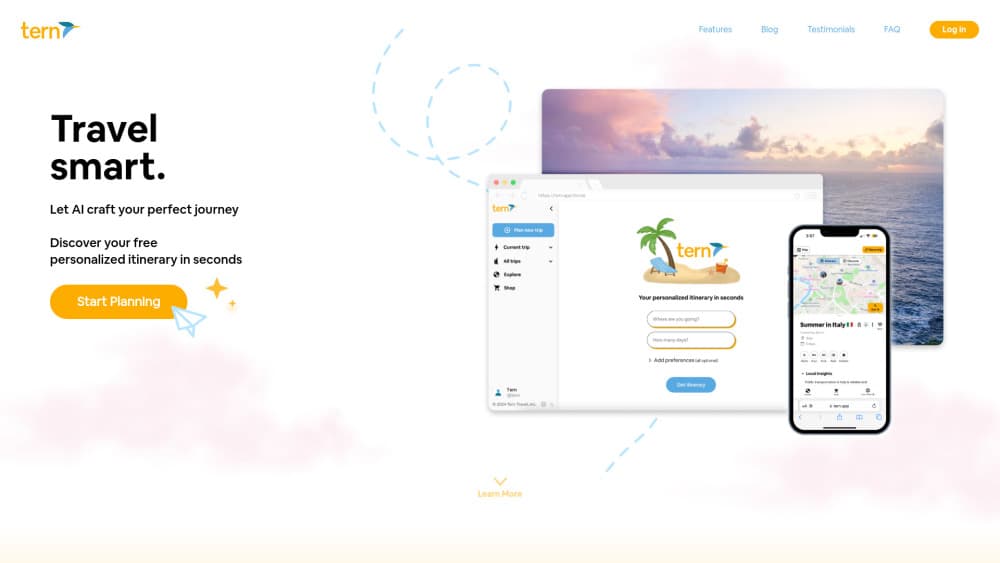
Tern is an AI travel planner that builds a day by day itinerary from your destination, dates and interests in under a minute, then lets you edit it, map it and share it with your travel companions.
About Tern - AI Travel Planner
What Is Tern
Tern is an AI travel planner built for travelers who know where they want to go but don't want to spend a weekend assembling a schedule. You give it a destination, a trip length and a few preferences, and it returns a full itinerary split by day, with activities, food stops and travel time in between.
The product started as a solo build and grew into a browser and iPhone trip planner app used in more than 120 countries, according to the company. The same engine now also powers a professional version for travel advisors at tern.travel, which handles client itineraries, proposals and commission tracking.
The limit that matters most: the consumer app has been rebuilt under a new name, Tilly, and tern.app now sends visitors there. If you search for Tern today, part of what you find is the advisor platform rather than the planner you read about in older reviews.
Getting Started
- Open tern.app and start a new trip. You get an account prompt, and the free tier doesn't ask for a card.
- Enter the destination, trip dates and trip length, then answer a short set of questions about pace, budget and interests.
- Review the generated plan, then edit any activity, delete what you don't want, or add your own stops with dates and times.
- Invite travel companions so everyone edits the same itinerary, and check the map view before you leave.
Product Information
A quick look at Tern - AI Travel Planner's pricing, supported platforms, and performance.
Best for
The users, tasks, and scenarios where this tool fits best.
Users
- First-time visitors to a city
- Travelers planning a multi-city trip
- Small groups of friends
Tasks
- Turning a messy booking confirmation into a schedule
- Building a first draft in a hurry
- Comparing two versions of the same trip
Scenarios
- A long weekend with friends where everyone has a different must-see list
- A business trip with two free evenings
- An advisor drafting a client proposal
Key features
Itinerary Generation From a Short Brief
You answer a handful of questions about destination, dates, pace and interests, and Tern returns a structured plan within about a minute. Each day gets a sequence of activities with rough timing, so the output reads like a schedule rather than a list of attractions.
AI Assist Import From Email, PDF or URL
The AI Assist box accepts pasted text, a PDF upload or a link, then parses it into individual activities such as flights, lodging and transfers. It's the fastest way to get an existing booking into the planner. It doesn't pull every reference number, so check confirmations by hand after an import.
Fully Editable Days
Nothing in the generated plan is locked. You can rename an activity, shift its time, drag it to another day or delete it, and the rest of the schedule stays intact. This matters because most AI planners produce something you can only read, not work in.
Map View of the Whole Trip
Every activity with an address appears on a map, which makes backtracking obvious. If three stops sit on opposite sides of a city on the same afternoon, you'll see it before you leave the hotel, not after.
Collaboration With Travel Companions
You can invite other travelers into a trip so everyone edits one plan. Comments and shared access turn the itinerary into the group's single source of truth, which is more useful than exporting a PDF into a group chat.
Advisor Workspace and Tern Pro
Tern's professional tier gives travel advisors client records, itinerary proposals, invoicing and commission reconciliation in one place, with optional AI usage add-ons from $19 a month. It's a separate product from the consumer planner, aimed at people who sell trips for a living.
Pros and cons
Pros
- The first draft arrives in under a minute, which removes the blank page problem that stalls most trip planning.
- Every block stays editable, so the AI output is a starting point you can actually work with.
- AI Assist handles confirmation emails and PDFs, which is where most of the manual typing usually goes.
- The free tier covers casual planning, and the paid add-ons start at $19 a month rather than a premium subscription.
- The iPhone app keeps the plan readable while you're walking around with weak signal.
Cons
- The consumer app now runs as Tilly, so new users land on a different brand and some older guides point at dead ends.
- There's no booking engine inside the planner, so flights, hotels and tickets still happen somewhere else.
- AI imports can skip booking reference numbers and traveler names, which means a manual check after every upload.
Frequently asked questions
It's a trip planning tool that builds a travel itinerary from a short brief. You supply the destination, dates and preferences, and it returns a day by day plan you can edit, map and share. It doesn't book anything on your behalf.
Related content
Explore related tools, skills, and articles for Tern - AI Travel Planner.
Tern - AI Travel Planner Alternatives
Agibot
Agibot · Productivity · AI Assistant · ChatbotAgibot is a personal AI agent for Mac that keeps running after you close the window, runs routines on a schedule, and works from Telegram or Slack with your own API keys.

Foley
Hanamori Labs, LLC · Voice & Language · Productivity · AI AssistantFoley is a voice to-do list that turns a spoken sentence into a filed task, complete with project, date and time, then helps you plan the day around what is already there.

Ghost Core
Ghost · Productivity · AI AssistantGhost Core is a $3,499 screenless personal AI computer that runs local AI models on its own hardware, builds context from your apps and devices, and acts without waiting for a prompt.