

The Hairframe
The Hairframe · Image
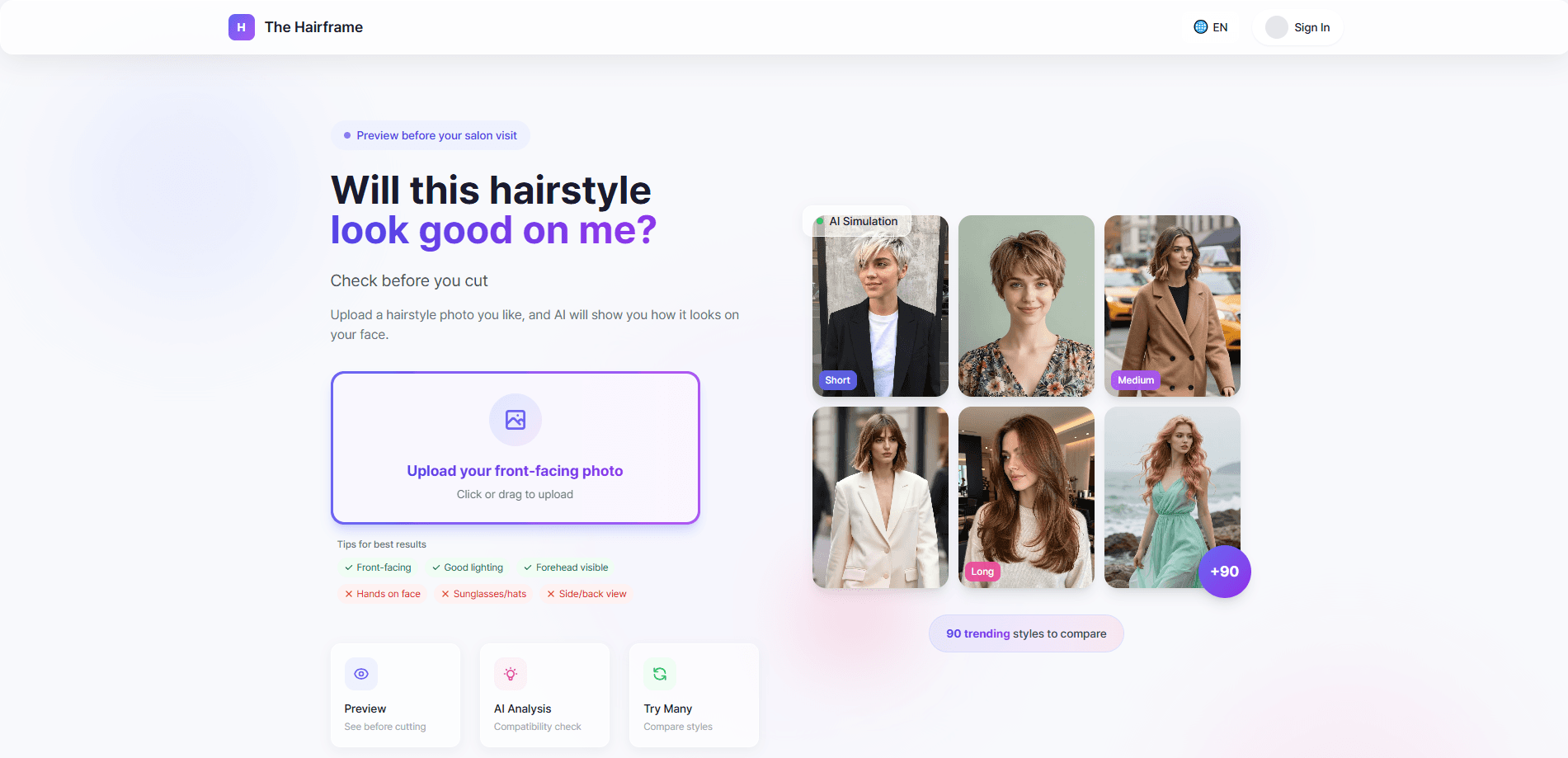
The Hairframe is an AI hairstyle simulator that lets you preview new haircuts and styles on your own face before you commit to a real one. You upload a photo, the platform renders the change, and you get to see how a shorter cut, a different fringe, or a fresh color reads on your features. It's built for anyone who wants a virtual haircut preview instead of guessing at the salon, and the whole point is simple: see the result first, decide after.
About The Hairframe
What Is The Hairframe
The Hairframe is an AI-powered hairstyle simulation platform. Instead of scrolling through photos of strangers and hoping a cut transfers to your face, you load your own picture and let the AI render a hairstyle change on top of it. The result is a hairstyle try on that reflects your features, not a model's.
The problem it targets is a familiar one. A haircut is a months-long commitment, and screenshots from social media rarely tell you how a style will actually land on your jawline, forehead, or hair density. The Hairframe gives you a low-pressure way to test the idea first.
The main limitation is scope. This is a visualization tool, not a styling or salon-booking service. What you see is a simulation, and real-world factors like your natural texture, growth pattern, and how much effort you'll put into styling each morning can still shift the final look. Treat the preview as a planning aid, not a guarantee.
Getting Started
- Open the platform in your browser and create an account if one is required for your session.
- Upload a clear, well-lit, front-facing photo of yourself. Good lighting and an unobstructed face give the most accurate previews.
- Pick a hairstyle, cut, or color from the available options to generate a first render.
- Compare the result against your original photo and adjust the style until you land on something you'd actually wear.
- Save or share the preview as a reference to bring to your stylist.
Product Information
A quick look at The Hairframe's pricing, supported platforms, and performance.
Best for
The users, tasks, and scenarios where this tool fits best.
Users
- People considering a big change
- Anyone who's regretted a haircut
- Styling-curious beginners
Tasks
- Testing a new cut length
- Previewing a hair color change
- Building a salon reference
Scenarios
- Before a salon appointment
- Deciding on a seasonal change
- Curiosity without commitment
Key features
Photo-Based Hairstyle Simulation
The core of The Hairframe is rendering a hairstyle change on your own uploaded photo. You start with a picture of yourself, choose a look, and the AI simulates the cut or color on your face. It's the difference between looking at someone else's haircut and seeing that haircut on you.
AI Haircut Preview
The platform leans on AI to generate realistic previews rather than pasting a flat wig shape over your head. The goal is a hairstyle try on that keeps your face recognizable while changing the hair, so you can judge whether a style actually suits your proportions.
Multiple Style Exploration
You're not locked into a single render. The point of a hairstyle simulator is iteration, so you can move between cuts, lengths, and colors until something fits. The first render rarely tells the whole story, so you keep adjusting. Want to see how a blunt bob compares to a layered lob on the same face? You can, without booking anything.
Browser-Based Access
The Hairframe runs in a web browser, so there's nothing to install on a phone or desktop. For a hairstyle simulator online, that's a reasonable trade-off, and it keeps the barrier to entry low. No app store, no updates to manage, just a page you open when the urge to experiment strikes.
Pros and cons
Pros
- Sees a cut or color on your own face instead of a stranger's, which is far more useful than scrolling inspiration feeds.
- Web-based, so you can run a virtual haircut preview from any device with a browser.
- Iterative by design, letting you compare several styles before settling on one.
- Produces a reference you can bring to your stylist, which cuts down on miscommunication.
Cons
- It's a simulation. Your real texture, growth pattern, and styling effort can change how the cut actually looks, so the preview isn't a guarantee.
- Accuracy depends on your photo. A poorly lit or badly angled selfie will produce a less reliable AI hairstyle simulator result.
- It won't tell you what's realistic for your hair type, so you may need a stylist's input before committing.
Frequently asked questions
It's an AI hairstyle simulator that previews haircuts and colors on your own photo. You upload a picture, pick a style, and see the change rendered on your face before you commit to a real haircut.
Related content
Explore related tools, skills, and articles for The Hairframe.
The Hairframe Alternatives

Google EmbeddingGemma 2
Google DeepMind · Writing · Image · CodingGoogle EmbeddingGemma 2 is a 740M-parameter open model that turns text, code, images, audio, and video frames into vectors in one 768-dimension space, running on phones and laptops.

Tractionwave
TractionWave · Image · MarketingTractionWave is an AI attention heatmap tool for static ads. Upload a PNG or JPG and it returns predicted attention, ranked hotspots, and fixes before you spend budget.

Imejis.io
Imejis.io · Image · MarketingImejis.io is an AI design studio for agents and marketing teams. Describe an image in plain words, and it writes the copy, builds the layout, reflows it to every size, then exports a finished file.