

GitBook
GitBook · Productivity · Leaning
GitBook is an AI documentation platform where teams write, review and publish product docs, then turn them into sites, API references and AI answers.
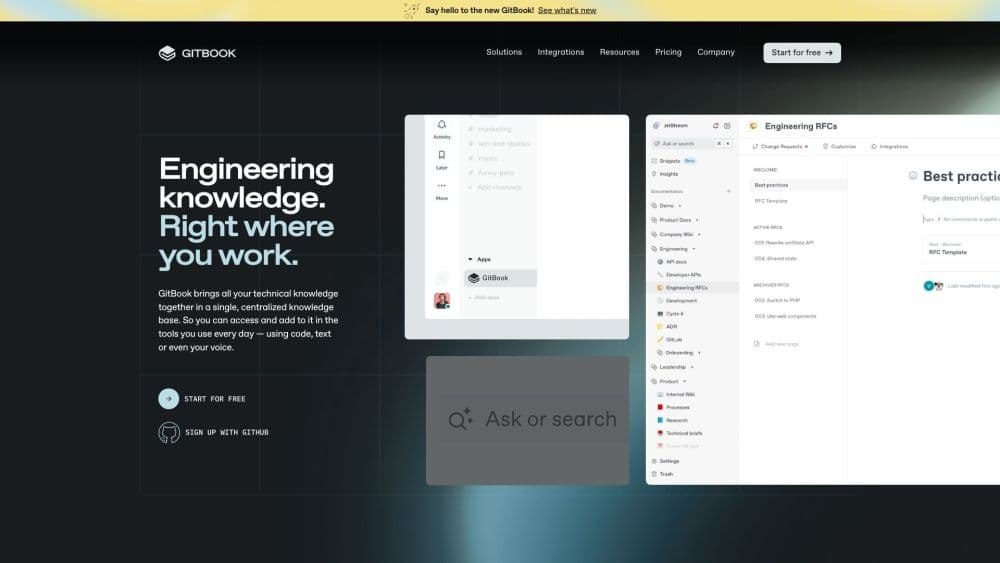
About GitBook
What Is GitBook
GitBook is a web platform for building and hosting product documentation. A team writes in a block-based editor that supports Markdown, syncs the content with GitHub or GitLab, and publishes a branded docs site with search, analytics and an embedded AI assistant. It's aimed at the people who maintain API references, help centers and internal knowledge bases.
Used as a docs site builder and a knowledge base for internal teams, it tries to solve scattered, stale content in one place. The problem it solves is scattered, stale docs. Writing, review and publishing usually live in three different tools, and updates lag behind the product. GitBook keeps the whole flow in one place and adds an AI agent that drafts changes from support tickets and product updates, plus a two-way Git Sync so engineers can edit Markdown in their own editor while writers work in the visual one.
Its main limits are price and the way it locks in a workflow. There's a free plan for one user, but collaboration and most AI features sit behind paid tiers that start at $65 a month per site plus $12 per user. Fine-grained control over how the site looks is also narrower than a hand-built site, so brands with unusual design needs hit a ceiling.
Getting Started
- Sign up on the GitBook site with GitHub, Google or email, and create your first space.
- Write or import content, either in the block-based editor or by importing from Markdown, Confluence, Notion or Google Docs.
- Connect a GitHub or GitLab repo if you want Git Sync, then invite teammates and open a change request to review edits.
- Publish the space as a docs site, add a custom domain on a paid plan, and optionally switch on the AI assistant.
Product Information
A quick look at GitBook's pricing, supported platforms, and performance.
Best for
The users, tasks, and scenarios where this tool fits best.
Users
- Technical writers
- Software developers
- Support and product teams
Tasks
- Publishing a docs site
- Documenting an API
- Localizing documentation
Scenarios
- Keeping API docs in step with releases
- Standing up an internal knowledge base
- Answering user questions at scale
Key features
Block-Based Visual Editor
The editor works like a document tool with WYSIWYG blocks and full Markdown support, so a writer can drag content around while a developer types raw syntax in the same space. Real-time collaboration lets several people edit at once, and comments thread on specific blocks. It's the piece that lets technical and non-technical contributors share one workflow instead of passing files around.
Git Sync
A two-way sync connects GitBook to a GitHub or GitLab repo. Content edited in the visual editor updates the repo, and Markdown pushed to the repo updates GitBook, so both stay current. Branches, reviews and merges work the way they do in code, which is why engineering teams accept writing docs here rather than in a separate tool.
AI-Ready Documentation
Published docs automatically generate an MCP server, plus llms.txt and Markdown versions, so AI tools and coding agents can read your content. WebMCP support lets in-browser agents search the docs and pull a page. Nothing here needs configuration, which matters if you want your product to show up in AI answers without extra work.
GitBook Agent and Assistant
The GitBook Agent drafts and edits documentation, suggesting changes based on support tickets and product updates for a human to review. The Assistant is the user-facing side: an embedded product expert that answers questions from your docs and connected sources. It turns a static site into something users can query directly.
Auto-Updating API Docs
Import an OpenAPI or Swagger definition and GitBook builds a structured reference with endpoints, parameters and copyable examples. When the spec changes, the reference updates itself, and an interactive playground lets developers test calls on the page. Versioned API docs keep a copy for each release with full history.
Localization in One Click
The translation feature moves content into multiple languages with AI, and translations re-sync when the source changes, so a page edited in English doesn't leave the other languages stranded. On higher plans the usage is bundled rather than metered per word, which suits teams publishing in several markets.
Knowledge Base Software for Internal Teams
A GitBook site doubles as knowledge base software, not just a public handbook. Sections and groups hold several products on one site, version history tracks who changed what, and authenticated access keeps private pages away from the public. Support, product and engineering teams end up reading and writing in the same place.
Content Quality Tools
Content gaps, broken links, a shared style guide and search analytics sit in one place. The Agent can fill the gaps it finds, and the style guide keeps every contributor consistent whether a human or an AI wrote the draft. It's the layer aimed at keeping a large docs site from quietly rotting.
Analytics, Search and Access Control
Page view analytics, full-text search and user feedback tell you what people read and where they get stuck. On higher tiers, authenticated access and adaptive content show or hide pages based on who is looking, which matters for docs that mix public and private content on one site.
Pros and cons
Pros
- One home for writing, review and publishing: change requests, version history and comments replace the usual three-tool juggling act.
- Git Sync meets people where they work: developers edit Markdown in their IDE while writers use the visual editor, and both stay in sync.
- AI features built in: an MCP server, LLM optimizations and an AI agent ship as standard, so docs are ready for AI tools without extra setup.
- Fast to stand up: import from Markdown, Confluence, Notion or Google Docs and publish a branded, searchable site in one sitting.
Cons
- The free plan is thin: it covers a single user, so any team that needs collaboration, a custom domain or the assistant has to move to a paid tier.
- Per-site pricing adds up: Essential starts at $65 per site plus $12 per user each month, which gets expensive for organizations running several sites.
- Design control is limited: customization covers logo, fonts and colors, but it isn't a full site builder, so unusual layouts need a workaround.
Frequently asked questions
GitBook is used to write, review and publish product documentation. Teams build docs sites, API references and internal knowledge bases, and on paid plans they add an AI assistant and agent on top of the content.
Related content
Explore related tools, skills, and articles for GitBook.
GitBook Alternatives

Base Code
Base44 (Wix) · Coding · ProductivityBase Code is a shared cloud development environment from Base44. Teammates describe changes to an existing GitHub codebase in chat, preview them live and send them back as pull requests.

Knocket
Knocket (Tencent RTC team) · Productivity · Business · ChatbotKnocket is a free live chat and contact page tool that lets visitors message you from your website, app, or a shareable link, with every reply handled from Telegram or one inbox.

FloorGen
Vinit Kumar (FloorGen) · Productivity · China AIFloorGen is a browser-based floor plan maker that turns a sentence or a sketch into an editable 2D plan and a 3D walkthrough. Export to PDF, DXF or video, and draw without an account.