
The Prompt Index
The Prompt Index · Productivity · Prompts
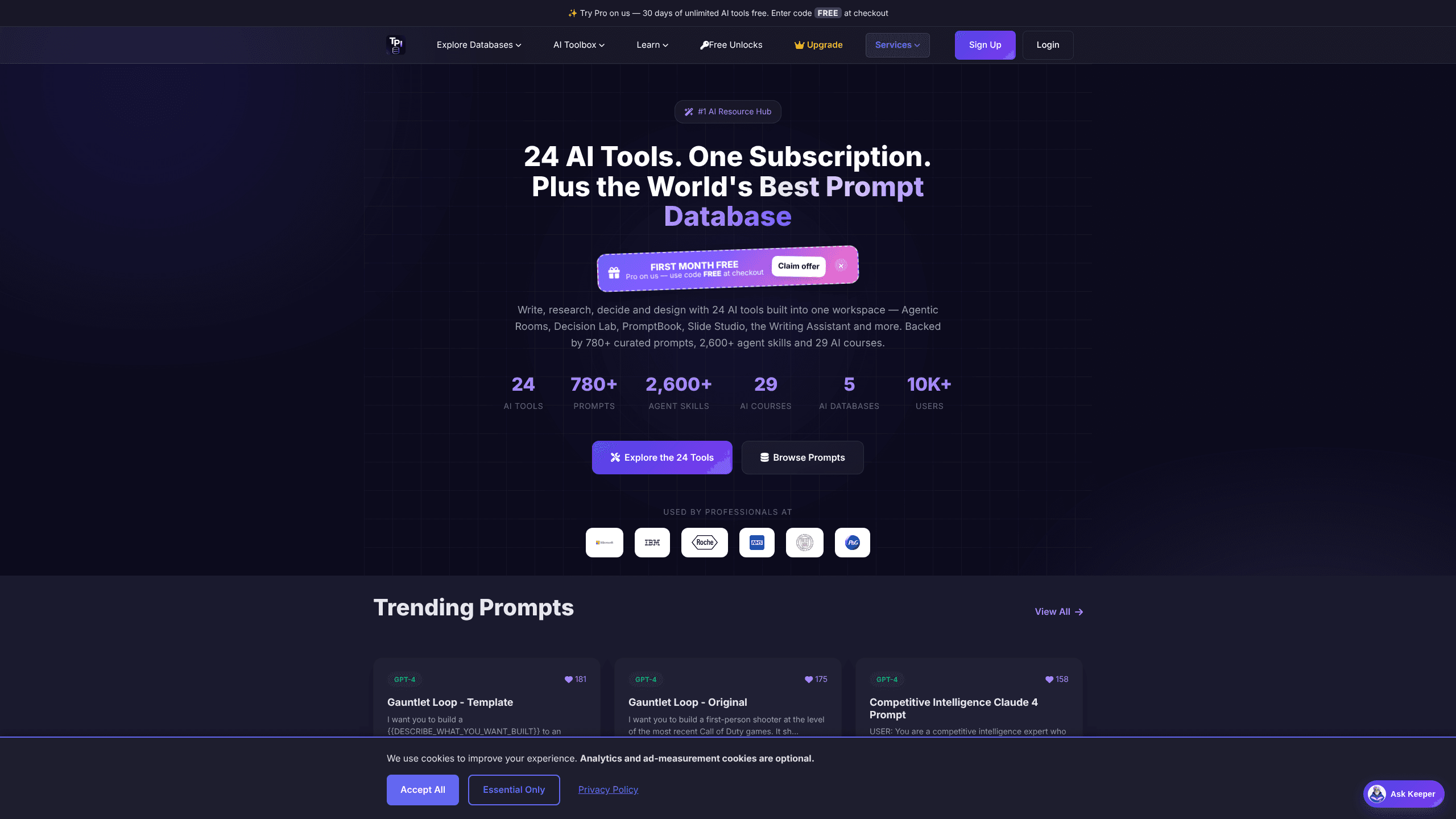
The Prompt Index is a web-based AI workspace that pairs a curated prompt library with a set of built-in tools. You get 780+ tested prompts, a prompt generator, an AI writing assistant and an AI humanizer, all under one login. It suits people who want a ChatGPT prompt database they can actually search and reuse instead of scrolling endless browser tabs.
About The Prompt Index
What Is The Prompt Index
The Prompt Index started as a searchable collection of AI prompts and grew into a full workspace. The prompt database is the core: 780+ curated prompts written for ChatGPT, Claude and Gemini, sorted by task so you can find a starting point fast. Around it sits a toolbox of 24 AI tools covering writing, images, research, slides and audio, each one reachable from the same sidebar you use to browse the prompts. Simple idea, wide reach.
The pitch is convenience. Most people juggle a notes app, a few subscriptions and a dozen open tabs just to organize their prompts. The Prompt Index folds the library and the tools into one place, with your saved prompts and folders tied to a single account. One login, one bill.
There's a real limit worth knowing up front. The free plan caps most tools hard, such as one image edit per day per tool, so it works better as a test drive than a daily driver. The AI courses and agent skills are also broad but uneven in depth. If you want the full library and unlimited saving, you'll be paying for Basic or Pro. Fair enough, but plan for it.
Getting Started
- Create a free account on the site with an email address and password.
- Open the Prompt Database and browse by category, or use Prompt Search to find a prompt by keyword.
- Adjust the prompt's placeholders to match your task, then copy it into ChatGPT, Claude or Gemini.
- Save useful prompts to your profile and sort them into folders as your collection grows.
- Upgrade to Basic or Pro if you hit the free limits on saving, tools or courses.
Product Information
A quick look at The Prompt Index's pricing, supported platforms, and performance.
Best for
The users, tasks, and scenarios where this tool fits best.
Users
- Writers and marketers who reuse prompts across articles, ads and social posts and want one place to store them.
- Students and researchers who need study, summarising and citation tools alongside a prompt library.
- Small teams on a budget who'd rather pay for one workspace than stack separate AI subscriptions.
Tasks
- Drafting blog posts, emails and headlines with the AI Writing Assistant and prompt generator.
- Finding a ready prompt for a specific job, like a competitive analysis or a course outline, instead of writing one from scratch.
- Cleaning up AI text so it reads less robotic using the humanizer.
Scenarios
- Building a personal library of prompts you reuse every week for recurring writing tasks.
- Running quick competitor research through SignalScope before a client meeting.
- Turning rough notes into a study guide or slide deck when you're short on prep time.
Key features
Curated Prompt Database
The library holds 780+ prompts written for ChatGPT, Claude and Gemini, each tagged with its purpose and a short description. You can browse by category, search by keyword, and copy a prompt straight into your model of choice. The prompt's placeholders make it clear what details to fill in, so you spend less time guessing how to phrase a request. That last part matters more than it sounds.
24 AI Tools in One Workspace
Beyond prompts, there are 24 tools split across writing, images, research, media and study. These include an AI Writing Assistant with tracked suggestions, a humanizer, an image suite with upscaling and background removal, and a prompt generator. Everything lives under one login, and your work is saved in one place rather than scattered across apps. No tab juggling.
Agentic Rooms and Decision Lab
Two of the more unusual tools are Agentic Rooms and Decision Lab. Agentic Rooms puts several AI advisors on a single decision and lets them debate it, which suits weighing tradeoffs rather than getting one flat answer. Decision Lab takes a pile of documents and turns them into an evidence-backed brief you can hand to someone else, the kind of thing you'd otherwise spend an afternoon assembling and second-guessing before you finally sent it off. Want a second opinion you didn't have to ask for? That's the idea.
PromptShare and Private Folders
PromptShare lets you organize prompts into folders, share them publicly or keep them private, and build a reusable collection over time. Free accounts hold up to 10 saved prompts and one private folder, while paid plans lift those limits. For anyone who drafts often, this turns a loose set of prompts into a working library. It's the part you'll miss most if you leave.
Skills and Courses
The workspace also includes 2,600+ agent skill files you can download for AI agents, plus 29 AI courses covering prompting basics through advanced techniques. Not all of it's deep, and many courses lean introductory, but the breadth means there's usually something to point you in the right direction. Some lessons feel like a starting point rather than a full course. Depth varies.
SignalScope and AI Website Agent
SignalScope runs competitor analyses and saves the reports, giving you a structured read on a rival's public activity. The AI Website Agent, or Helper Studio, builds a simple chat helper for your site with a one-line embed. Both are aimed at light business use rather than heavy enterprise deployment. Neither is built for scale.
PromptBook and Slide Studio
PromptBook writes and publishes a full book, cover included, formatted for Kindle. Slide Studio turns material into presentation decks. These are the tools most people don't expect from a prompt site, and they hint at where the product is heading: a general AI workspace rather than just a prompt list. That's a big swing.
Pros and cons
Pros
- The prompt library is genuinely organized, with search and categories that make 780+ prompts easy to navigate.
- One subscription covers prompts, writing, images, research and study tools, which cuts down on app-hopping.
- Saving and sharing prompts through PromptShare turns a loose collection into a reusable library.
- The free tier is a real trial, not a locked demo, so you can test the workflow before paying.
Cons
- Free-plan limits are tight on most tools, often one run per day, so heavy users hit the wall fast.
- The agent skills and courses vary in depth, and some are more surface-level than the counts suggest.
- It's a web-only workspace with no API listed, so it won't slot into an automated pipeline or a mobile-first routine.
Frequently asked questions
It's an AI prompt library and workspace for finding, saving and reusing prompts, plus built-in tools for writing, images, research and study. People use it to cut the time spent writing prompts from scratch and to keep their best prompts in one account.
Related content
Explore related tools, skills, and articles for The Prompt Index.
The Prompt Index Alternatives

Swms
Swms AI · Writing · Productivity · BusinessSwms is an AI safety compliance tool that turns a plain description of a job into ready-to-use safety documents. Describe your project, trade, and known hazards, and it writes a safe work method statement, job hazard analysis, safe work procedure, RAMS, or safety data sheet in seconds. It also ships with Oscar, a chat assistant that answers workplace safety questions in any language. Teams in construction, mining, transport, and warehousing use it to cut the paperwork that usually eats into a workday.

Wordly AI Translation
Wordly · Voice & Language · ProductivityWordly AI Translation is a real-time AI translation and captioning platform built for meetings, conferences, and events. It delivers live translation, captions, transcripts, and summaries in more than 60 languages, and attendees join by scanning a QR code or opening a link instead of using dedicated headsets. The platform works with Zoom, Microsoft Teams, Google Meet, and Webex, and it's designed for organizations that want multilingual access without hiring human interpreters for every session. Simple as that.

Rows
Rows (Superhuman) · Productivity · BusinessRows is an AI spreadsheet and data analysis tool that imports live data from more than 50 sources, then lets you work with it using plain language instead of SQL queries or nested formulas. You can pull numbers out of PDFs, connect ad platforms, databases, and bank accounts, and ask the AI to build reports, merge datasets, or set up models that recalculate themselves. It runs in the browser, works like a spreadsheet, and now sits under the Superhuman umbrella.