

The Skinny Extension
The Skinny · Coding
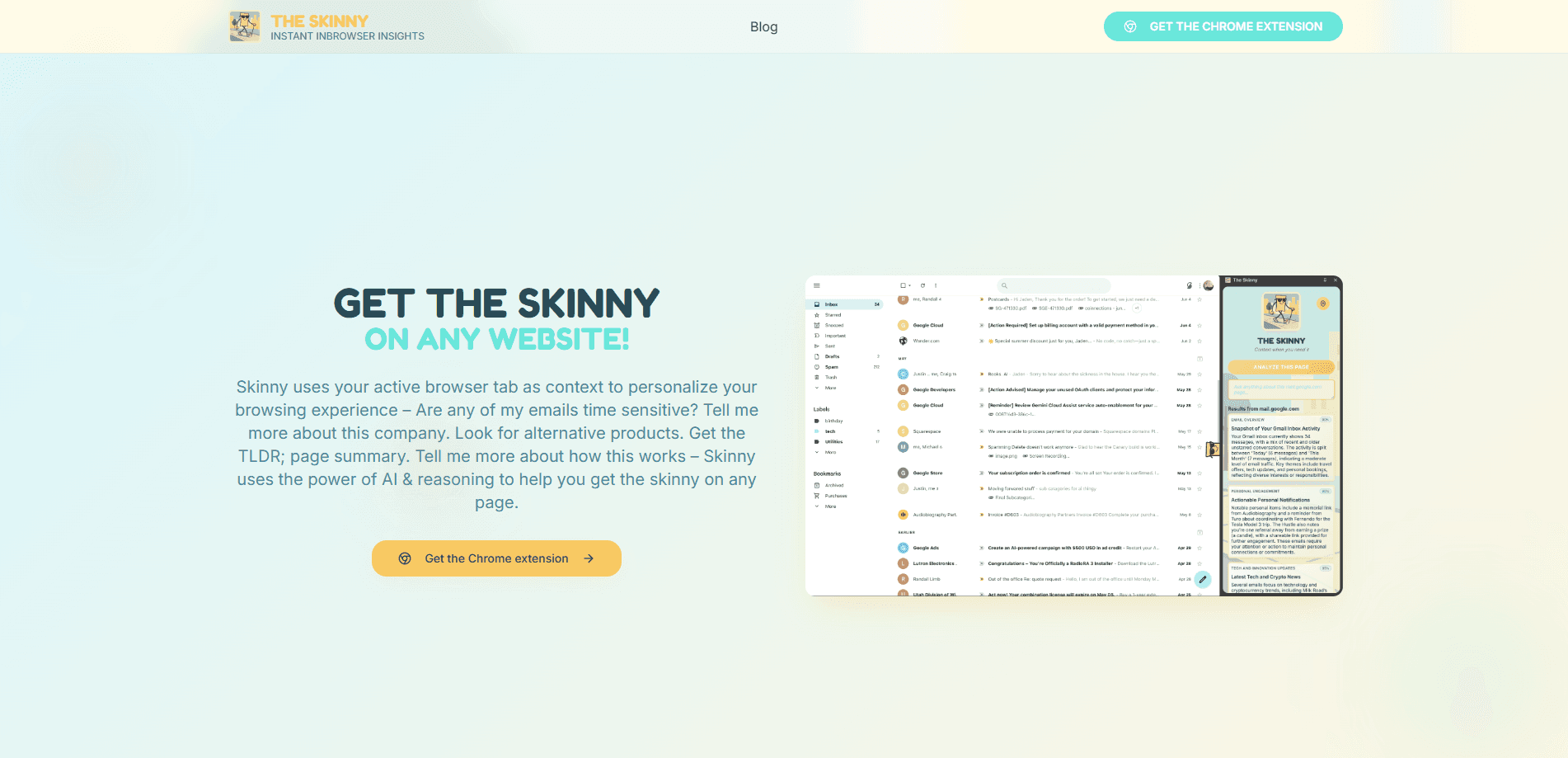
The Skinny is an AI browser extension and a free Chrome add-on that reads your active tab and answers questions about it using Grok 4, from quick page summaries to company research.
About The Skinny Extension
What Is The Skinny
The Skinny is a Chrome extension that turns whatever page you're viewing into a research subject. Think of it as an in-browser AI assistant for the page in front of you. It lives in the browser side panel, pulls the text from your active tab, and runs your question through Grok 4. This kind of Chrome side panel AI skips the copy and paste step, because the page content itself becomes the prompt.
It targets a common annoyance. You land on a company site, a long article, or a product page and want a fast read on it. The Skinny answers things like "what does this company do", "find similar products", or "give me the TLDR". It can also look at open emails and flag the ones that likely need a reply.
The catch is setup. The extension is free, but you bring your own Grok API key from xAI. There's no bundled account, so the tool doesn't work until you connect a key. You also get a daily query cap, which keeps the free tier useful without being unlimited. The Skinny says it doesn't capture or store your personal data.
Getting Started
- Install The Skinny from the Chrome Web Store.
- Create a free Grok API key on xAI and copy it.
- Paste the key into the extension settings, the site says this takes under a minute.
- Open any page, click the side panel, and ask a question such as "what is the TLDR of this page".
Product Information
A quick look at The Skinny Extension's pricing, supported platforms, and performance.
Best for
The users, tasks, and scenarios where this tool fits best.
Users
- Everyday readers
- Researchers and analysts
- Shoppers and deal hunters
Tasks
- Summarizing a long article
- Researching a company
- Triaging a busy inbox
Scenarios
- Landing on an unfamiliar website and wanting a quick orientation before you dig in.
- Comparing products or prices mid-browse without leaving the page.
- Reading a detailed report and needing a short briefing you can act on.
Key features
Side panel that reads the active tab
The Skinny runs in Chrome's side panel, next to the page rather than on top of it. It pulls context from the tab you're viewing, so questions are grounded in what's actually on screen. That means you can ask about a page without copying or pasting anything.
Powered by Grok 4 reasoning
Answers come from Grok 4, xAI's reasoning model, which the developer positions for deeper analysis rather than flat snippets. In practice you get formatted responses that attempt to explain context, not just repeat keywords from the page.
Page summaries and TLDRs
The most-used feature is the quick read. The Skinny condenses long documents, extracts key points, and produces a short version you can scan in seconds. It suits articles, technical write-ups, and reports where the gist matters more than every paragraph.
Company and product research
Ask about a company and it returns an overview, business model notes, and recent developments drawn from the page. Ask for alternatives and it maps competitor pricing, features, and positioning, which is handy when you're sizing up options.
Inbox and contact lookups
It can review open email and flag messages that likely need a response, and it hunts down contact details such as email addresses, phone numbers, and social profiles. That covers the "who do I reply to" and "how do I reach them" questions in one place.
Free, no-signup setup with your own key
The extension costs nothing and needs no account. You plug in a Grok API key you generate yourself, and the developer states the tool doesn't capture or store personal data. A daily query limit applies, and the site lists it at 25 queries a day.
Pros and cons
Pros
- Free to use with no signup, so there's no subscription to weigh.
- Grounds every answer in the page you're actually on, which beats pasting text into a separate chatbot.
- Runs in the side panel, so the page stays visible while you ask questions.
- Covers a wide range of asks, from summaries and company research to coupon hunting and email triage.
- No personal data capture, according to the developer.
Cons
- Needs a Grok API key before it works, which adds a setup step that casual users may skip.
- Usage is capped by a daily query limit, so heavy users will hit the ceiling.
- Tied to Chrome, and to xAI's Grok models, which rules out other browsers and model providers.
- Answers depend on the quality of Grok 4 output, so accuracy still needs your judgment.
Frequently asked questions
It's a Chrome extension that reads your active tab and answers questions about it with Grok 4. People use it to summarize any webpage, research a company, compare products, and check which emails need a reply.
Related content
Explore related tools, skills, and articles for The Skinny Extension.
The Skinny Extension Alternatives

Udon
Udon · Coding · ProductivityUdon turns an Apple Silicon Mac into a home server you run from a browser, with container controls, file shares, and an optional AI sysadmin.

offstage
offstage cloud · Coding · Productivityoffstage gives AI coding agents and CI jobs a real Mac: a fresh macOS account on Apple silicon, driven over an API and billed by the second.

BotBus
Chengdu Tuyang Tusen Technology Co., Ltd. · Coding · ProductivityBotBus lets you control AI coding agents from your phone and watch: approve commands, start tasks and read results while the code stays on your desktop.