

TheGates
TheGates (open-source project) · Image
TheGates is a free open-source 3D browser that opens Godot-built worlds by URL instead of webpages, so you walk through the internet rather than scroll it.
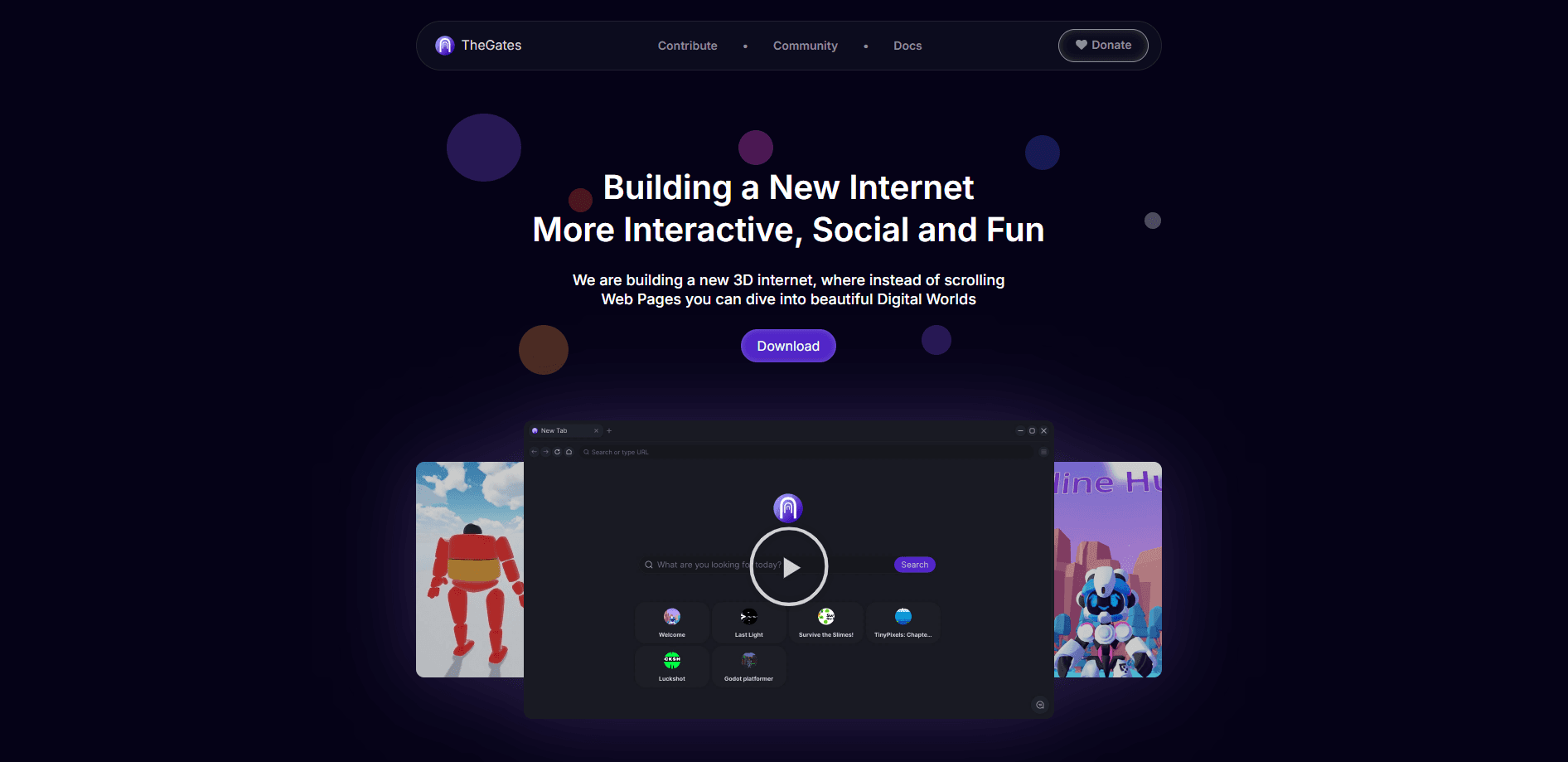
About TheGates
What Is TheGates
TheGates is a browser, but not for webpages. You paste an address, the world loads, and you walk in. Instead of downloading HTML and JavaScript, it downloads exported Godot Engine projects and runs each one in its own tab. The project calls the internet it's building a 3D internet: worlds connected like web links, visited by URL, with nothing to install between you and the experience.
The idea behind it is simple. People didn't evolve to read flat pages of text or talk only through written messages, so the makers want a network that feels closer to how we actually learn, connect, and share. A gate can be anything its creator wants: a game, a hangout, a portfolio, a music venue, a study room, or a personal home page in 3D.
The catch is that this is young software. The team calls v1.0 the foundation of its sandboxing and says it will keep strengthening the platform. Gates are also only as safe as the people who publish them, so you should treat them the way you treat unfamiliar websites.
Getting Started
- Download the launcher for Windows, Linux, or macOS from the official site.
- Open the app and use the home screen, which shows featured gates plus a search bar.
- Paste any
.gateaddress into the URL bar, or pick a featured world like Welcome, a 3D hub with portals to other gates. - Walk around with your keyboard and mouse, and open another gate from inside a world when it links out.
- To publish your own world, build it in Godot 4.5, install the TheGates Export plugin, and click Publish to TheGates.
Product Information
A quick look at TheGates's pricing, supported platforms, and performance.
Best for
The users, tasks, and scenarios where this tool fits best.
Users
- Curious explorers who want to see what a 3D internet feels like without committing to a single platform
- Godot developers who already build in the engine
- Creators who want a personal 3D space instead of a profile page
Tasks
- Browsing 3D worlds by URL
- Publishing a 3D project
- Self-hosting a world
Scenarios
- Trying out small 3D experiences the way you'd open a few websites
- Linking one world to another
- Running untrusted worlds
Key features
Worlds Opened by URL
TheGates keeps the browser model you already know. There are tabs, back and forward buttons, a search bar, and an address bar, except every address opens a 3D world instead of a page. The home screen shows featured gates and takes any .gate address you paste in.
Built on Godot Engine
Instead of shipping HTML and JavaScript, the browser downloads exported Godot projects and runs them in separate tabs. Worlds are built in Godot 4.5 with the Forward+ renderer, so anyone with Godot experience can make one without learning a new toolchain.
OS-Level Sandboxing per Gate
Every gate runs in a separate process under a sandbox borrowed from Chromium, the same isolation Chrome uses for its tabs. Each one is locked down with the OS's own tools, which means a hostile world can't read your files, scan your home network, or touch your other gates.
Per-Gate Engine Versions
Each gate declares the Godot version it was built against, and the launcher downloads and runs a matching renderer for it. A world built on Godot 4.3 and one built on 4.5 both open in the same browser, which keeps older gates working as newer ones ship.
One-Click Publishing and Self-Hosting
The TheGates Export plugin from the Godot Asset Library publishes a world and returns a hosted URL you can share. If you'd rather run your own setup, a gate is just a manifest and exported files over HTTP, so a normal web server is enough.
Crash-Isolated Renderer
The browser splits its work into two processes: a launcher that owns the window, input, and network, and a renderer that draws the world. If a world crashes, only that gate goes down and the browser keeps running.
Pros and cons
Pros
- Free and fully open source, with the launcher, renderer, backend, and tooling all published on GitHub.
- Runs on Windows, Linux, and macOS, so most desktop users can try it without switching systems.
- Each world is sandboxed at the OS level, which blocks file and network access by default.
- Publishing leans on Godot, so developers reuse skills they already have.
Cons
- Still early: the team calls v1.0 the foundation of its sandboxing and plans to keep hardening it.
- No mobile, browser-only, or console version yet, so it's desktop-only for now.
- Gates are as trustworthy as their publishers, and the sandbox is a hardening layer, not a safety guarantee.
- There's no public API documented for building on top of the platform.
Frequently asked questions
It's a browser for 3D worlds you open by URL. You use it to visit, explore, and link between Godot-built worlds, and to publish your own so others can walk through them.
Related content
Explore related tools, skills, and articles for TheGates.
TheGates Alternatives

Google EmbeddingGemma 2
Google DeepMind · Writing · Image · CodingGoogle EmbeddingGemma 2 is a 740M-parameter open model that turns text, code, images, audio, and video frames into vectors in one 768-dimension space, running on phones and laptops.

Tractionwave
TractionWave · Image · MarketingTractionWave is an AI attention heatmap tool for static ads. Upload a PNG or JPG and it returns predicted attention, ranked hotspots, and fixes before you spend budget.

Imejis.io
Imejis.io · Image · MarketingImejis.io is an AI design studio for agents and marketing teams. Describe an image in plain words, and it writes the copy, builds the layout, reflows it to every size, then exports a finished file.