

Thetawise
ThetaWise · Leaning
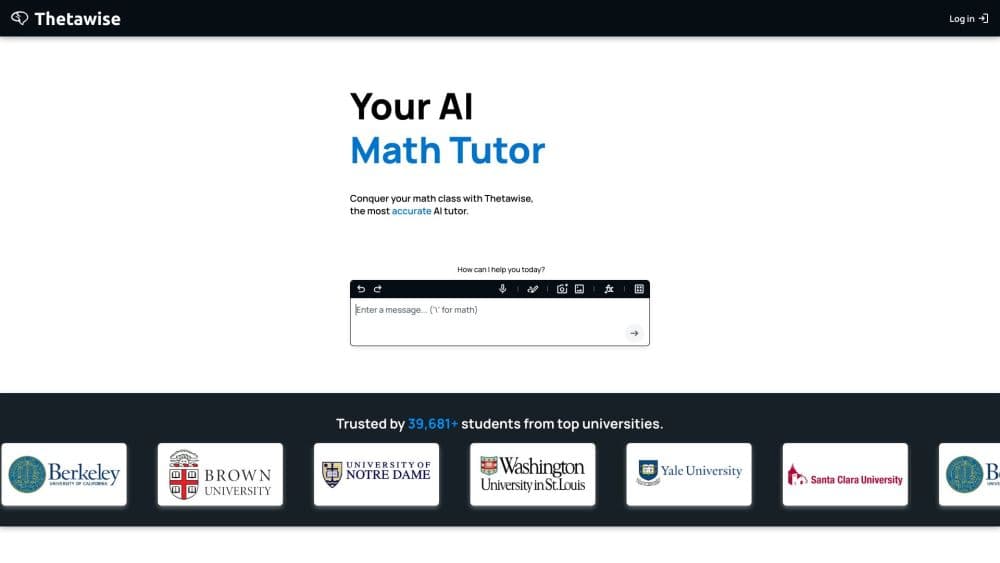
ThetaWise is an AI tutor for math, science, and engineering courses. It chats through problems step by step, generates video lessons, and adds practice quizzes and an advanced math solver.
About Thetawise
What Is ThetaWise
ThetaWise is an AI learning tool built for STEM students, and it treats tutoring as the job rather than as a side feature. A general chatbot can hand you an answer, but it often skips the reasoning a student needs to follow. ThetaWise leans the other way: it walks through problems in a logical order, checks that you understood each part, and asks questions instead of just printing the result.
The company behind it frames the product as a middle path between expensive human tutors and generic AI. Human tutoring works, but it costs a lot and is not always available when you are stuck at midnight. A standard chatbot is always free to open and almost never explains why. ThetaWise aims at the space in between: structured explanations, on demand, at a subscription price.
Two limits are worth knowing before you commit. The free tier is real but tight, so heavy weekly study pushes you toward a paid plan quickly. And the tool is tuned for coursework in math, science, and engineering, which means it adds little for essay writing, history, or the humanities side of a transcript.
Getting Started
- Sign up for a free ThetaWise account and open a chat.
- Type the problem or upload a photo of it from your notes. The AI reads the question and starts the explanation.
- Follow the steps. The tutor explains each part and asks you to confirm before it moves on.
- Switch on extra tools when a problem is hard: the Whiteboard, Desmos graphs, or the Advanced Solver for the toughest ones.
- Generate a video lesson or a practice quiz if you want to review a topic rather than a single question.
Product Information
A quick look at Thetawise's pricing, supported platforms, and performance.
Best for
The users, tasks, and scenarios where this tool fits best.
Users
- STEM undergraduates
- High school students in math and science classes
- Parents checking a child's study habits
Tasks
- Working through a homework problem
- Studying for an exam
- Checking a hard problem
- Reviewing a textbook chapter
Scenarios
- Late night before an assignment is due
- Catching up after falling behind
- Weekly problem set grind
Key features
Step by Step Chat Tutor
The chat tutor is the core of the product. Type a question or upload a photo, and it explains the solution in a logical order, pausing to confirm you followed each part before continuing. That structure is the point: instead of a wall of text ending in an answer, you get a sequence you can trace back to the step that tripped you up.
AI Video Lessons
Prefer to learn by watching? ThetaWise generates full video lessons on a topic, complete with visuals and narration, from a single prompt. The Pro plan includes 40 video credits a week and the Max plan 120, which is enough for regular review sessions. It is a different way into material that a dense textbook chapter can make feel impenetrable.
Practice Quizzes
Practice quizzes generate new problems on a topic rather than replaying a fixed set, so you can drill the same concept until it sticks. For exam prep, that means the questions do not run out and you are not memorizing answer keys from a static worksheet. It pairs well with the chat tutor when you want to test yourself after learning.
Advanced Solver
Complex problems need more than a single pass. The Advanced Solver runs several specialized solvers at once and compares the results, which raises confidence on the hardest questions in a problem set. You turn it on when the stakes are high and a wrong answer would cost you, not for routine exercises.
Whiteboard, Graphs, and Math Tools
The workspace carries utilities that fit how STEM work actually happens: a whiteboard for sketching, Desmos graphs for plotting functions, a draw pad, and inline math notation. You can also connect a mobile device to keep working away from a laptop. These are the small tools that separate a tutoring session from a plain text box.
Tutor Mode and Parental Controls
Tutor Mode shifts responses toward teaching rather than answering, which is the setting students use when they actually want to learn a topic. On the other side, parental controls lock down the use cases that look more like cheating, so a parent can hand over an account with some confidence about how it gets used.
Pros and cons
Pros
- Explanations target how students learn, with ordered steps and check-ins rather than a single answer.
- Video lessons, quizzes, and graphs cover several ways to study in one subscription.
- The Advanced Solver adds a verification pass on problems where a wrong answer is costly.
- Works on the web without an install, so you can open it on any laptop the night before a deadline.
- A free tier and a one week Pro trial let you test the tutoring style before paying.
Cons
- The free tier is limited, so a full course load pushes you to a paid plan fast.
- It is aimed at math, science, and engineering. For essays or the humanities it offers little.
- The Pro and Max plans are priced per month, which adds up over a semester if you keep them running all year.
- There is no published public API, so you cannot wire it into your own study tools or scripts.
Frequently asked questions
ThetaWise is an AI tutor for STEM coursework. It explains math, science, and engineering problems step by step, generates video lessons and practice quizzes, and offers an advanced solver for the hardest questions. Students use it for AI homework help, exam prep, and catching up on topics they missed.
Related content
Explore related tools, skills, and articles for Thetawise.
Thetawise Alternatives

HireKey
HireKey · Voice & Language · Productivity · LeaningHireKey is an AI job search copilot built by a former tech recruiter. It checks role fit, tailors resumes, runs interview practice and tracks every application.

Lune
Retrograde Labs · Productivity · LeaningLune is a research search engine for scientific AI agents. It runs as an MCP server that lets Claude, ChatGPT and Cursor search peer-reviewed computer science papers and cite them.
Coddy
Coddy · Coding · LeaningCoddy is a gamified platform to learn to code through short interactive lessons in 20+ languages, with a browser editor, an AI tutor and free certificates.