

Thread Navigator
Thread Navigator · Productivity · Marketing
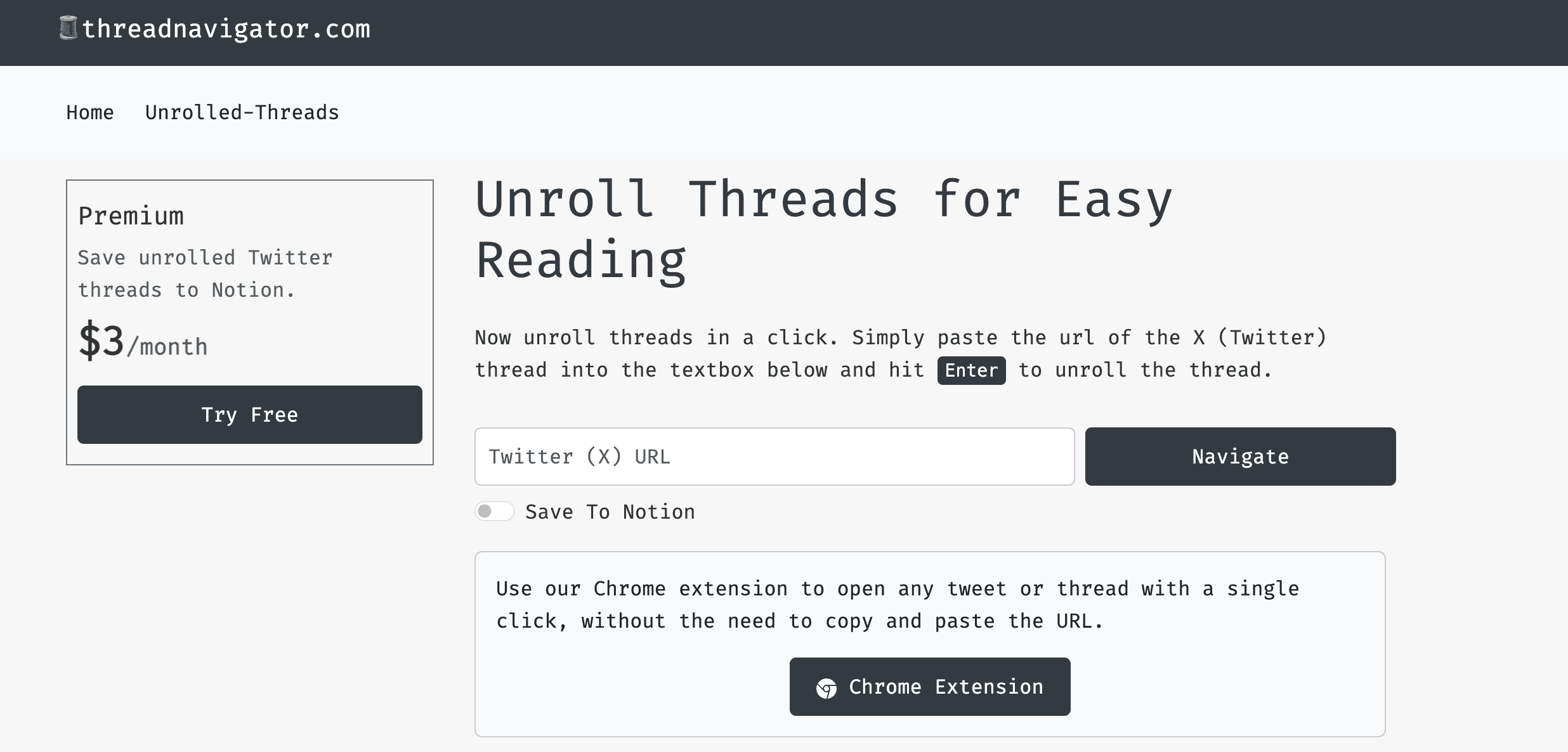
Thread Navigator is an X (Twitter) thread reader that unrolls long threads onto one page, lets you save them to Notion, and exports them as PDF or Markdown.
About Thread Navigator
What Is Thread Navigator
Thread Navigator is a web tool that turns a tangled X (Twitter) thread into one clean, readable page. So the short version of it: as a thread unroll tool, you paste a post link and it collects every reply in the chain into a single scroll instead of making you click through dozens of separate tweets. The pitch is narrow on purpose: reading a long thread should not feel like work, and finding it again later should not be a chore.
It does more than unroll. You get a distraction free Paper Mode with adjustable font size and spacing, bookmarks you can search later, and highlights you can pull out of a thread. From there, threads export as a full length PDF or as Markdown, and a Notion integration pushes them straight into your workspace as formatted pages. The team also added MCP access, so AI agents like Claude and Cursor can query your saved bookmarks and highlights.
The main limits are about scope and access. Thread Navigator only handles public X posts, so private or deleted threads may not load. The free tier caps bookmarks at 50 and hits an export quota, and some free exports route through a short unlock page before the file downloads.
Getting Started
- Open the site and paste an X post or thread link into the box on the home page. No account is needed to read a thread.
- Read the unrolled result, then switch to Paper Mode and set the font size and spacing you prefer.
- Create a free account to bookmark threads and open your reading list on any device.
- Connect your Notion workspace from your profile page if you want threads saved as formatted Notion pages.
- Export a thread as PDF or Markdown for offline reading, or upgrade to Premium for full length exports and unlimited bookmarks.
Product Information
A quick look at Thread Navigator's pricing, supported platforms, and performance.
Best for
The users, tasks, and scenarios where this tool fits best.
Users
- Researchers and analysts
- Content teams and marketers
- AI and developer users
- Casual readers who like long posts
Tasks
- Reading a 40 post thread in one pass
- Saving a thread to reread later
- Pulling key quotes out of a thread
- Exporting a thread for offline reading
Scenarios
- A founder thread you want to reference next quarter
- Building a research knowledge base
- Sharing a thread with a teammate who does not use X
Key features
One Page Thread Unrolling
The core job is collecting a whole thread into a single page. Paste the link and every post in the chain stacks in order, so a thread that would take twenty taps to read becomes one scroll. It keeps the reading order intact, which matters when replies quote each other.
Paper Mode Reading
Paper Mode strips the page down to text, with controls for font size and spacing. It is the feature for people who read long threads on a phone and want the layout to get out of the way. If a normal timeline feels cramped, this is the view that fixes it.
Notion Sync and Knowledge Building
Connect your Notion workspace once, and every thread you unroll with auto-save turned on lands there as a fully formatted Notion page. This turns Thread Navigator into a way to build a searchable knowledge base out of the X threads you care about, rather than a pile of bookmarks you forget.
Bookmarks and Highlights
You can bookmark threads and highlight the parts you want to keep. Bookmarks make a thread findable later, and highlights pull the key lines out of a long scroll. The free tier allows 50 bookmarks and 20 highlights per thread, and Premium removes both caps.
PDF and Markdown Export
Threads export as a full length PDF or as Markdown for offline reading. PDF suits sharing and printing, and Markdown suits pasting into a notes app or a CMS. Free exports pause on a short unlock page, while Premium exports go straight through.
AI Agent Access via MCP
Premium connects your bookmarks and highlights to AI agents through MCP, so tools like Claude and Cursor can query your library. This is the feature that turns a reading tool into something a workflow can pull from, and it is reserved for paying users.
Pros and cons
Pros
- Reading a long thread takes one paste and one scroll, with no account required to start.
- Notion sync and Markdown export make saved threads reusable instead of just bookmarked.
- Paper Mode and adjustable spacing handle long reads comfortably on a phone.
- MCP access lets AI agents query your saved library, which few thread readers offer.
- A one time lifetime option removes the subscription for people who want to pay once.
Cons
- Private or deleted X posts may fail to load, so the tool cannot unroll everything you see.
- The free tier caps bookmarks at 50 and routes some exports through an unlock page.
- Notion sync, MCP access, and unlimited bookmarks sit behind the Premium plan.
- It covers reading and saving only, so there is no posting or scheduling from the tool.
Frequently asked questions
It unrolls a long X (Twitter) thread onto a single page so you can read the whole chain without clicking each reply, and this Twitter thread reader app lets you bookmark, highlight, sync to Notion, and export the thread as PDF or Markdown.
Related content
Explore related tools, skills, and articles for Thread Navigator.
Thread Navigator Alternatives

Base Code
Base44 (Wix) · Coding · ProductivityBase Code is a shared cloud development environment from Base44. Teammates describe changes to an existing GitHub codebase in chat, preview them live and send them back as pull requests.

Knocket
Knocket (Tencent RTC team) · Productivity · Business · ChatbotKnocket is a free live chat and contact page tool that lets visitors message you from your website, app, or a shareable link, with every reply handled from Telegram or one inbox.

FloorGen
Vinit Kumar (FloorGen) · Productivity · China AIFloorGen is a browser-based floor plan maker that turns a sentence or a sketch into an editable 2D plan and a 3D walkthrough. Export to PDF, DXF or video, and draw without an account.