

TimeHero
TimeHero Inc. · Productivity
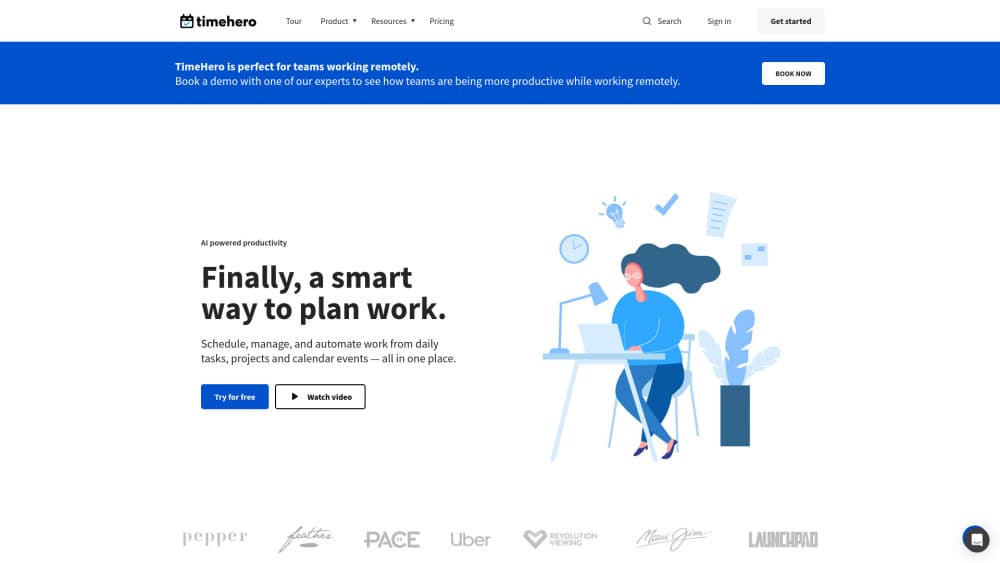
TimeHero is an AI task scheduler that books tasks, projects and recurring work into the free hours on your calendar, then re-plans the week when a meeting lands.
About TimeHero
What Is TimeHero
TimeHero is task planning software built by a small team in Vancouver, Canada. It treats scheduling as the main job rather than an afterthought. Most to-do apps stop at a due date and leave you to work out when the work actually happens. TimeHero asks for a time estimate, reads your availability from Google Calendar or Outlook 365, and drops each task into a slot that fits.
The product is aimed at the gap between a list and a calendar. A list tells you what is left. A calendar tells you where the hours went. TimeHero merges the two, and it keeps merging them all week. Add a meeting at 2pm and the afternoon reshuffles on its own. Finish a task early and the next one moves up.
Three things are worth knowing before you sign up. There's no free plan, only a seven day trial, so the entry cost is $5 per user each month. The plan is only as good as your time estimates, and a task marked as 30 minutes gets 30 minutes. Reporting, Gantt charts and automated timesheets sit on the top plan at $27 per user, which puts team level workload planning out of reach for the cheapest seats.
Getting Started
- Create an account and connect a Google or Outlook 365 calendar. TimeHero reads busy blocks from it and leaves everything else open.
- Set working hours, then add time estimates to the tasks you want scheduled.
- Drop work into the Inbox, a project or a list. Natural language entry and templates speed this up.
- Open the plan view to see where each task landed, and drag anything that needs a different day.
- Start a timer when you begin, and let the plan reflow as tasks finish or new meetings appear.
Product Information
A quick look at TimeHero's pricing, supported platforms, and performance.
Best for
The users, tasks, and scenarios where this tool fits best.
Users
- Freelancers and consultants
- Teams of three to fifteen
- Operations leads running several projects at once
Tasks
- Planning a week of mixed to-dos
- Keeping recurring admin work on track
- Checking whether a deadline is realistic
- Pulling work out of email and chat
Scenarios
- A week with eight meetings already booked
- Kicking off a client project
- Deciding whether to take on another project
Key features
Automatic Task Scheduling
Every task carries a duration, a priority and a deadline. TimeHero takes those three inputs plus your calendar and places the work in open slots, earliest deadline first. You don't pick the hour. You check the result and adjust when the machine guesses wrong, which is a different habit from dragging blocks around a grid.
Adaptive Replanning
A new meeting, a sick day or a task finished ahead of schedule triggers a re-plan across the whole week. This is the part that separates the app from a static calendar. Anyone who has rebuilt a Tuesday by hand after a 9am call overran will recognize the value in about ten seconds.
Do Dates and Risk Flags
TimeHero shows a do date for each task, not only the due date, and marks tasks that can no longer be moved if the deadline is going to hold. The warning is blunt and useful: this one has two hours of open time left and needs six. It gives you a day or two to cut scope or ask for help.
Self-Scheduling Recurring Tasks
A recurring task set to once a week finds the best free hour between Monday and Friday rather than landing on the same slot every time. Weekly reporting, invoicing and one-on-ones stop colliding with whatever else that day holds.
Projects, Templates and Workload
Projects turn the scheduler into a project planning app: dependencies, start and due dates, folders, and guest accounts for clients who only need to see their own tasks. Workflow templates relaunch a process you repeat, and the workload view shows committed hours per person so capacity is visible before it becomes a missed deadline.
Integrations and a Capture Inbox
Google Calendar and Outlook 365 handle the time side. Gmail, Slack, Asana, Jira, HubSpot, Salesforce and Zapier cover where work arrives from, with Zapier reaching the rest of a typical stack. The Inbox catches tasks that don't belong to a project yet, so quick capture doesn't turn into a filing chore.
Pros and cons
Pros
- The scheduling engine does the tedious part: it reads your calendar and books work into the gaps, which is the step most planners leave to willpower.
- Re-planning is automatic and fast, so a surprise meeting costs a click instead of twenty minutes of manual reshuffling.
- Time estimates plus do dates give an honest picture of whether a deadline is reachable, and the risk flag shows up before the deadline does.
- Integrations cover the places work usually comes from, including Gmail, Slack and Asana, without extra setup beyond an OAuth login.
- The Pro plan at $12 per user is cheap for shared projects, assignment and workload visibility.
Cons
- No free plan. The seven day trial is the only way to test it, and $5 per user is the floor after that.
- The plan is only as accurate as your estimates, so a team that guesses durations will get a schedule that looks confident and runs late.
- Gantt charts, forecasts and automated timesheets need the $27 Premium plan, which is a steep jump for a five person team.
- No public API is documented, so custom automation beyond Zapier means working around the product.
Frequently asked questions
No. There's a seven day free trial with no credit card, and after that the Basic plan starts at $5 per user each month, or $4.60 on yearly billing.
Related content
Explore related tools, skills, and articles for TimeHero.
TimeHero Alternatives

Base Code
Base44 (Wix) · Coding · ProductivityBase Code is a shared cloud development environment from Base44. Teammates describe changes to an existing GitHub codebase in chat, preview them live and send them back as pull requests.

Knocket
Knocket (Tencent RTC team) · Productivity · Business · ChatbotKnocket is a free live chat and contact page tool that lets visitors message you from your website, app, or a shareable link, with every reply handled from Telegram or one inbox.

FloorGen
Vinit Kumar (FloorGen) · Productivity · China AIFloorGen is a browser-based floor plan maker that turns a sentence or a sketch into an editable 2D plan and a 3D walkthrough. Export to PDF, DXF or video, and draw without an account.