

TimelyGrader
TimelyGrader · Leaning · AI Detection
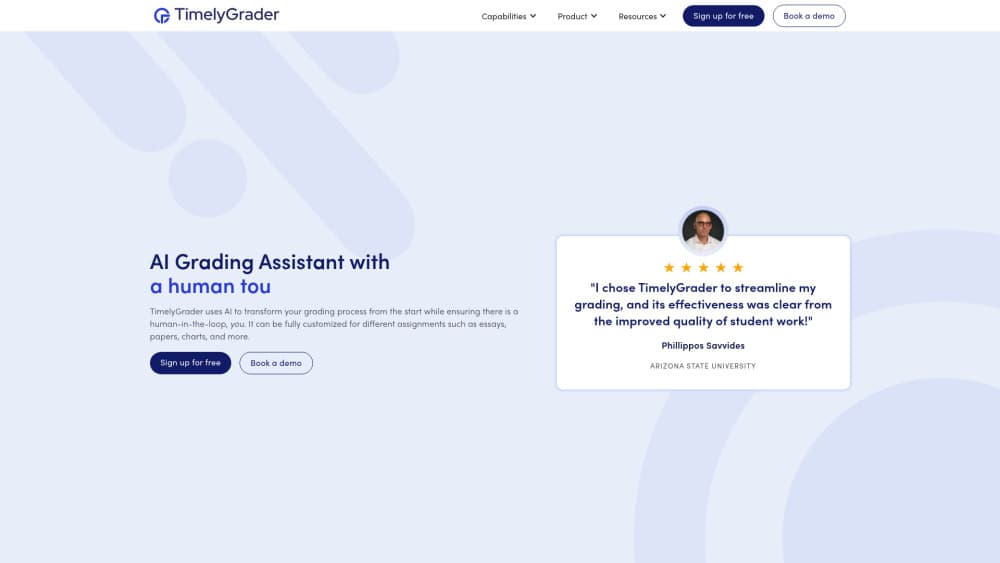
TimelyGrader is an AI grading assistant for higher education that drafts grades and personal feedback on essays, videos, and presentations. Instructors review every suggestion first.
About TimelyGrader
What Is TimelyGrader
TimelyGrader is a grading tool built for college and university instructors who face more assignments than hours in the week. You upload student work, set a rubric, and the AI produces an automated grading suggestion along with written feedback. The instructor or a teaching assistant then checks the result and sends it on. Grades never go out untouched by a human.
The platform takes more than essays. It reads term papers, hand-written pages, spreadsheets, presentation slides, and video submissions, which matters for courses that assess outside a written format. It also reads images, charts, and tables inside a document. TimelyGrader runs on the web, and it connects to Canvas and D2L for assignment sync and grade passback. It works with single sign on, so students and staff keep the logins they already have.
The main limit is the human review step. Since a person has to validate each suggestion, the tool speeds up grading rather than removing it, and it suits large-enrollment courses better than a seminar with twenty short assignments. The most capable options, including instant student feedback and admin controls, sit on the higher plans.
Getting Started
- Sign up on the TimelyGrader site, or ask your institution to set up the account through its plan.
- Create a course and add an assignment, either by hand or by syncing from Canvas or D2L.
- Build a rubric, or let the AI rubric generator draft one you can adjust.
- Upload student submissions in bulk and let the AI produce first-pass grades and feedback.
- Review each suggestion, approve or edit it, and pass the grades back to your LMS.
Product Information
A quick look at TimelyGrader's pricing, supported platforms, and performance.
Best for
The users, tasks, and scenarios where this tool fits best.
Users
- University instructors with large classes
- Teaching assistants
- Course designers who set the rubric
- Department administrators
Tasks
- Grading essays and term papers
- Scoring STEM writing
- Reviewing video presentations
- Reading hand-written work
- Generating a rubric
Scenarios
- Finishing grades the night before they are due
- Keeping feedback consistent across a team of TAs
- Giving every student detailed comments
Key features
AI grading with suggested scores
TimelyGrader grades assignments against the rubric you set, treating the AI as a first reader rather than the final word. It returns a suggested score and the reasoning behind it, so you can see why it landed on that number. That reasoning is the point: it lets an instructor validate a grade in seconds instead of re-reading the whole paper. Human approval is required before anything is returned to a student.
Personalized feedback at scale
Instead of filling in a feedback template, the tool writes comments that speak to the specific submission in front of it. For a class of two hundred, that means an essay gets remarks that match its own argument and mistakes rather than a stock paragraph reused across the group. You can hand out richer feedback more often without adding hours to the week.
Support for written, video, and visual work
The tool reads more than text. It handles essays, research reports, presentation slides, spreadsheets, and video submissions, and it can process images, charts, and tables inside a document. Courses that assess presentations or data work don't need a separate system. The display of some formats is still a developing area rather than a solved one.
LMS integration with Canvas and D2L
TimelyGrader syncs assignments and submissions with Canvas and D2L and passes grades and feedback back to the gradebook. Single sign on keeps the logins students and staff already use. For an institution, that integration is what makes the tool fit an existing workflow instead of adding another portal to manage.
Customizable rubrics and an AI rubric generator
Every grade runs against a rubric, and the rubric is fully editable, so the tool follows your criteria rather than a fixed standard. When you don't have one ready, the AI rubric generator drafts a starter you can revise. That combination helps both the instructor who writes rubrics carefully and the one who needs a first version fast.
Institution controls and accreditation data
The institution plan adds administrator access and accreditation data export, aimed at programs that have to show how learning was assessed. It also brings grade passback at scale and 24/7 support. These controls matter most to departments running the tool across several courses rather than to a single instructor.
Pros and cons
Pros
- The AI shows its reasoning, so an instructor can check a suggested grade quickly instead of trusting a number with no explanation.
- It grades written work, hand-written pages, videos, and spreadsheets, which covers courses that assess beyond essays.
- Canvas and D2L integration with grade passback means grades land in the gradebook you already use.
- A free plan lets an instructor try the AI grading on real assignments before the department commits.
- Feedback reads as specific to each submission, which is the difference students notice most.
Cons
- The human review step means the tool speeds up grading rather than removing it, so it saves time instead of replacing the work.
- The stronger features, including instant student feedback and admin controls, are locked to the institution plan.
- Instructor validation is required by design, so it won't fit a course where nobody can sit down and check the drafts.
- Pricing depends on the plan you choose, and the institution tier needs a sales conversation rather than a published price.
Frequently asked questions
TimelyGrader is an AI grading assistant for higher education. It drafts grades and feedback on student assignments using a rubric you control, and an instructor reviews each result before it reaches the student. It works on essays, videos, presentations, and more.
Related content
Explore related tools, skills, and articles for TimelyGrader.
TimelyGrader Alternatives

HireKey
HireKey · Voice & Language · Productivity · LeaningHireKey is an AI job search copilot built by a former tech recruiter. It checks role fit, tailors resumes, runs interview practice and tracks every application.

Lune
Retrograde Labs · Productivity · LeaningLune is a research search engine for scientific AI agents. It runs as an MCP server that lets Claude, ChatGPT and Cursor search peer-reviewed computer science papers and cite them.
Coddy
Coddy · Coding · LeaningCoddy is a gamified platform to learn to code through short interactive lessons in 20+ languages, with a browser editor, an AI tutor and free certificates.