

timeOS
timeOS (now Timeless) · Productivity
timeOS, now sold as Timeless, records meetings and calls, writes AI meeting notes, and drafts the follow-up, with five meetings free.
About timeOS
What Is timeOS
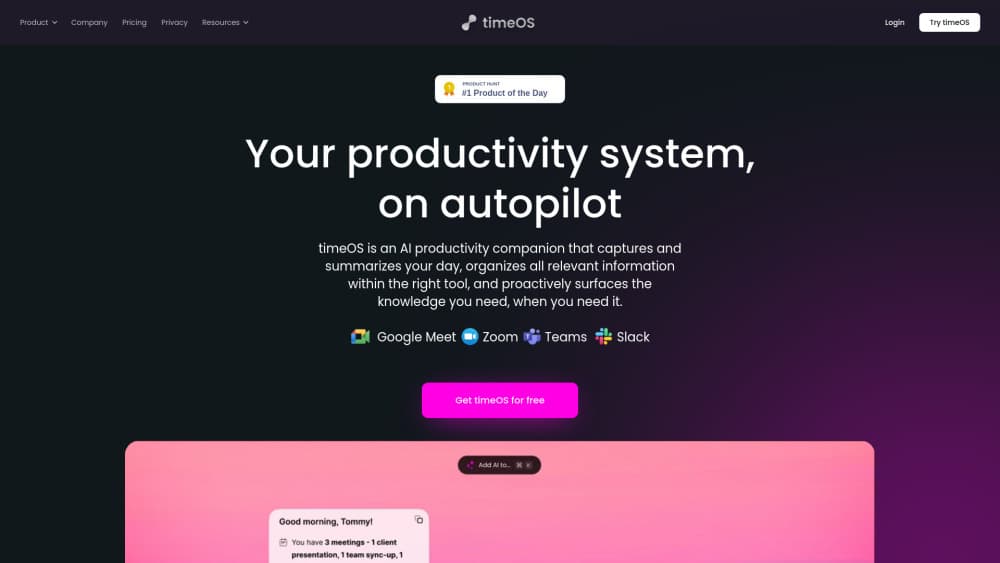
timeOS is an AI meeting assistant that treats a conversation as raw material. It joins or records the call, labels who said what, then produces a note you can send, a recap page you can file, and a follow-up email that reads like you wrote it. The part that separates it from a plain transcriber is what happens after the note: you can ask questions across every meeting you have had, and you can trigger an agent to open the ticket or draft the update.
The product has a new name. The original timeos.ai address now redirects to timeless.day, and the desktop installers still ship from the timeos-desktop-releases repository, which is the clearest sign that this is the same team and the same app under different branding. If you search for timeOS in 2026, you'll land on Timeless.
The idea it sells is memory. Most teams lose the reasoning behind a decision within a week, because the reasoning lived in a call that nobody wrote down. A meeting transcription tool fixes the text. timeOS tries to fix the retrieval problem, so a question like what did this customer say about pricing in March has an answer instead of a shrug.
Where it stops is equally clear. The free plan covers five meetings at up to 90 minutes each, which is enough to judge the output and not enough to run a sales week. Automatic capture also depends on the desktop app running and on the calendar being connected, so a meeting you start in a hurry on a phone can slip past it. And the deep automation, meaning full API, MCP and webhooks, sits on the top plan rather than the entry one.
Getting Started
- Sign up on the official site with a work email and connect your calendar, which is all the free plan asks for. No card is required at this stage.
- Install the desktop app for macOS or Windows and grant microphone and system audio permissions. The app is what captures calls that use the computer's audio rather than a bot.
- For an online call, add the assistant to the Zoom, Google Meet or Microsoft Teams invitation. For an in-person meeting or a phone call, start capture from the app instead.
- Open the note after the call, fix any names the transcription got wrong, and assign the meeting to a room if it belongs to a customer or a project.
- Send the follow-up email, or let an agent push the outcome into the tool where the work actually happens.
Product Information
A quick look at timeOS's pricing, supported platforms, and performance.
Best for
The users, tasks, and scenarios where this tool fits best.
Users
- Sales reps and account executives
- Founders and consultants
- Recruiters and user researchers
- Coaches and advisors
- Product managers
Tasks
- Writing follow-up emails
- Filing a recap page after a client call
- Asking what a customer said last quarter
- Capturing an interview or a phone call
- Handing a decision to the team that missed the call
Scenarios
- A day of six discovery calls
- A mixed Hebrew and English conversation
- In-person client meetings
- Weekly pipeline review
Key features
Capture Across Calls and Rooms
The app records Zoom, Google Meet and Microsoft Teams calls, phone calls, and conversations happening in the same room. That range matters because most AI notetaker tools only work when a bot joins a video link, which leaves out the client meeting at a cafe table. Capture is consent-first, so participants are told what is happening.
Speaker-Labeled Transcription in 60+ Languages
Transcripts separate who spoke, which is the difference between a wall of text and something you can quote. Notes are available in more than 60 languages, and the transcription handles conversations that move between Hebrew and English mid-sentence. That language pairing is unusual and points to where the team started.
Notes, Recaps and Pages
You pick the shape of the output instead of accepting one generic summary. A sales call can produce a recap with next steps, a coaching session can produce goals for the next session, and a research call can produce a prioritized list of problems. The note stays attached to the recording, so the evidence is one click away.
Rooms for Customers and Projects
A room holds the meetings, recordings and documents for one customer or one project. This is the feature that keeps a long account from dissolving into scattered links. When you ask a question in a room, the answer draws on everything filed there, not just the most recent call.
AI Chat Across Meeting History
You can ask your own meeting archive questions in plain language. The useful version of this is cross-meeting: what objections came up this month, which customers mentioned a migration, who promised what. Answers are grounded in the recordings you own, which makes them checkable rather than plausible.
Agents That Take the Next Step
Agents act on what was said: opening a ticket, drafting an update, or writing a page in the tools your team already uses. Each one is triggered by a moment in the conversation rather than a manual command. This is the most ambitious part of the product and the part worth testing on one workflow before rolling out to a team.
Follow-Up Emails and Scheduling Links
The follow-up email is drafted from the transcript and written to sound like the person who attended. Scheduling links remove the usual thread of proposed times. Neither feature is unique, but they are the two places where a missed step costs a deal.
API, MCP and Webhooks
Pro includes limited API and MCP access. Max unlocks unlimited API and MCP access plus webhooks and real-time events, which is what you need to pipe meeting outcomes into a CRM or an internal agent. Builders should budget for the top plan, not the middle one.
Pros and cons
Pros
- The output covers notes, follow-ups and filing, so you aren't stitching three tools together after every call.
- In-room and phone capture fills the gap that bot-based AI note taker products leave open.
- Rooms make long client relationships searchable, which is where a meeting archive actually earns its keep.
- Hebrew and English switching is handled properly, a rare capability if your team works in both.
- Security posture is stated plainly: SOC 2 Type II, EU data residency, and no model training on your data.
Cons
- Five meetings at 90 minutes each on the free plan runs out fast, and longer workshops get cut off until you upgrade.
- Capture depends on the desktop app and a connected calendar, so a hastily started mobile call can be missed.
- Full API, MCP and webhook access sits at $39/mo, which pushes automation-minded users to the top plan.
- Business and enterprise pricing is quoted per organization, so team costs aren't visible before a sales conversation.
Frequently asked questions
Yes. The company rebranded, timeos.ai redirects to timeless.day, and the desktop builds still come from the timeos-desktop-releases repository. Existing accounts and meeting history carried over.
Related content
Explore related tools, skills, and articles for timeOS.
timeOS Alternatives

Base Code
Base44 (Wix) · Coding · ProductivityBase Code is a shared cloud development environment from Base44. Teammates describe changes to an existing GitHub codebase in chat, preview them live and send them back as pull requests.

Knocket
Knocket (Tencent RTC team) · Productivity · Business · ChatbotKnocket is a free live chat and contact page tool that lets visitors message you from your website, app, or a shareable link, with every reply handled from Telegram or one inbox.

FloorGen
Vinit Kumar (FloorGen) · Productivity · China AIFloorGen is a browser-based floor plan maker that turns a sentence or a sketch into an editable 2D plan and a 3D walkthrough. Export to PDF, DXF or video, and draw without an account.