
Tiny CV
Tiny CV · AI Assistant
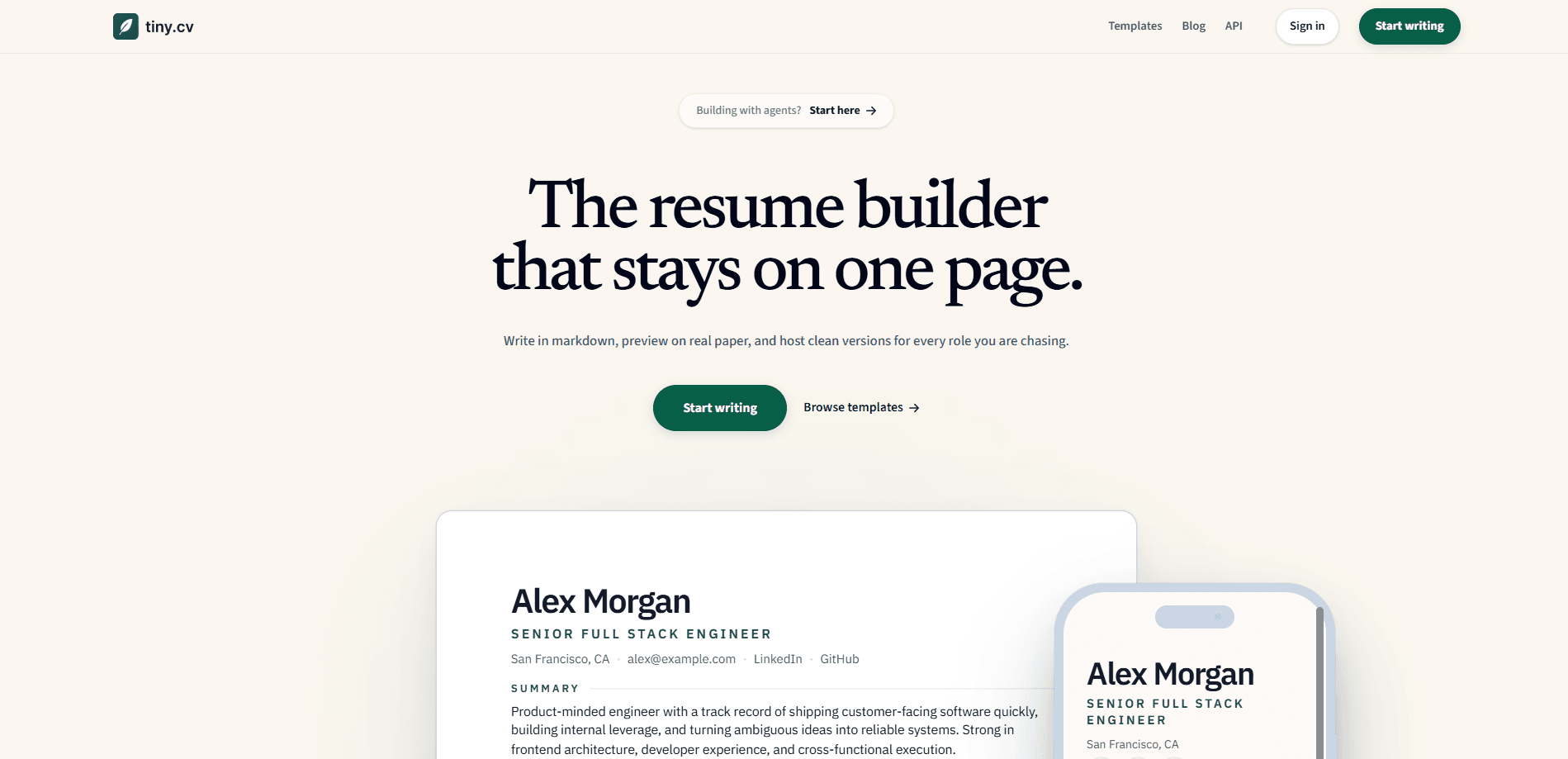
Tiny CV is a markdown-first resume builder that keeps your CV on a single printable page, so you write plain markdown instead of filling out a form. You then watch a live preview that mirrors real paper dimensions and publish a clean hosted link you can send to recruiters. When you need a file, it exports a polished PDF. There's also a developer API, so agents and scripts can draft and publish a resume for you.
About Tiny CV
What Is Tiny CV
Tiny CV is a web-based CV builder built around one rule: a resume should fit on one page. Rather than dragging blocks around a form, you edit a markdown document and the tool renders it onto a real printable page. Your source stays readable, and the layout stays predictable. That's the whole idea.
The product solves a specific frustration. Most resume builders lock your content inside their interface and produce links that look like builder URLs, and worse, they leave you guessing how the final page will break. Tiny CV keeps markdown as the source of truth and shows you exactly how the page will print.
So what do you actually get? A public link that looks like a document, not a wizard. Nice.
The main limit is scope. It isn't trying to be a full portfolio site or a job tracker, and it assumes you're comfortable editing text, so if you've never touched plain text before the start will feel rough. Want drag-and-drop hand-holding? This isn't it.
Getting Started
- Open tiny.cv and pick a starter template that matches your role, like engineer or designer.
- Edit the markdown in the left panel. Your name, contact line, experience, and skills are all plain text.
- Watch the paper preview update as you type, and trim content until everything fits one page.
- Publish the draft to get a hosted public link, or queue a PDF job for a printable file.
- Share the link with recruiters, or hand off the claim link when someone else should take over editing.
Product Information
A quick look at Tiny CV's pricing, supported platforms, and performance.
Best for
The users, tasks, and scenarios where this tool fits best.
Users
- Job seekers who apply to many roles
- Engineers and technical writers
- Career changers reworking their story
Tasks
- Writing a one page resume
- Exporting a resume PDF
- Publishing a resume link
Scenarios
- Applying to a startup role that asks for a link rather than an attachment.
- Tailoring a resume quickly for a referral where speed matters more than polish.
- Letting an agent or script draft and publish a first version you refine by hand.
Key features
Markdown editing
You edit a document, not a form. The source stays readable, and JSON is just a nicer way to generate the same markdown when you'd rather script it. That means version control, copy-paste, and quick rewrites all work the way you'd expect from a text file. No lock-in, no proprietary format.
Real paper preview
The editor lays your resume out around an actual printable page, so you stop guessing where a section will break and start seeing exactly how much room each bullet really takes up. What you see is what prints. This is the feature that makes the "one page" promise real instead of aspirational.
Hosted resume links
Instead of sending a builder URL, you publish a focused public link for a specific role, which means a recruiter opens a clean document rather than a half-loaded form. Drafts stay private until you explicitly publish, so nothing goes live by accident. You can keep different hosted versions for different jobs. Handy when you're applying in volume.
PDF export
PDFs are generated as an async job. You request one when you need the artifact, and Tiny CV hands back a professional printable file. It keeps the editor fast, because it doesn't render a PDF on every keystroke.
Starter templates
Built-in templates like engineer and designer give you a proven foundation instead of a blank page, and each one comes with starter markdown you can rewrite and restyle freely without breaking the layout. You spend your time on content, not on starting from zero.
Developer API
The API exposes create, validate, and publish endpoints, so an agent or a script can draft a resume and make it live without a human touching the editor. Validation runs before publishing, and optional claim links let a human take over editing later. Real integration surface, not an afterthought.
Pros and cons
Pros
- Markdown source stays portable, so you're never locked into a proprietary format.
- The paper preview makes the one page constraint honest and easy to enforce.
- Hosted links look like documents rather than builder URLs, which reads far better in an application and is easier to paste into a form.
- Drafts are private until you publish, which reduces the risk of a half-finished resume going public.
- The API lets you automate drafting and publishing if you work with scripts or agents.
Cons
- It assumes comfort with markdown, which is a real barrier if you've never edited plain text.
- The scope is narrow: there's no job tracking, cover letter builder, or portfolio hosting.
- PDF export is asynchronous, so you wait for the job rather than getting a file instantly.
Frequently asked questions
It's an online resume builder that works on a markdown document and keeps the result on one printable page. You write, preview on paper, and publish a hosted link or PDF.
Related content
Explore related tools, skills, and articles for Tiny CV.
Tiny CV Alternatives

Iplan AI
Iplan AI · Productivity · AI AssistantIplan AI is an AI travel planner that turns a few trip details into a full day-by-day itinerary in seconds. You answer questions about your destination, interests, budget, and travel companions, and the tool builds a plan you can edit, share, and carry with you on any device. It targets travelers who want a solid draft without spending hours in spreadsheets and browser tabs. Think of it as an itinerary generator that does the tedious part for you.

Screenhelp
Screenhelp · Productivity · AI AssistantScreenhelp is an AI screen assistant that turns a single keyboard shortcut into real-time help. You press Ctrl+Shift+Space, it captures what's on your screen, and it streams an answer into a private panel in about two seconds. Think of it as an AI screenshot helper you trigger on demand. It runs on Mac, Windows, and the web, starts free with 30 answers a month, and stays invisible during screen sharing on Zoom, Teams, and Google Meet.

Rainbow
Rainbow · AI AssistantRainbow is an AI weather forecast app built around short-term precipitation nowcasting. Its engine pushes min-by-min rain and snow predictions up to four hours ahead, blending live satellite and radar feeds into hyperlocal forecasts. The app adds live rain radar, a seven-day outlook, precipitation alerts, home-screen widgets, and a hurricane tracker, and it runs on both Android and iOS with a free tier plus paid upgrades.