

TinyHumans
TinyHumans · Productivity
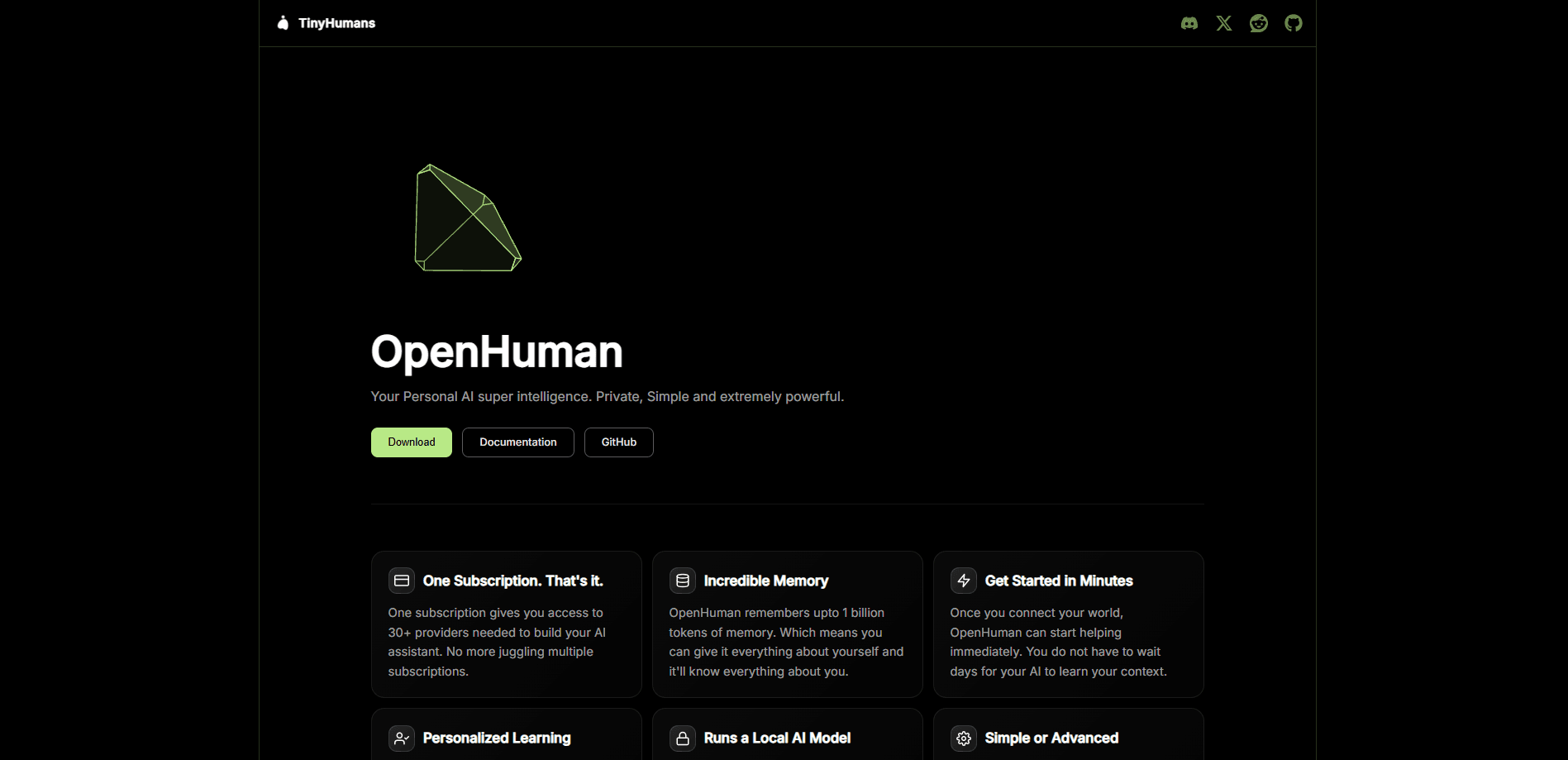
TinyHumans is an AI lab behind OpenHuman, an open-source desktop AI assistant that runs on Windows, macOS, and Linux. This open-source AI agent is built local-first. OpenHuman connects to the apps you already use through one-click OAuth, keeps a persistent local memory of your work, and orchestrates agents to take action across your tools instead of just replying in a chat window.
About TinyHumans
What Is TinyHumans
TinyHumans is an AI lab focused on building agents that get closer to how people actually work. Its main product, OpenHuman, is a personal AI assistant you install on your own machine rather than open in a browser tab. It's also a local-first AI tool at heart. The pitch is simple: most AI tools forget everything between sessions, while OpenHuman builds a lasting memory of your inbox, calendar, repos, and notes, then uses that context to help.
The product leans local-first. Your synced data and memory live in an encrypted SQLite database on your device, and the same content is written out as Markdown files you can open in Obsidian. So you can read, edit, and audit what the assistant "remembers" instead of trusting a black box. That's the whole bet.
The biggest limitation is maturity. OpenHuman labels itself an early beta, so you should expect rough edges and frequent updates. It's also a desktop-only tool for now, with no mobile app or standalone web client, and the deepest value only shows up after you connect your accounts and let the memory engine sync a cycle or two.
Getting Started
- Download the installer for your OS from the official site or the GitHub Releases page, then run it.
- Sign in to OpenHuman with your account, which creates your local profile and storage.
- Connect the services you want it to learn from, like Gmail, Notion, Slack, or GitHub, using each app's normal OAuth screen.
- Wait roughly 20 minutes for the first background sync, so the memory engine can pull and compress your data.
- Open the assistant and start a task, or open the Markdown vault in Obsidian to review and edit what it stored.
Product Information
A quick look at TinyHumans's pricing, supported platforms, and performance.
Best for
The users, tasks, and scenarios where this tool fits best.
Users
- Knowledge workers drowning in email and chat
- Developers juggling multiple repos and tools
- Privacy-minded users who run local models
Tasks
- Catching up after time away
- Cross-app research
- Automating repeat work
Scenarios
- Building a personal knowledge base
- Meeting follow-up
- Solo founders and small teams
Key features
Local-First Memory Tree
OpenHuman's core idea is the Memory Tree. It takes everything you connect, cleans and compresses it into small Markdown chunks, then scores and folds it into per-topic and per-day summaries. Those summaries live in a local SQLite database and double as an Obsidian-compatible vault. You can open the vault and read exactly what the assistant remembers. That's rare.
One-Click App Integrations
Rather than asking you to generate API keys for each service, OpenHuman uses OAuth to connect around 118 apps, including Gmail, Notion, Slack, GitHub, Google Calendar, Drive, Linear, and Jira. Once linked, it exposes each service as a tool the agent can call. Signing into OpenHuman doesn't grant mail access on its own. Every connector still asks for its own permission.
Background Auto-Sync
After you connect a source, OpenHuman polls it on a steady rhythm, roughly every 20 minutes. New emails, calendar changes, commits, and document edits get pulled into memory automatically, with no prompt or polling script from you. That's what lets the assistant feel informed on day one instead of after weeks of training. No setup grind.
Model Routing and Token Compression
OpenHuman routes tasks to different models based on what they need, sending quick lookups to fast models and reasoning work to stronger ones. Before anything reaches a model, a compression layer converts HTML to Markdown, shortens long URLs, and de-duplicates output. The developer claims this cuts token use and cost by up to 80%. That matters. Memory keeps growing, so the bill does too.
Desktop Mascot and Voice
The app ships with an on-screen mascot that can talk and listen using voice tools, and it can join a Google Meet as a participant. Beyond novelty, it gives hands-free access to your memory and a visible status for background work. Local Whisper and Piper options let voice run fully offline.
Workflow and Agent Orchestration
A built-in orchestration engine runs fleets of agents on durable graphs, so you can chain multi-step jobs across apps. You can start with a single-step workflow and scale up to several agents passing work between them. It's the piece that turns a memory system into something that actually does tasks.
Pros and cons
Pros
- Persistent memory survives sessions, so you don't re-explain your projects every time you open the app.
- Your data and memory stay on your device in an encrypted database, with readable Markdown you can audit.
- About 118 OAuth integrations cover the common work apps without manual API-key setup.
- Open source under GPL, so the code is inspectable and self-hostable if you want to run your own backend.
- Optional local models mean you can keep inference offline when privacy matters more than raw model quality.
Cons
- It's an early beta, so bugs and breaking changes are part of the deal right now.
- Desktop only, with no mobile app or standalone web client, so you can't use it from a phone.
- The first sync takes a cycle to land, meaning the assistant feels thin until your data is pulled in.
Frequently asked questions
OpenHuman is an open-source desktop AI assistant from the TinyHumans lab. You install it on Windows, macOS, or Linux, connect your work apps, and it builds a persistent local memory you can read, then uses that context to run tasks across your tools.
Related content
Explore related tools, skills, and articles for TinyHumans.
TinyHumans Alternatives

Base Code
Base44 (Wix) · Coding · ProductivityBase Code is a shared cloud development environment from Base44. Teammates describe changes to an existing GitHub codebase in chat, preview them live and send them back as pull requests.

Knocket
Knocket (Tencent RTC team) · Productivity · Business · ChatbotKnocket is a free live chat and contact page tool that lets visitors message you from your website, app, or a shareable link, with every reply handled from Telegram or one inbox.

FloorGen
Vinit Kumar (FloorGen) · Productivity · China AIFloorGen is a browser-based floor plan maker that turns a sentence or a sketch into an editable 2D plan and a 3D walkthrough. Export to PDF, DXF or video, and draw without an account.