

TinyWow
TinyWow · Image · Marketing
TinyWow is a browser-based set of 200+ free tools for PDF, image, video, and AI writing jobs. No install, no account, and most tasks finish in under a minute.
About TinyWow
What Is TinyWow
TinyWow is a web toolbox built around the small file jobs that interrupt a workday. A form rejects your PDF for being too large. A profile picture needs a clean background. A paragraph reads badly and you want a second version fast. Each of those has its own one-click page on TinyWow, which is what separates it from most free online tools: nothing to install, nothing to sign up for.
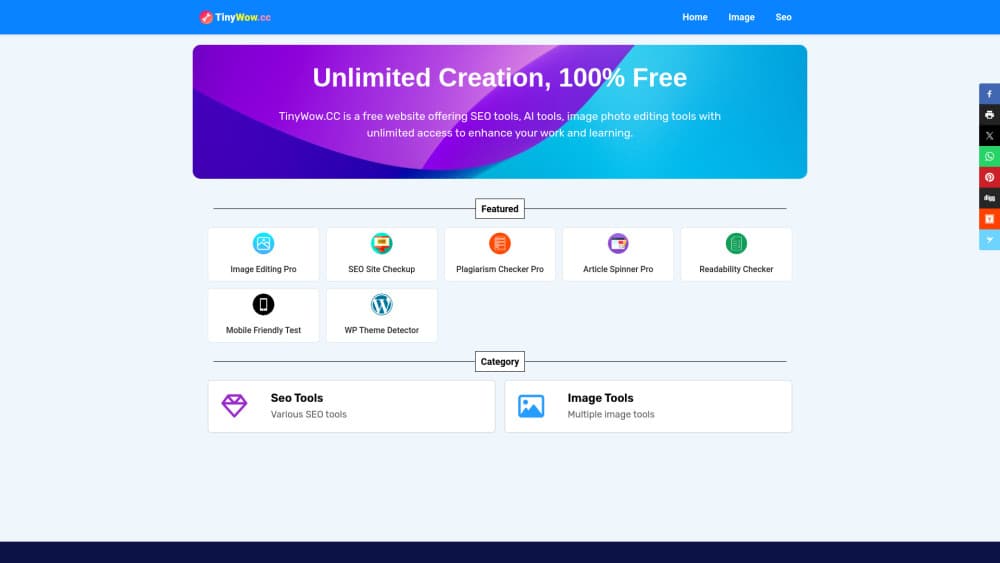
The site splits into five areas: PDF, image, video, AI writing, and file conversion. The PDF side is the deepest, with editing, merging, splitting, compressing, eSigning, and format swaps. The image side covers background removal, upscaling, and object removal. Video tools handle compression, trimming, and audio extraction, and the writing section drafts or rewrites text from a prompt.
What limits it is scope, not price. Every tool does one narrow thing well, so a project that needs layers, timelines, or tracked changes still belongs in a desktop app. The free tier also runs ads and stops you with CAPTCHA checks now and then. If you use the site daily, that friction becomes the real cost.
Getting Started
- Go to tinywow.com and pick a category tab: PDF, Image, Video, AI Write, or File.
- Open a specific tool, such as Compress PDF or Remove Background. No account is needed.
- Upload the file or paste the text you want to work on.
- Set whatever options the tool offers, then run it and download the result.
- Create a free account only if you want saved history, or upgrade to Premium to drop the ads and CAPTCHAs.
Product Information
A quick look at TinyWow's pricing, supported platforms, and performance.
Best for
The users, tasks, and scenarios where this tool fits best.
Users
- Students
- Admin and office staff
- Small business owners
Tasks
- Converting documents and media
- Cutting out image backgrounds
- Shrinking oversized files
- Drafting or tightening text
Scenarios
- A deadline in ten minutes
- A borrowed or locked-down machine
- Trying before paying
Key features
PDF Tools That Cover the Boring Work
Merging, splitting, compressing, editing, and converting between PDF and Word or JPG are all here, along with password removal, eSign, page rearrangement, and text extraction. Its online PDF tools are where most visitors start, and the free tier carries nearly all of them. The tools suit short documents; a 300-page scan with heavy images will test the patience of both you and the server.
Background Remover and Image Cleanup
Upload a photo and the background remover returns a cutout with a transparent background, no brush work involved. Related tools restore old photos, erase an unwanted person from a shot, upscale a low-resolution image, and run the usual resize, crop, and compress jobs. Output holds up for web and social use. Print-ready work still needs a proper editor.
AI Writing Assistant
The AI Write section turns a short prompt into a paragraph, an essay draft, a blog outline, or a rewritten version of text you paste in. Grammar cleanup and a content improver sit alongside the generators. Treat the result as a first pass. You still read it, cut the padding, and check the facts before anything goes public.
Video and Audio Conversion
Compress a clip, trim the ends, pull the audio track out as MP3, or export a segment as a GIF. Format swaps like MOV to MP4 are handled here too, which saves installing a converter for a one-time job. Long or high-resolution files take a while, and the browser tab needs to stay open for the job to finish.
File and Spreadsheet Converters
Excel, CSV, XML, and JSON convert between each other, and a spreadsheet can be split into separate files by row or sheet. It's the most technical corner of the site, aimed at people who get a data file in the wrong shape and need it fixed before a meeting. Most of these tools run free with no account.
TinyWow Premium
Premium strips the ads, skips every CAPTCHA check, and puts your jobs in a priority queue so results come back faster. It costs $20 per month, or $15.00 per month if you pay for a year. The tools themselves stay the same, so the subscription buys speed and a quieter screen rather than extra features.
Pros and cons
Pros
- Over 200 tools sit on one site, so a PDF fix, a background cutout, and a rewrite don't need three different services.
- The free tier needs no account and covers most everyday jobs.
- Everything runs in the browser, which makes it usable on work laptops and borrowed machines.
- The AI writing and image tools share the same interface as the converters, so there's no second learning curve.
- Premium at $20 per month, or $15.00 per month billed yearly, removes the ad and CAPTCHA friction for heavy users.
Cons
- Ads and recurring CAPTCHA checks slow down repeat use on the free tier.
- Each tool is narrow, so layered edits, tracked changes, or long-form projects still need a full application.
- AI output reads like a draft and needs editing before it ships.
- There's no public API, so none of these tools can be wired into your own app or script.
Frequently asked questions
It handles everyday file chores in a browser: convert PDF to Word, merge or split documents, remove an image background, compress a video, or generate and rewrite text with AI. Each page does one job, which is the point. It's built for quick tasks, not long projects.
Related content
Explore related tools, skills, and articles for TinyWow.
TinyWow Alternatives

Google EmbeddingGemma 2
Google DeepMind · Writing · Image · CodingGoogle EmbeddingGemma 2 is a 740M-parameter open model that turns text, code, images, audio, and video frames into vectors in one 768-dimension space, running on phones and laptops.

Tractionwave
TractionWave · Image · MarketingTractionWave is an AI attention heatmap tool for static ads. Upload a PNG or JPG and it returns predicted attention, ranked hotspots, and fixes before you spend budget.

Imejis.io
Imejis.io · Image · MarketingImejis.io is an AI design studio for agents and marketing teams. Describe an image in plain words, and it writes the copy, builds the layout, reflows it to every size, then exports a finished file.