
toona
Toona · Image · Video
Toona is a browser based AI anime toolbox that colorizes manga, upscales art to 4K, adds motion to still panels, and turns single images into short video clips. A free plan covers light use.
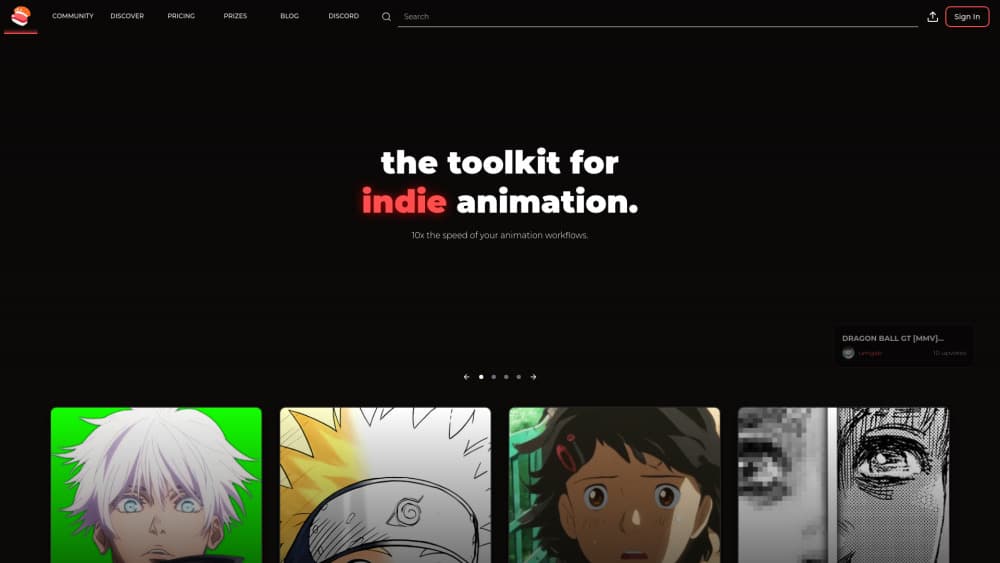
About toona
What Is Toona
Toona is a web app for people who already have anime or manga artwork and want to move it further: colored, cleaner, sharper, or moving. It bundles eight tools under one login, from a manga colorizer to a frame interpolation engine, and charges them against a single coin balance. The site calls itself an AI anime toolbox, and that's an accurate description of the shape of the product.
The work it replaces is tedious and usually outsourced. Coloring a chapter by hand takes a colorist days. Cleaning a low resolution scan for print takes careful upscaling and retouching. Adding believable motion to a single illustration means building layers in a compositor. Toona turns each of those jobs into an upload, a few brush strokes, and a wait.
The limits matter as much as the tools. Output clips are short, measured in seconds rather than episodes, so this is a motion comics and social clip tool, not an animation studio replacement. The service is still labeled a beta, access runs through its Discord, and video exports carry a watermark until you reach the Pro plan.
Getting Started
- Go to toona.io and sign in. The site hands out free coins on sign in, so you can test every tool before paying.
- Pick a tool from the top menu. Colorizer, Image to Video, Upscaler, Interpolation, Inbetween, Cut & Fill, and Motion Painter all live in the same workspace.
- Upload your file. The manga colorizer takes JPG, PNG, PDF, and CBZ, so a full chapter can go in as one document. The animation tools take JPG, PNG, and WebP.
- Mark what you want changed. For colorization you can let the model work alone or paint color hints on specific areas. For motion, brush over the region that should move.
- Generate, then download or share. Finished clips and images can be saved locally or posted to the Discover gallery, where other users browse what the community has made.
Product Information
A quick look at toona's pricing, supported platforms, and performance.
Best for
The users, tasks, and scenarios where this tool fits best.
Users
- Manga artists publishing their own work
- Anime video editors and AMV creators
- Motion comics hobbyists and webtoon creators
Tasks
- Colorizing a black and white chapter
- Animating one illustration for a reel or thumbnail
- Making a panel feel alive inside a motion comic
- Rescuing low resolution scans for print or archive
Scenarios
- Posting short anime clips daily without a studio pipeline
- Pitching a comic with a moving teaser
- Running a small scanlation or fan project on a fixed budget
Key features
Manga Colorizer
The colorizer handles automatic manga colorization in one click, then lets you correct it with color hints placed on specific regions. Upload a single page or a whole chapter as JPG, PNG, PDF, or CBZ. The point controls are what separate it from blind auto colorizers: faces, uniforms, and backgrounds can each get their own color instead of one global palette.
AI Image to Video
This tool animates a still image by letting you select the area that should move, then generating a short clip from it. You can use an area tool or a brush to mask the region, and the output downloads as a video file you can drop into an editor. It works best on illustrations with clear foreground and background separation.
Anime Upscaling to 4K
Two separate upscalers sit in the toolbox, one for images and one for video. Images go up 2x, 3x, or 4x, and clips can reach 4K. Both use presets trained on anime and manga line art, so edges stay sharp instead of turning soft the way a generic photo upscaler tends to handle ink drawings.
Anime Interpolation and Inbetween Frames
Interpolation raises frame rate to 60, 120, or 240fps, which is the setting slow motion anime edits live on. The Inbetween tool takes a different route: you supply a start frame and an end frame, and the model draws the frames in between. That's useful when you want controlled motion rather than smoothed motion.
Cut & Fill
Cut & Fill removes a background and redraws it, which is the step that usually stops people from reusing a panel in a new scene. It works on anime and manga images and saves the manual masking and repainting that a compositor would otherwise require. Results vary with how busy the original background is.
Motion Painter
Motion Painter adds subtle movement by painting it in. You brush an area, set the motion, and preview the still against the animated version. Backgrounds, hair, and cloth are the natural targets, and the effect is deliberately understated, closer to a parallax shot than to full character animation.
Story Scenes for Motion Comics
Story Scenes assemble panels into a sequence with camera movement and transitions, which is the motion comics workflow the product is built around. Every plan includes a quota of scenes, from 8 on the free tier to unlimited on Ultimate. Finished scenes can be published to the Discover gallery for other users to watch.
Pros and cons
Pros
- Eight tools share one account and one coin balance, so you don't buy separate subscriptions for colorizing, upscaling, and interpolation.
- The free plan is genuinely usable, with 200 coins, 8 story scenes, 8 colorings, 4 image upscales, and 2 interpolation minutes.
- Chapter level uploads in PDF and CBZ cut the per page clicking that slows down colorization work.
- Point based color hints give you control over specific areas, which pure text prompt colorizers don't offer.
- Everything runs in the browser, so there's no GPU, no install, and no render queue to manage on your own machine.
Cons
- Coins hide the real cost of a job. Eight colorings on the free tier run out fast once you're testing settings on a full chapter.
- Video exports keep a watermark until Pro at $26.99 a month, which rules out client work on the cheaper plans.
- The service is still in beta, and access and feature changes are announced through Discord, so there's no formal support channel.
- There's no mobile app and no public API, and long jobs tie up a browser tab while they process.
Frequently asked questions
Toona is used to finish anime and manga artwork: colorizing black and white pages, upscaling images and video to 4K, raising frame rates, swapping backgrounds, and adding motion to still panels. Most people use it to make motion comics or short social clips from art they already own.
Related content
Explore related tools, skills, and articles for toona.
toona Alternatives

Google EmbeddingGemma 2
Google DeepMind · Writing · Image · CodingGoogle EmbeddingGemma 2 is a 740M-parameter open model that turns text, code, images, audio, and video frames into vectors in one 768-dimension space, running on phones and laptops.

Tractionwave
TractionWave · Image · MarketingTractionWave is an AI attention heatmap tool for static ads. Upload a PNG or JPG and it returns predicted attention, ranked hotspots, and fixes before you spend budget.

Imejis.io
Imejis.io · Image · MarketingImejis.io is an AI design studio for agents and marketing teams. Describe an image in plain words, and it writes the copy, builds the layout, reflows it to every size, then exports a finished file.