
Tootler AI
Byteoski Devs · Productivity
Tootler is an AI-assisted UPSC current affairs app that connects source-linked daily reading with quizzes and spaced revision, so aspirants recall what they study. It launches soon.
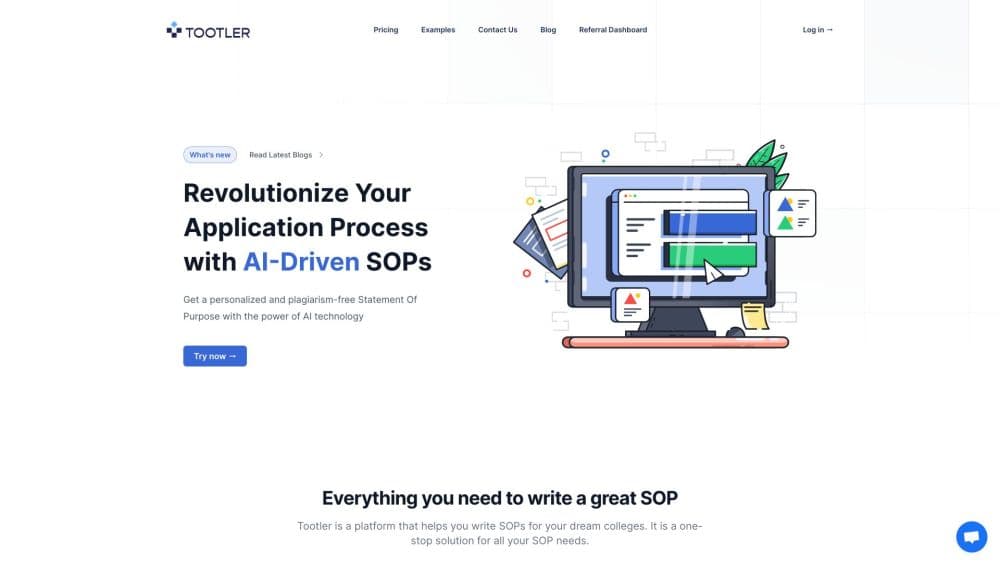
About Tootler AI
What Is Tootler
Tootler is a UPSC preparation app, built around one loop: read a topic with its original source open, answer questions on it, then meet that topic again on a revision schedule. Byteoski Devs, the team behind it, frames the product as a fix for a familiar problem. Aspirants collect news all day and still freeze when a question reframes it.
The app isn't out yet. Tootler is in pre-launch, with a waitlist open and a small set of free practice tools already running on its site. Everything described here comes from the official product page and screens of the current build, not from months of daily use.
Where the product draws a line matters too. Tootler says it complements your preparation. It doesn't replace the official syllabus, original sources, or your core study material. The team also states there's no advertising, and launch pricing hasn't been announced.
Getting Started
- Join the waitlist at tootler.ai with an email address. No payment is involved.
- Use what's live now: a real UPSC Prelims question on the homepage and practice tools that need no sign-up.
- When access arrives, set your exam focus and a daily reading target for the feed.
- Read a story with the source open, highlight passages, and save notes to the study library.
- Take the linked quiz, review what you missed, and let the revision queue bring those topics back.
Product Information
A quick look at Tootler AI's pricing, supported platforms, and performance.
Best for
The users, tasks, and scenarios where this tool fits best.
Users
- First and second attempt aspirants
- Working professionals with two or three study hours a day
- Readers who finish the newspaper and remember nothing
Tasks
- Turning daily current affairs into answerable questions
- Keeping a searchable record of what you studied
- Rebuilding revision before Prelims
Scenarios
- A 40 minute morning block
- The final 60 days before Prelims
- Weekend consolidation after a heavy news week
Key features
A Feed That Keeps the Original Source
Every story is written with the source open, so a claim about a policy, a report, or a court order can be checked against the document it came from. This matters for UPSC because Prelims statements often hinge on a detail that a summary drops. You read the analysis, then verify the fact yourself.
Syllabus Tags on Each Story
Stories carry tags that show where the topic sits in the syllabus, which makes the GS paper connection visible before you start reading. That tag is what turns a general news feed into UPSC preparation material. It also makes it easier to skip a story that has no exam relevance.
Highlights and Notes in One Library
You can highlight a passage, attach a note, and keep both in a study library instead of scattering them across screenshots and PDFs. Each saved item keeps its link back to the original. Later, the library becomes the place you review before a test rather than the newspaper archive.
Quizzes Tied to What You Just Read
The Daily Mastery quiz follows the reading, so a topic you finished ten minutes ago gets tested while it's still fresh. Tootler describes itself as a current affairs quiz app built for practice rather than recognition. The site also notes that answers come from a third party key that hasn't been checked against UPSC's official key, so treat a disputed answer as a prompt to read the source again.
Spaced Revision Built Into the Routine
Missed questions and studied topics return on a schedule instead of disappearing after the session. The app keeps reading progress and revision in the same place, which removes the usual gap between "I covered it" and "I can recall it." For aspirants juggling optional subjects and answer writing, that saves a separate revision tracker.
Free Practice Tools Before Launch
Tootler isn't public yet, but its practice tools are. You can attempt a real UPSC Prelims question on the homepage and read blog guides built from real UPSC Prelims practice questions, both without an account. It's a low risk way to judge whether the question style matches how you study.
Pros and cons
Pros
- Reading, quiz, and revision sit in one routine, which cuts the number of separate trackers an aspirant needs.
- Source links stay attached to each story, so claims can be verified instead of taken on trust.
- No advertising, according to the official site, and no payment needed to join the waitlist.
- Free practice tools are usable now, before the app opens.
Cons
- The app isn't available yet, so nobody can confirm how the feed holds up across a full preparation cycle.
- It's built for UPSC only. Aspirants preparing for state PSC or SSC exams won't find matching syllabus tags.
- Some quiz answers rely on a third party key, which means an occasional disputed answer needs manual checking.
Frequently asked questions
Tootler is meant to turn daily current affairs reading into something you can recall in an exam. It combines source-linked articles, syllabus tags, highlights, quizzes, and a spaced revision queue in one app for UPSC aspirants.
Related content
Explore related tools, skills, and articles for Tootler AI.
Tootler AI Alternatives

Base Code
Base44 (Wix) · Coding · ProductivityBase Code is a shared cloud development environment from Base44. Teammates describe changes to an existing GitHub codebase in chat, preview them live and send them back as pull requests.

Knocket
Knocket (Tencent RTC team) · Productivity · Business · ChatbotKnocket is a free live chat and contact page tool that lets visitors message you from your website, app, or a shareable link, with every reply handled from Telegram or one inbox.

FloorGen
Vinit Kumar (FloorGen) · Productivity · China AIFloorGen is a browser-based floor plan maker that turns a sentence or a sketch into an editable 2D plan and a 3D walkthrough. Export to PDF, DXF or video, and draw without an account.