

Topaz AI Gigapixel
Topaz Labs · Image
Topaz AI Gigapixel is an AI image upscaler from Topaz Labs. It rebuilds detail as it enlarges photos, graphics, and AI art up to 6x, running on your desktop or in the cloud.
About Topaz AI Gigapixel
What Is Topaz AI Gigapixel
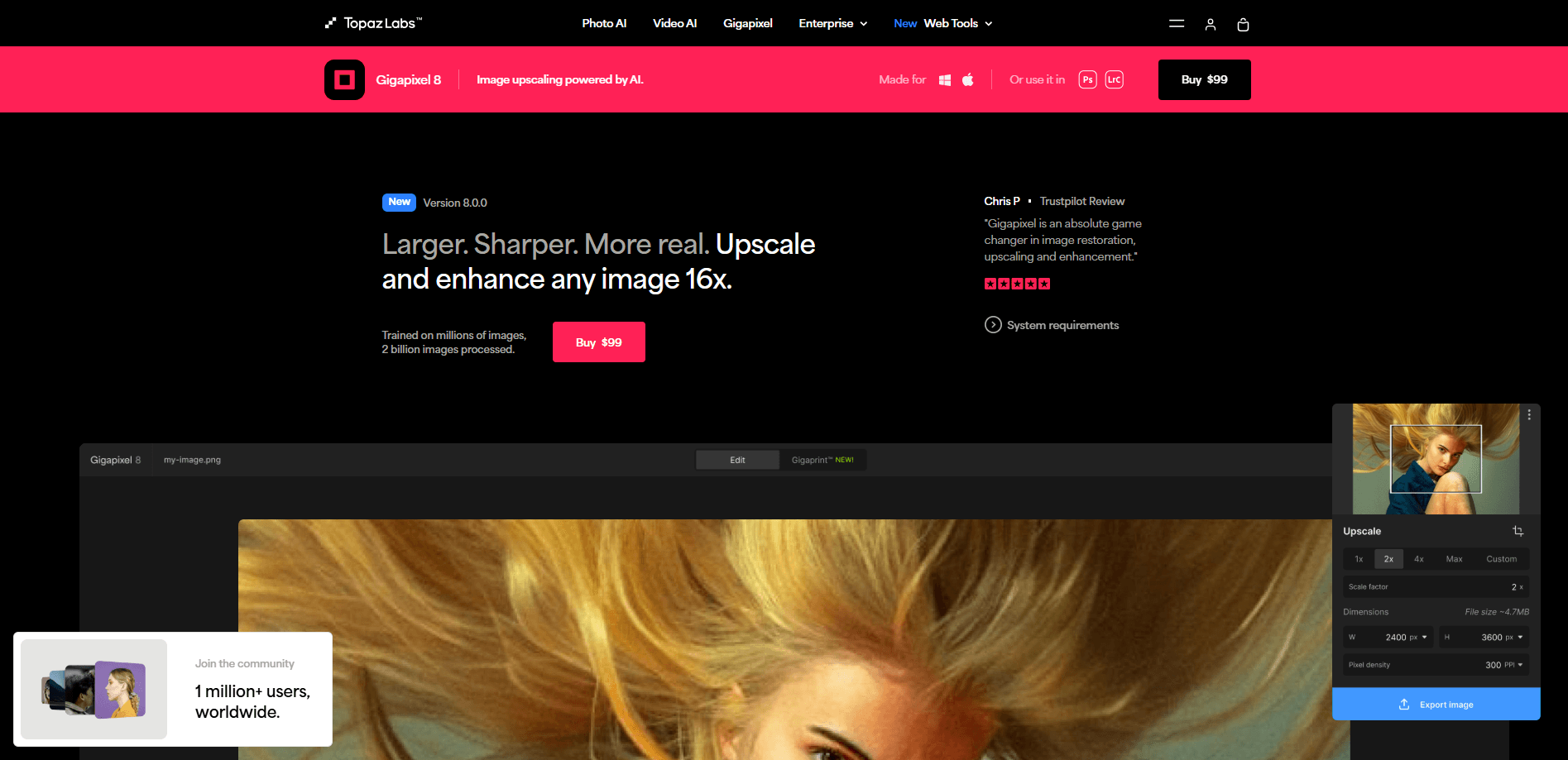
Topaz Gigapixel is an AI image upscaler built by Topaz Labs, a Texas company that has worked on image upscaling software since 2005. The current version launched on September 16, 2025 and replaced the older Gigapixel AI app. Its job is narrow and clear: take a small, soft, or low-resolution image and upscale photos with AI while rebuilding the detail that plain stretching would smear away. Think of it as an AI photo enlarger that adds detail instead of blur.
The pitch is simple. On Topaz Gigapixel pricing, plans run from the desktop app up to the Studio bundle. Old scans, phone snapshots, and low-res textures usually fall apart the moment you blow them up. Gigapixel runs nine enhancement models, each tuned for a different subject, then rebuilds edges and texture at the new size. You get a file that still looks sharp after you crop in or send it to print.
Two things shape how you use it. It can run locally on your own machine, so files never leave your computer, or in the cloud, which shifts heavy work off your hardware. And it is a desktop tool first, so you need a recent Mac or Windows machine and a little patience for the learning curve.
Getting Started
- Create a Topaz Labs account and pick a plan.
- Download the Topaz Gigapixel installer from your account and activate it with your checkout email.
- Drag an image into the app or use Browse images to load a batch.
- Let Auto Mode analyze the shot, or pick a model such as Upscale, Recover Faces, or Bloom.
- Export locally or send the job to cloud rendering, then download the finished file.
Product Information
A quick look at Topaz AI Gigapixel's pricing, supported platforms, and performance.
Best for
The users, tasks, and scenarios where this tool fits best.
Users
- Photographers
- E-commerce sellers
- 3D and VFX artists
Tasks
- Enlarging images for print
- Recovering AI-generated art
- Restoring old scans
Scenarios
- Prepping client deliverables
- Working on confidential material
- Cleaning up a whole shoot
Key features
Upscaling up to 6x with nine models
Gigapixel enlarges almost any image while rebuilding detail instead of stretching pixels thin. Nine enhancement models cover weddings, fine art, space, and field shots, and Auto Mode picks a sensible one for you. The point is that the bigger file keeps the sharpness the original had, so a crop holds up on paper.
Bloom for AI-generated images
Bloom is the model built for images made with AI. It creatively upscales them while adding realistic grain and texture, targeting the too-smooth, plastic look that creeps into generated art. The company also added a Realism model that turns artificial faces back toward something closer to a real photograph.
Local and cloud rendering
Every job can render on your own hardware, which keeps files private and suits confidential or proprietary work. Cloud rendering runs the same models on Topaz Labs servers for speed, and image cloud rendering is unlimited on an active plan. That matters when your GPU, not your patience, is the bottleneck.
Recover Faces and restoration tools
Gigapixel includes face recovery, which rebuilds soft or damaged faces pulled from old or low-res photos. Paired with the restoration models, it can clean up grain and bring archival images back to something worth printing. It handles the whole photo, not just the face.
Plugin and workflow integration
Gigapixel runs as a standalone app or as a plugin inside common editing programs, so you can upscale without breaking your existing process. That keeps the upscale step next to the retouching step, rather than in a separate trip through another tool.
Auto Mode and batch processing
Auto Mode analyzes each image and applies settings by itself, which is handy when you're working through a folder. Batch processing lets you load many images, render them in a row, and cull the results later. It turns a chore into a coffee break.
Gigapixel Pro for studios
Gigapixel Pro is the studio tier. It upscales up to 6x and outputs up to 32,000 pixels wide, adds 10+ models, and supports CMYK, RAW, and custom ICC profiles. It ships with a commercial license and seat management, so several team members can upscale at once.
Pros and cons
Pros
- Nine models plus Auto Mode let you match the treatment to the subject instead of guessing.
- Local rendering keeps sensitive files on your own machine, a fit for confidential work.
- Cloud image rendering is unlimited on an active plan, so heavy jobs don't stall your hardware.
- Bloom brings realistic texture back to AI art that looks too smooth.
- The Pro tier adds CMYK, RAW, and ICC support for print and studio workflows.
Cons
- There's no free plan for saving work, only a trial that blocks export, so trying it means paying up.
- The desktop app needs a recent Mac or Windows machine, and heavy jobs lean on a good GPU.
- Auto Mode is convenient but sometimes picks a model you'd rather change by hand.
- Gigapixel is desktop first, so there's no full-featured browser or mobile version of this specific app.
Frequently asked questions
Topaz Gigapixel is an AI image upscaler from Topaz Labs. It enlarges photos, graphics, and artwork up to 6x while rebuilding detail, rather than stretching pixels into blur.
Related content
Explore related tools, skills, and articles for Topaz AI Gigapixel.
Topaz AI Gigapixel Alternatives

Google EmbeddingGemma 2
Google DeepMind · Writing · Image · CodingGoogle EmbeddingGemma 2 is a 740M-parameter open model that turns text, code, images, audio, and video frames into vectors in one 768-dimension space, running on phones and laptops.

Tractionwave
TractionWave · Image · MarketingTractionWave is an AI attention heatmap tool for static ads. Upload a PNG or JPG and it returns predicted attention, ranked hotspots, and fixes before you spend budget.

Imejis.io
Imejis.io · Image · MarketingImejis.io is an AI design studio for agents and marketing teams. Describe an image in plain words, and it writes the copy, builds the layout, reflows it to every size, then exports a finished file.