

Toy.new
Cheat Layer, Inc. · Coding
Toy.new is a free AI website builder from Cheat Layer that turns plain-language prompts into websites, presentations, games, and small apps, with optional Stripe, Supabase, and Vercel add-ons.
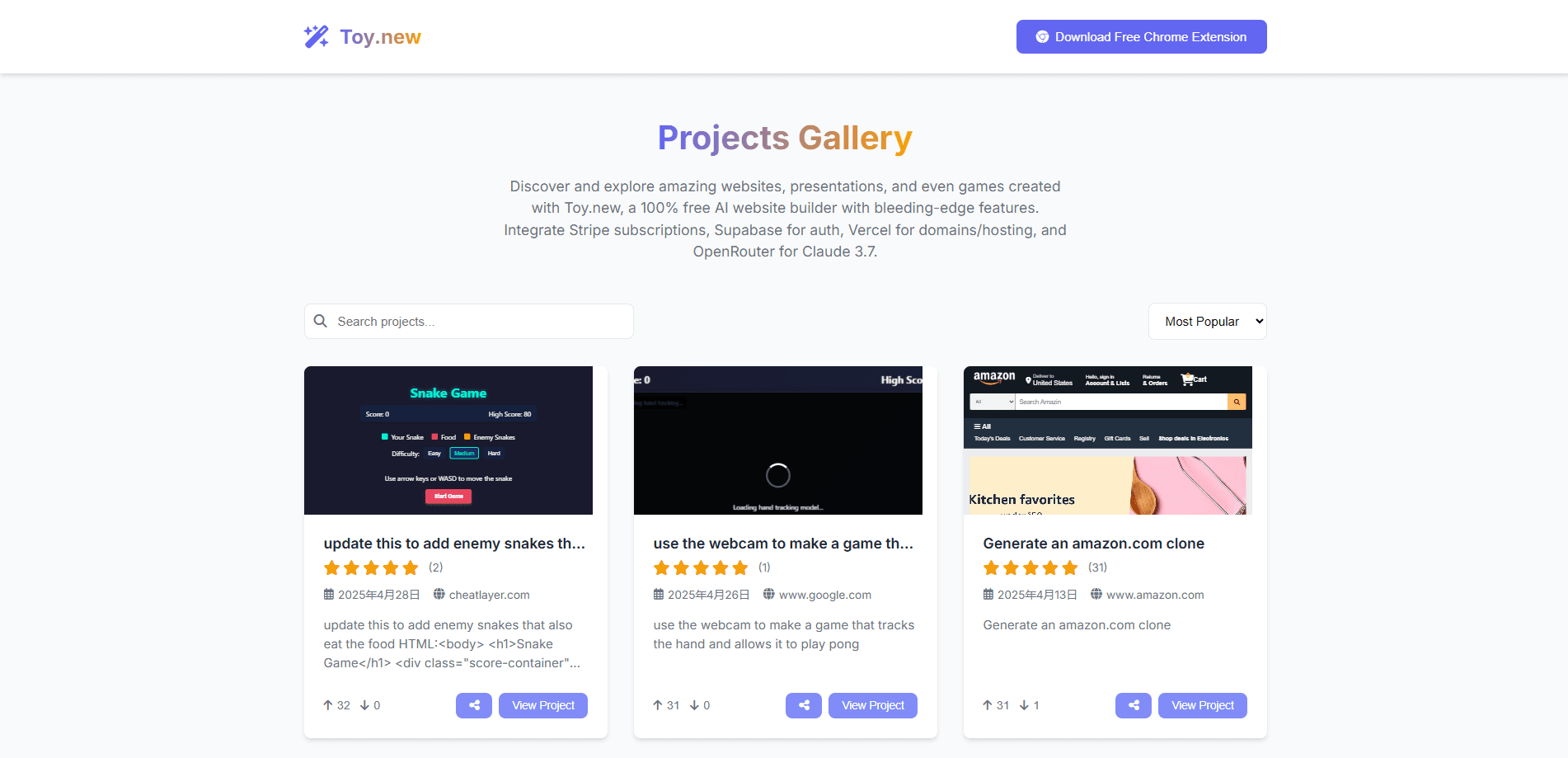
About Toy.new
What Is Toy.new
Toy.new is a browser-based AI website builder made by Cheat Layer, Inc. You describe what you want in everyday language, and the tool generates a working web page, presentation, or small game for you. It runs as a Chrome extension, so the whole build happens in a browser tab rather than a desktop program.
The product targets people who have an idea but not a coding background. Instead of learning a framework, you type a prompt and then refine the result with follow-up messages. Cheat Layer positions it as a free alternative to paid builders like Lovable, Bolt, and Replit.
The main limits come from that same simplicity. Output quality depends on how clearly you describe the goal, and advanced features such as payments, authentication, and hosting lean on outside services you connect yourself. A custom domain and a live deployment are not automatic.
Getting Started
- Install the Toy.new AI Website Builder extension from the Chrome Web Store and sign in.
- Describe the site, app, or presentation you want in plain language, one step at a time.
- Adjust the generated layout and text in the no-code editor, or ask the assistant to change specific elements.
- Optionally connect Stripe for subscriptions, Supabase for login, and Vercel for domains and hosting.
- Add an OpenRouter key if you want to build with the Claude 3.7 model, then publish or clone the result.
Product Information
A quick look at Toy.new's pricing, supported platforms, and performance.
Best for
The users, tasks, and scenarios where this tool fits best.
Users
- Non-technical founders
- Students and hobbyists
- Marketers and creators
Tasks
- Prototyping a web page
- Building a presentation
- Making a simple game or app
- Cloning an existing site
Scenarios
- Validating an idea before you invest
- Producing a quick client demo
- Teaching or workshop use
Key features
Prompt-Based Site Generation
You describe the website, app, or presentation you want and Toy.new builds a first version, then revises it as you keep talking. The flow is conversational, so each message refines the last result instead of forcing you to restart. This is the core of the product and the reason it can be used without any coding.
No-Code Visual Editor
Generated elements stay editable in a built-in editor, so you can move sections, rewrite copy, and adjust layout by hand. It gives you a fallback when a prompt produces something close but not quite right. For most users this replaces the need to touch any underlying code.
Live Website Cloning
You can open a website you like in your browser and have Toy.new clone it or add features directly to it. This helps when an existing design already matches what you have in mind and you only want to modify parts of it. It is a fast route from reference to working draft.
Built-In Service Integrations
Toy.new connects to Stripe for subscriptions, Supabase for login and auth, and Vercel for custom domains and hosting. These are optional, so a purely static site works without them. Adding them turns a demo into something that can collect payments and host real users.
Model Choice Through OpenRouter
You can supply your own OpenRouter key to generate with the Claude 3.7 model. That lets you trade off speed and output quality depending on the project. It also keeps the generation model separate from the builder itself, so you are not locked into one provider.
Browser Extension Workflow
Everything runs as a Chrome extension, so builds start from the page you are already on. That makes cloning and editing in place possible in a way a separate desktop app could not. It also keeps setup light, since there is no separate program to install or manage.
Pros and cons
Pros
- Free to use, with no subscription required to build and preview projects.
- Works through plain-language prompts, so no coding background is needed.
- Bundles optional Stripe, Supabase, and Vercel hooks for payments, login, and hosting.
- Runs as a lightweight Chrome extension that builds pages in the browser.
- Supports websites, presentations, and small games from the same tool.
Cons
- Output quality depends on how well you write prompts, so vague descriptions lead to generic pages.
- Payments, authentication, and hosting rely on outside accounts you set up separately, which adds steps.
- Custom domains and full deployment are not automatic, so going live takes extra configuration.
- A browser extension is a less familiar workspace for users who expect a normal desktop editor.
Frequently asked questions
Toy.new is a free AI website builder for creating websites, presentations, games, and small apps from plain-language prompts. You describe what you want and it generates an editable first version.
Related content
Explore related tools, skills, and articles for Toy.new.
Toy.new Alternatives

Udon
Udon · Coding · ProductivityUdon turns an Apple Silicon Mac into a home server you run from a browser, with container controls, file shares, and an optional AI sysadmin.

offstage
offstage cloud · Coding · Productivityoffstage gives AI coding agents and CI jobs a real Mac: a fresh macOS account on Apple silicon, driven over an API and billed by the second.

BotBus
Chengdu Tuyang Tusen Technology Co., Ltd. · Coding · ProductivityBotBus lets you control AI coding agents from your phone and watch: approve commands, start tasks and read results while the code stays on your desktop.