

Toyo
Toyo · Productivity
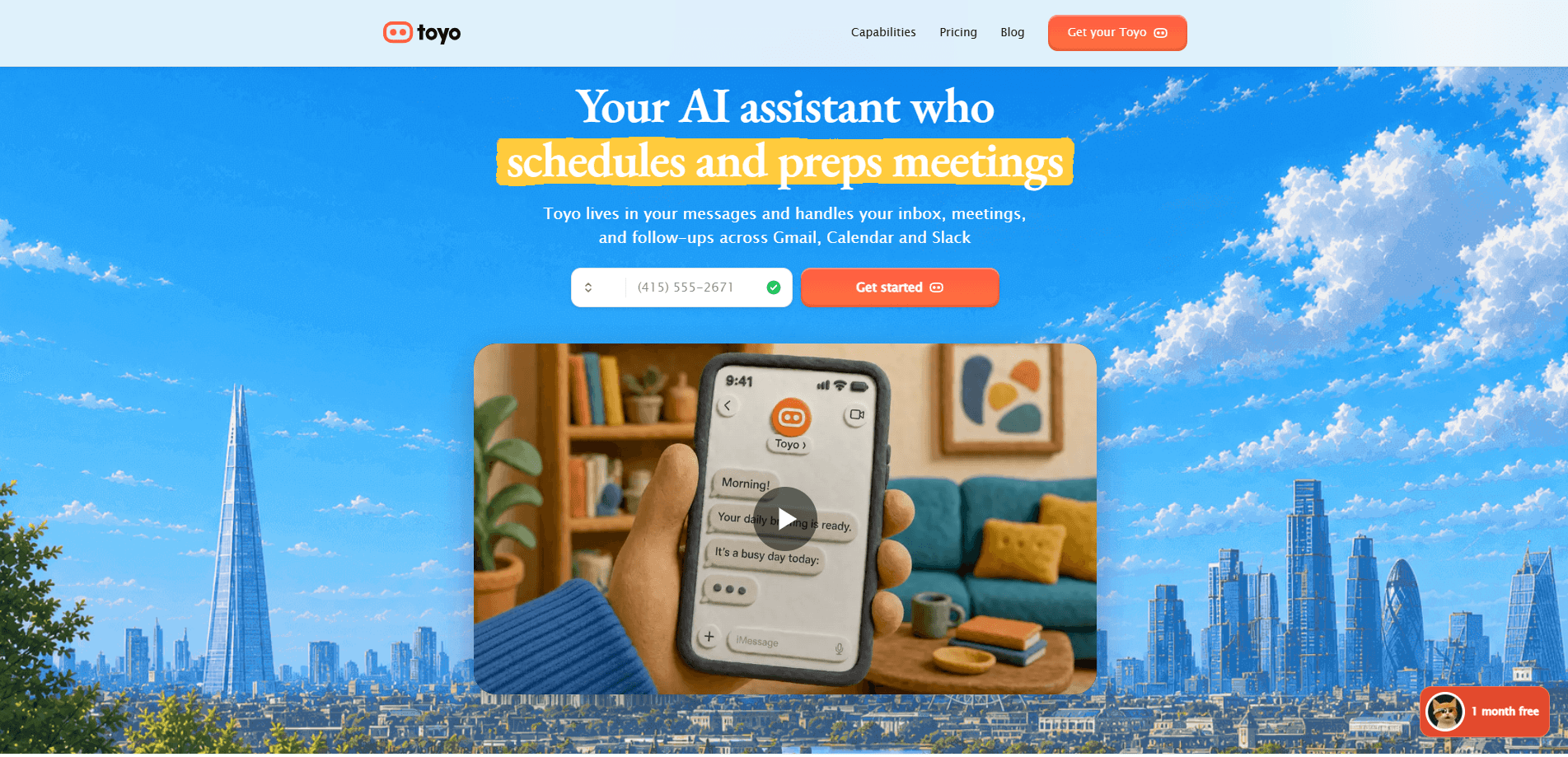
Toyo is an AI executive assistant for founders, operators, and small teams. It works through text messages and voice calls, plugs into the tools you already run your business on, and then handles the boring parts of your day in the background. That means triaging your inbox, drafting replies in your voice, scheduling meetings, prepping you before calls, and chasing down commitments before they slip. If you've been glueing together ChatGPT prompts and calendar apps by hand, Toyo is the managed version of that setup.
About Toyo
What Is Toyo
Toyo is a cloud-based AI assistant that behaves less like a chatbot and more like a junior chief of staff. You message it or call it, and it goes off and does real work inside the accounts you've connected. It reads new email, labels threads, drafts replies, watches for commitments, and pings you when something actually needs your attention. The difference from a plain chat tool is simple: chat tools answer, Toyo acts.
The appeal is strongest for people who don't have engineers on staff. Toyo's team is explicit about this, aiming at the small businesses that have to run on ideas rather than headcount. Setup is conversation-driven, so there's no workflow builder to learn and no agent infrastructure to babysit. You tell it what you want in plain language, and it either does the thing or asks for permission first.
The biggest limit is trust. Toyo only touches the tools you connect and won't bypass your approval settings, but that also means the more you want it to do, the more access you have to hand over. It also runs on a paid subscription with no free tier, and today the product leans toward email, calendar, and meeting work rather than deep vertical tasks. Some of the flashier features, like outbound calling and an inbound receptionist, are still marked as coming soon.
Getting Started
- Create an account at app.toyo.ai with your email and a credit card, since Toyo needs one to activate.
- Connect the tools Toyo may access, such as Gmail, Google Calendar, Drive, and Slack.
- Answer a few setup questions by text, then take a short phone call so Toyo can learn how you work.
- Delegate a first task in chat, like asking it to triage today's inbox or draft a follow-up to a quiet thread.
- Review what Toyo produces, edit anything that needs it, and let approved workflows keep running in the background.
Product Information
A quick look at Toyo's pricing, supported platforms, and performance.
Best for
The users, tasks, and scenarios where this tool fits best.
Users
- Founders and CEOs
- Operators and chiefs of staff
- Small teams without engineers
Tasks
- Inbox triage
- Reply drafting
- Meeting scheduling and prep
- Research and writing
Scenarios
- Starting the day with a single morning briefing
- Catching commitments before they slip
- Running recurring workflows across connected tools
Key features
Inbox Triage That Runs Without a Prompt
Toyo's most useful habit is watching your inbox on its own. It labels new Gmail threads, files cold outreach out of the way, and texts you only when a message genuinely needs a reply that day. You don't ask it to do this each morning. It just runs. That's the whole point of an AI email triage tool. It works while you don't.
Reply Drafting in Your Voice
When a reply is worth writing, Toyo drafts it the way you'd write it, leaning on patterns from your past messages rather than generic AI phrasing. You stay in control: send, edit, or discard. The drafting is on request, so you're never broadcasting messages you didn't approve.
Meeting Scheduling and Pre-Call Briefs
Scheduling is one of those chores that eats twenty minutes and yields nothing memorable. Toyo checks calendars, suggests times, drafts the proposal email, and asks before sending anything. Thirty minutes before a call, it sends you a brief and pulls together a recap afterward, so you walk in prepared instead of scrambling through old threads. No more rushing. Just context.
Follow-Up Tracking
Toyo catches the commitments you make and nudges you before they quietly expire. If you promised a partner an intro last month and forgot, Toyo remembers. It treats follow-ups as a system. Not a to-do list you'll never reopen.
Deep Research and Dossiers
You can ask for sourced briefs on any topic, or a dossier on a person or company before a meeting. Toyo cites its sources and files results to your personal library so they're searchable later. Research is on request rather than automatic, which keeps it from spending your daily usage on things you didn't want.
Content and Document Work
Upload a PDF, deck, or contract and ask questions about it. Or have Toyo draft content, memos, async updates, and investor updates in your voice. It's the everyday writing work that piles up when you'd rather be doing something else.
Voice and Phone Access
Toyo works over voice notes and phone calls, not just text. You can send a voice note and get the work done, or have Toyo call you to read a briefing aloud or take instructions by voice. Outbound calling and an inbound receptionist feature are listed as coming soon.
Pros and cons
Pros
- Works in the background across connected tools instead of waiting for you to type a prompt.
- Reaches you over text and voice, so it fits people who live in their messages rather than in yet another dashboard.
- Setup takes about ten minutes and happens by conversation, so there's no workflow builder to learn.
- The Solo plan at $29/mo is accessible for solo founders, while Pro and Teams scale up for heavier workloads.
Cons
- No free plan or free trial. You have to enter a credit card before you get full access, which makes it hard to test before committing.
- The more useful you want it to be, the more account access you have to grant, and that's a real trust decision for some people.
- Several headlined features, including outbound calling and the inbound receptionist, are still labeled coming soon, so the roadmap matters if those are what drew you in.
Frequently asked questions
Toyo is an AI executive assistant that handles inbox triage, reply drafting, scheduling, meeting prep, follow-ups, research, and writing across the tools you connect. It works over text and voice and runs many of these tasks in the background rather than only when prompted.
Related content
Explore related tools, skills, and articles for Toyo.
Toyo Alternatives

Base Code
Base44 (Wix) · Coding · ProductivityBase Code is a shared cloud development environment from Base44. Teammates describe changes to an existing GitHub codebase in chat, preview them live and send them back as pull requests.

Knocket
Knocket (Tencent RTC team) · Productivity · Business · ChatbotKnocket is a free live chat and contact page tool that lets visitors message you from your website, app, or a shareable link, with every reply handled from Telegram or one inbox.

FloorGen
Vinit Kumar (FloorGen) · Productivity · China AIFloorGen is a browser-based floor plan maker that turns a sentence or a sketch into an editable 2D plan and a 3D walkthrough. Export to PDF, DXF or video, and draw without an account.