

Trellus
Trellus · Leaning · Business
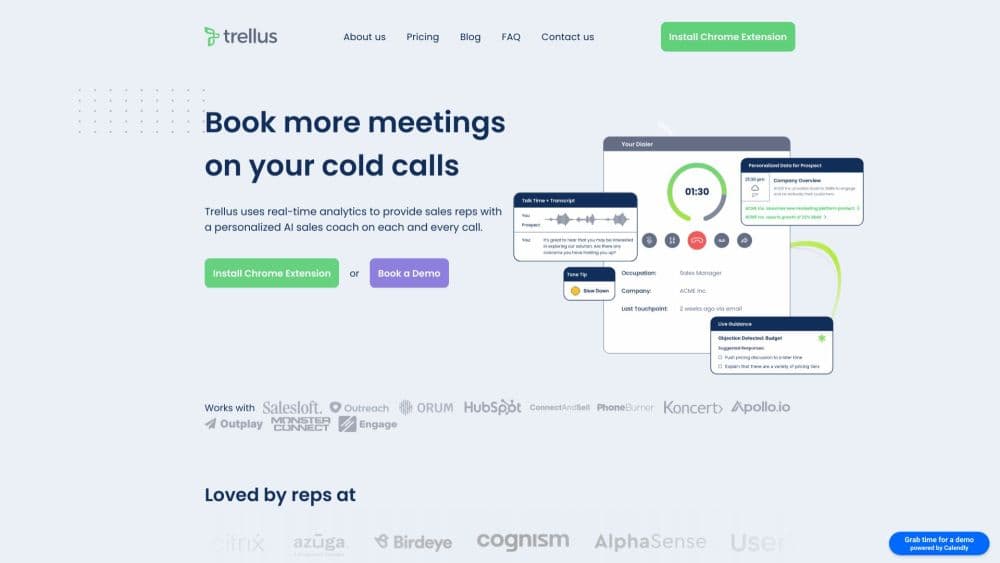
Trellus is a Chrome extension that adds power and parallel dialing, live AI coaching and sales call analytics to the CRM your team already runs.
About Trellus
What Is Trellus
Trellus is an AI sales dialer built for outbound teams. It installs as a Chrome extension and sits on top of the tools reps already open every morning, including Salesforce, HubSpot, Outreach, Salesloft, Apollo, Google Sheets and Clay. There is no separate dialer window to learn and no data migration. Your contact list stays where it is, and Trellus works through the calls from inside that tab.
The company started in 2022 in New York, founded by Craig Bonnoit and Ajinkya Nene, and went through Y Combinator. Most teams arrive for the parallel dialer and stay for the coaching. The product has moved from a real-time conversation coach for messaging into a full calling surface: dialing modes, number health, live objection handling, call review and a shared virtual salesfloor.
The limits are worth knowing before you buy. Trellus runs in a desktop Chrome browser, so there is no mobile dialing and no native app. Calling surfaces and available dialing modes differ by CRM, which means a feature you see in a demo may behave differently in your stack. Live coaching is built around English-language calls, and the cheapest seat costs $99.99 a month with no free tier.
Getting Started
- Install the Trellus Chrome extension from the Chrome Web Store, then sign in with your work account.
- Open your CRM or sales engagement platform and follow the setup guide for that specific platform. This step decides which calling surfaces and dialing modes you get.
- Check your audio before your first block. Plug in a headset, run the microphone test, and place one test call to confirm the setup.
- Add your phone numbers and review number health. Trellus flags spam listings and lets you rotate caller IDs.
- Start dialing from your contact list, then review recordings, transcripts and coaching notes after the block.
Product Information
A quick look at Trellus's pricing, supported platforms, and performance.
Best for
The users, tasks, and scenarios where this tool fits best.
Users
- Outbound SDRs and BDRs
- Sales managers running small teams
- Recruiters and real estate agents
Tasks
- Working through a cold list at volume
- Handling objections on the fly
- Onboarding new reps
- Auditing what happened on a call
Scenarios
- A daily two-hour call block
- A team huddle on a shared floor
- Testing a new script or opener
Key features
Power and Parallel Dialing
Power dialing works down your list one contact at a time, which suits teams that want a controlled pace and a clean record for every attempt. Parallel dialing places several outbound calls at once and drops you into the first live answer. Both modes run inside the CRM you already use, including Salesforce, HubSpot, Outreach, Salesloft, Apollo, Google Sheets and Clay.
Hot Numbers Pickup Ranking
Hot Numbers ranks eligible contacts by estimated pickup likelihood, so the top of your queue is the people most likely to answer. That ordering changes the shape of a call block: fewer dials land on voicemail, and reps spend more of the hour talking to humans. It is a prediction, not a guarantee, and it only applies to contacts the platform marks as eligible.
Live Coaching During the Call
Trellus listens to the conversation and surfaces suggested replies to questions and objections while the call is still running. That is real-time sales coaching in the literal sense: guidance lands during the conversation, not in a review two days later. Reps see prompts for talking points and pushback handling rather than a script to read out loud. Every call keeps a transcript afterward, so the guidance can be reviewed and compared with what actually worked.
Number Health and Caller ID Control
The Number Management screen shows whether your numbers have been flagged as spam and how each one is performing. Caller ID modes cover smart selection, local numbers and auto-rotation across your pool. Paid tiers add extra numbers: five on Power and eight on Power + Parallel, with spam remediation included. For outbound teams, a flagged number quietly kills connect rates, so this is one of the more practical parts of the product.
Virtual Salesfloor
The salesfloor puts the whole team in a shared calling room. You can see who is dialing, listen to live conversations, and send coaching to a rep while the call is in progress. It replaces the screen-share-and-hope routine that most managers use to monitor new hires, and it works without recording everything first.
Practice Bots and MCP Analytics
Practice bots let you build AI roleplay scenarios for openers, discovery questions and objections, then review feedback and run the same conversation again. Separately, Trellus exposes call data through MCP, so an AI assistant can answer questions like call counts, talk time and rep breakdowns and open the underlying transcript.
Pros and cons
Pros
- Runs inside the CRM reps already use, so adoption is mostly an extension install rather than a migration.
- Parallel dialing at $149.99 per seat sits below most enterprise dialers with similar capacity.
- Voicemail drop and phone screener handling remove a lot of dead time between conversations.
- Live coaching and practice bots cover both the call itself and the rehearsal before it.
- Number health tools address spam flagging, which is the usual reason connect rates quietly fall.
Cons
- No free plan. The entry tier is $99.99 a month per seat, and the interactive tour is a demo with sample data, not a usable free account.
- Desktop Chrome only. A Chrome extension for sales work is fine at a desk, but reps who want to dial from a phone or a native app are out of luck.
- Feature depth depends on your CRM. Calling modes and how results are saved differ from platform to platform.
- Team analytics, custom AI research and custom reporting sit behind Business pricing, which is quote-only.
Frequently asked questions
Trellus is an AI sales dialer that runs as a Chrome extension on top of your CRM. It handles power and parallel dialing, plays voicemail drops, suggests replies during live calls, and keeps recordings, transcripts and notes for review afterward.
Related content
Explore related tools, skills, and articles for Trellus.
Trellus Alternatives

HireKey
HireKey · Voice & Language · Productivity · LeaningHireKey is an AI job search copilot built by a former tech recruiter. It checks role fit, tailors resumes, runs interview practice and tracks every application.

Lune
Retrograde Labs · Productivity · LeaningLune is a research search engine for scientific AI agents. It runs as an MCP server that lets Claude, ChatGPT and Cursor search peer-reviewed computer science papers and cite them.
Coddy
Coddy · Coding · LeaningCoddy is a gamified platform to learn to code through short interactive lessons in 20+ languages, with a browser editor, an AI tutor and free certificates.