

Triggered Agents by Adaptive
Adaptive · Productivity
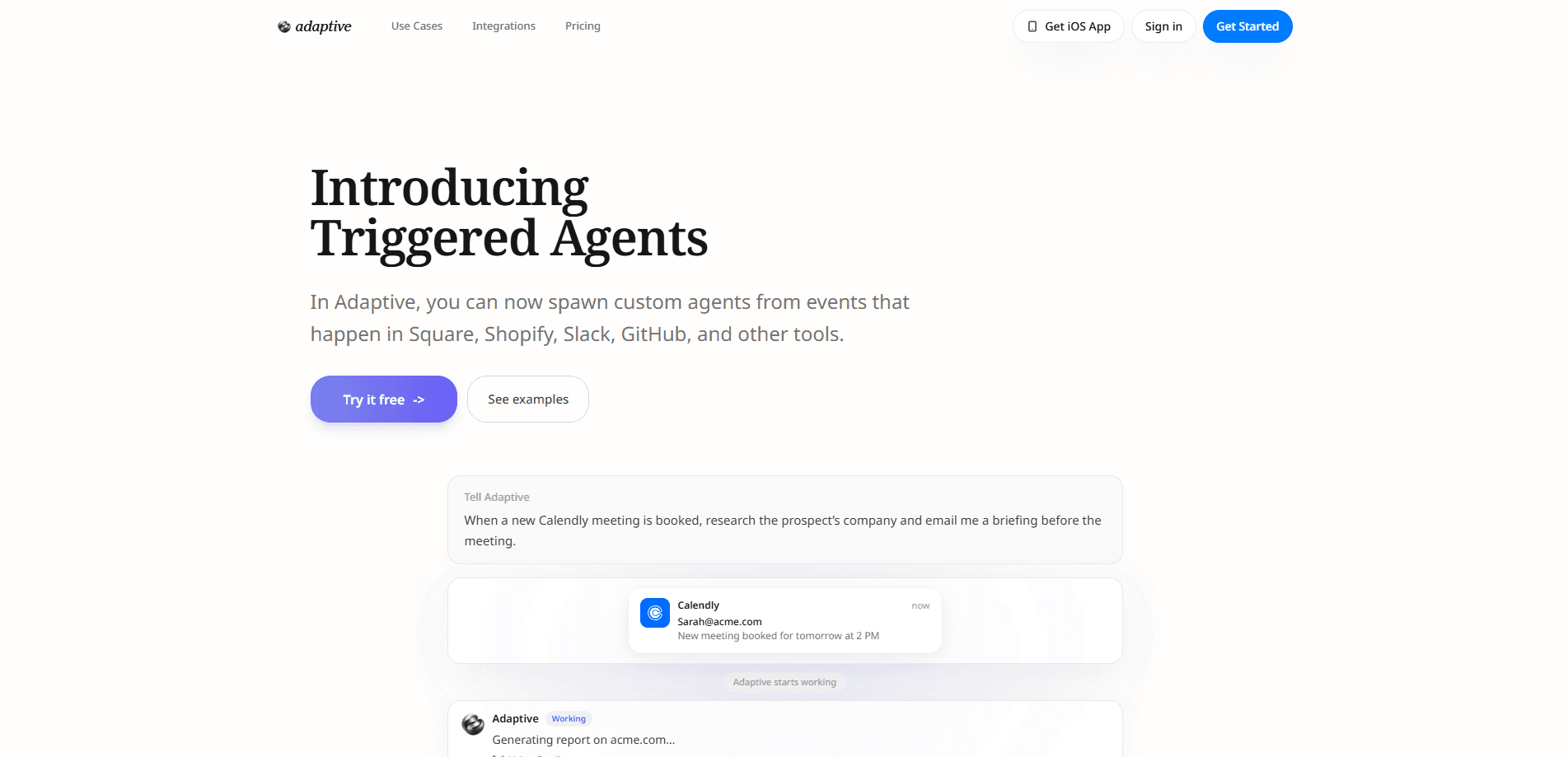
Triggered Agents by Adaptive is an event automation feature inside the Adaptive AI agent platform that spins up a custom agent the moment something happens in your other tools. Connect a trigger from Calendly, Stripe, Shopify, GitHub, Typeform, or any webhook, and Adaptive starts an agent with the event data plus your written instructions. That agent can research a company, draft an email, prepare a briefing, or update a spreadsheet using the apps you've already connected. Think of it as AI workflow automation that runs on its own. It's available on every Adaptive plan, including the free one.
About Triggered Agents by Adaptive
What Is Triggered Agents by Adaptive
Triggered Agents by Adaptive is a feature that turns outside events into AI work, without you sitting there to kick it off. It's what people mean by adaptive.ai triggered agents. You pick a source that emits events, write down what should happen when one fires, and Adaptive spawns an agent to handle it. The agent reads the incoming event data, follows your instructions, and can reach into any tool you've linked to Adaptive.
The point is closing the gap between "something happened" and "someone did something about it." A new Shopify order, a Stripe payment, a GitHub issue, a Calendly booking, or a form submission all become starting guns. Instead of a person noticing and reacting, the agent reacts and reports back. No more racing to catch up.
The main limitation is scope. This isn't a standalone product you buy on its own. It lives inside the broader Adaptive platform, so you need an Adaptive account and connected tools to use it. Its reach is also bound by whichever services you've wired up and by your plan's usage allowance. Heavier tasks burn more usage than a quick reply. That matters if you're running event-driven AI agents on a busy trigger.
Getting Started
- Create an Adaptive account and connect the tools you want agents to work with, such as Slack, Notion, or Google Sheets.
- Pick a trigger source that supports webhooks, including Calendly, Stripe, Shopify, GitHub, Typeform, or a custom webhook.
- Describe the outcome in plain language, for example: "When a new Shopify order comes in, check inventory and email the supplier if we need to restock."
- Let Adaptive fill any gaps, since it asks you for missing details like your supplier list if it doesn't already have them.
- Review the agent's output and adjust your instructions as you see what it does in practice.
Product Information
A quick look at Triggered Agents by Adaptive's pricing, supported platforms, and performance.
Best for
The users, tasks, and scenarios where this tool fits best.
Users
- Small business owners
- Operations staff
- Developers and technical founders
- Solo creators and freelancers
Tasks
- Reacting to incoming orders
- Drafting and sending follow-ups
- Researching before a call
- Updating records
Scenarios
- Handling after-hours events
- Managing repetitive back-office chores
- Supporting early-phase projects
Key features
Event Triggers From Your Existing Tools
Adaptive connects to Calendly, Stripe, Shopify, GitHub, Slack, Square, Typeform, Notion, Discord, Google Sheets, Plaid, and Figma, among others. When an event fires in any connected service, it kicks off an agent automatically. No manual step. You don't rebuild your stack. You point Adaptive at what you already run.
Works With Any Webhook
Beyond named integrations, Triggered Agents responds to any service that supports webhooks. That's the core of its AI agent triggers. It opens the door to tools Adaptive hasn't built a direct connection for yet. If a system can send a webhook, it can start an agent.
Custom Agent Instructions
You describe what should happen in plain language rather than configuring a rigid rule set. The agent interprets the event data and your intent together, which means automations survive small changes that would break a keyword-based rule. Less brittle, in practice.
Access to Your Connected Apps
The spawned agent can use any tool you've linked to Adaptive. It can research, draft, update, and notify across those apps in one run, so a single event can cascade through several steps without you stitching them together. Why does that matter? It means one trigger can replace a chain of manual chores.
Fills In Missing Details
If Adaptive already holds the information an agent needs, it uses it. If not, it asks you. That supplier-list example from the official walkthrough is the clearest case: the agent checks for the list, and requests it only when it's absent.
Runs on Every Plan
Triggered Agents isn't locked behind a premium tier. Free, Personal, and Pro accounts can all use it. Heavier and more frequent runs do consume more of your plan's usage allowance.
Pros and cons
Pros
- Reuses the tools you already pay for, so there's no migration before you see value.
- Plain-language instructions lower the setup bar compared with traditional automation builders.
- Any webhook counts, which future-proofs it against services without a native integration.
- Included on the free plan, so you can test real events before spending anything.
Cons
- Only works inside the Adaptive platform, so there's no standalone version if you just want triggers.
- Complex or high-frequency triggers burn usage quickly, and cost scales with how much work the agent does.
- No public API for trigger management, which limits control for teams that want to define automations in code.
Frequently asked questions
They're AI agents that Adaptive starts automatically when an event happens in a connected tool. You write the instructions, connect a trigger source, and the agent runs whenever that event fires.
Related content
Explore related tools, skills, and articles for Triggered Agents by Adaptive.
Triggered Agents by Adaptive Alternatives

Base Code
Base44 (Wix) · Coding · ProductivityBase Code is a shared cloud development environment from Base44. Teammates describe changes to an existing GitHub codebase in chat, preview them live and send them back as pull requests.

Knocket
Knocket (Tencent RTC team) · Productivity · Business · ChatbotKnocket is a free live chat and contact page tool that lets visitors message you from your website, app, or a shareable link, with every reply handled from Telegram or one inbox.

FloorGen
Vinit Kumar (FloorGen) · Productivity · China AIFloorGen is a browser-based floor plan maker that turns a sentence or a sketch into an editable 2D plan and a 3D walkthrough. Export to PDF, DXF or video, and draw without an account.