

Tripo 3D
Tripo · Image · China AI
Tripo 3D is an AI 3D model generator that turns text prompts or a single image into textured, game-ready 3D models in seconds, then handles retopology, rigging, and export.
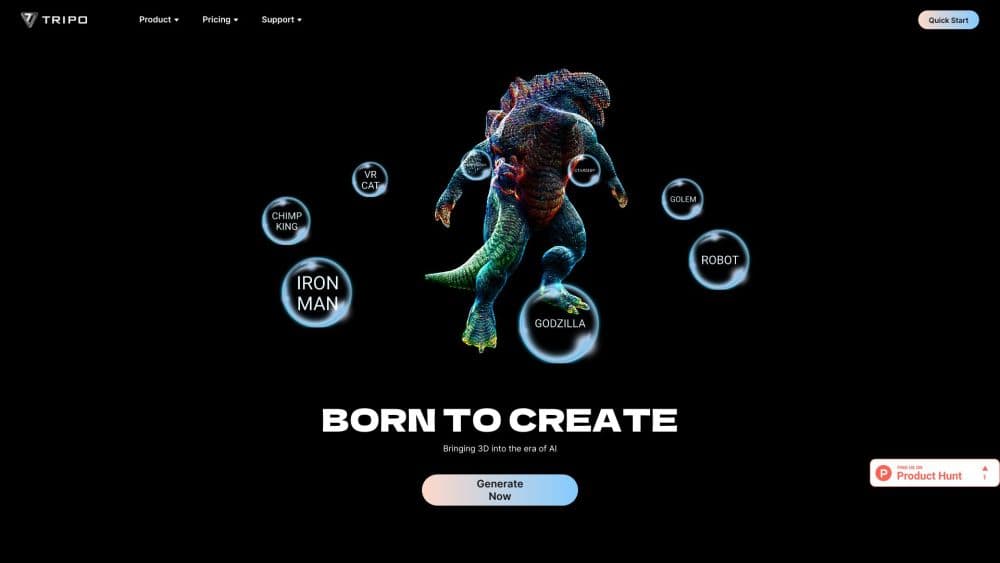
About Tripo 3D
What Is Tripo 3D
Tripo 3D is a web-based AI 3D model generator from Tripo, a company that has been building generative 3D tools since 2023. You describe an object in words or drop in a photo, and the platform returns a textured 3D model you can open in Blender, Unity, or a printer slicer. Tripo says its community has created more than 200 million models, and the tool has become a common first stop for indies who need assets fast.
The problem it targets is familiar to anyone who has opened Blender. Modeling even a simple prop takes hours, and most teams need dozens of assets, not one. Tripo compresses that first pass into seconds, so you spend your time refining a few models that matter instead of blocking out everything by hand.
The catch is that speed alone rarely ships an asset. AI output can come back dense, uneven, or hard to rig. Tripo's answer is a full pipeline: high-detail meshes for renders, a Smart Mesh mode that generates clean quad topology from 500 to 25K polygons, automatic texturing up to 8K, segmentation to split a model into parts, and one-click rigging for characters. You still review the result before it goes into a real project.
Getting Started
- Sign in to Tripo 3D with an email or a Google account; the free tier gives you 200 monthly credits to test with.
- Pick text to 3D or image to 3D, then type a description or upload a clear photo, sketch, or concept image.
- Choose High Detail Model for renders or Smart Mesh for engine-ready geometry, and generate.
- Refine the result with retopology, AI texturing, smart segmentation, or auto rigging as needed.
- Export as GLB, FBX, OBJ, USD, STL, or 3MF, then import it into your engine or slicer.
Product Information
A quick look at Tripo 3D's pricing, supported platforms, and performance.
Best for
The users, tasks, and scenarios where this tool fits best.
Users
- Indie game developers
- 3D printing hobbyists
- Product and e-commerce teams
- Blender and Unity artists
Tasks
- Text to 3D generation
- Image to 3D conversion
- Retopology
- Auto rigging
- 3D printing prep
Scenarios
- Blocking out a game level
- Building an AR or VR scene
- Prototyping character ideas early
- Preparing product visuals for a store
Key features
Text to 3D generation
You write a description such as a stylized wooden crate with metal corners, and Tripo 3D generates the shape and surface detail from it. The company reports generation in about two seconds on newer models, which makes it practical to try several prompt variations before you pick one to refine.
Image to 3D conversion
Upload one photo, sketch, or concept image and the platform rebuilds the object in 3D. Making a 3D model from a photo is the fastest route when you already have a reference on hand, and it keeps proportions tied to the image you started with.
High Detail and Smart Mesh modes
Tripo splits output into two tracks. High Detail Model pushes up to 2 million polygons for rendering, VFX, and sculpt-first pipelines, while Smart Mesh returns clean quad topology from 500 to 25K polygons built for games and VR. Choosing the right one up front saves a retopology pass later.
AI texturing up to 8K
The platform applies full PBR textures, with albedo, normal, metallic, and roughness maps, up to 8K resolution. Realistic rendering and stylized hand-painted looks are both covered, so a model holds up under game lighting instead of showing flat fill color.
Smart segmentation and editing
Smart Segmentation breaks a finished model into clean, named parts in under a minute. That means you can move, retexture, or retopologize a single piece, like swapping a character's outfit, without touching the rest of the mesh.
Auto rigging and animation
For characters and creatures, Tripo runs a rig check, then applies a production-ready skeleton so the model can move and animate. Animation retargeting lets you reuse motion data across rigged models, which cuts the manual weight painting that normally blocks small teams.
Tripo API
A REST API on the v3 endpoint exposes the same text-to-3D, image-to-3D, texturing, segmentation, and rigging jobs programmatically, using async tasks and webhooks. Studios can wire 3D generation into their own tools and batch assets instead of clicking through the browser.
Pros and cons
Pros
- Fast generation, with Tripo quoting around two seconds per model on its newer versions.
- Both a high-detail track for renders and a clean quad-mesh track for games, so one tool covers two workflows.
- Texturing, segmentation, and rigging live in the same place, which removes several hand-offs.
- Generous free tier at 200 monthly credits, and the Pro plan at $20/mo is affordable for solo creators.
- A REST API and DCC plugins for Blender, Unity, Unreal, and 3ds Max fit existing pipelines.
Cons
- Free tier caps you at 1 concurrent task, 15 exports, and non-commercial use, so it's really a test bed.
- Hero characters and finely detailed faces often still need a human cleanup pass.
- Credits run out faster on high-detail and 8K texture jobs, which adds up for heavy batch work.
- Private models and commercial rights sit behind the paid plans, so free output isn't cleared for client work.
Frequently asked questions
No. You type a prompt or upload an image and the platform handles the geometry. Basic 3D knowledge helps you judge the result, but you don't need to model from scratch.
Related content
Explore related tools, skills, and articles for Tripo 3D.
Tripo 3D Alternatives

Google EmbeddingGemma 2
Google DeepMind · Writing · Image · CodingGoogle EmbeddingGemma 2 is a 740M-parameter open model that turns text, code, images, audio, and video frames into vectors in one 768-dimension space, running on phones and laptops.

Tractionwave
TractionWave · Image · MarketingTractionWave is an AI attention heatmap tool for static ads. Upload a PNG or JPG and it returns predicted attention, ranked hotspots, and fixes before you spend budget.

Imejis.io
Imejis.io · Image · MarketingImejis.io is an AI design studio for agents and marketing teams. Describe an image in plain words, and it writes the copy, builds the layout, reflows it to every size, then exports a finished file.