

True Moments
TrueMoments · Image · Video
TrueMoments is an AI photo animation tool that turns a single still image into a short moving video in under a minute. You upload a portrait, pick one of three motion styles, and download it as a clip you can share or sell. It's built for people who want a living photo from an old family picture, a headshot, or a group shot, without learning any video software.
About True Moments
What Is TrueMoments
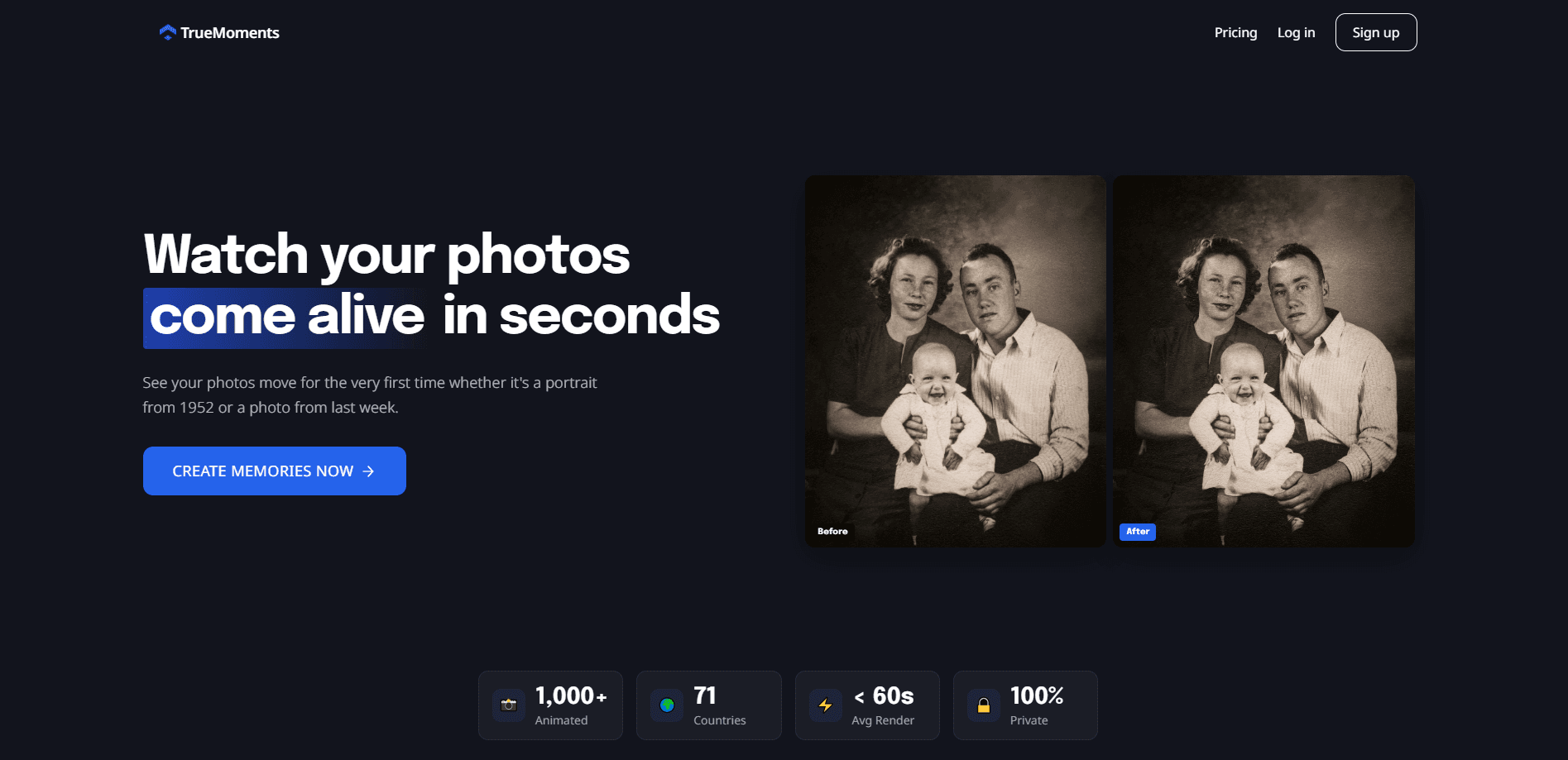
TrueMoments is a web app that animates photos with AI. It focuses on one job: taking a flat image and giving the faces in it natural, subtle movement. The company says it has animated more than 1,000 pictures from users in 71 countries, and it leans on that narrow focus instead of trying to be a full video editor. If you've ever wanted to bring photos to life from a shoebox of old prints, this is the kind of tool built for that.
The draw is the speed and the simplicity. There's no timeline, no keyframes, no export settings to fight with. You hand over a photo and get back a clip, usually in 30 to 60 seconds. That matters if you've ever opened a video editor just to add a tiny bit of motion to a portrait and given up halfway.
The privacy stance is part of the pitch. Uploads are encrypted in transit and at rest, TrueMoments says it never uses your photos to train its AI models, and you can permanently delete everything from your dashboard. Why does that matter so much here? Because the photos people animate tend to be the personal ones, and older or sensitive family images stay yours.
The main limit is scope. This isn't a place to cut a multi-clip story or sync audio, and each animation costs a credit. If you want a basic photo to video tool rather than a full editing suite, that's a feature, not a flaw.
Getting Started
- Create an account on truemoments.io and open the dashboard.
- Drag and drop a photo, or import one from your device. JPEG or PNG, up to 10MB, and at least 512x512 pixels.
- Pick a style: Solo Portrait for one person, Together for two or more, or Cherished Moment for a warm all-purpose look.
- Wait 30 to 60 seconds for the AI photo animation to render.
- Preview the clip, then download and share it. Failed renders are refunded automatically.
Product Information
A quick look at True Moments's pricing, supported platforms, and performance.
Best for
The users, tasks, and scenarios where this tool fits best.
Users
- Families with old prints
- Social media creators
- People who don't edit video
Tasks
- Animating a single portrait
- Bringing a group shot to life
- Making a keepsake gift
Scenarios
- A milestone birthday
- Wedding or anniversary posts
- Client work that needs a quick visual
Key features
Three Motion Styles for Different Photos
TrueMoments gives you three ways to move a picture rather than a pile of sliders. Solo Portrait concentrates on one person, bringing out the smile, expression, and gentle head movement. Together is made for two or more faces and aims for natural interaction between them. Cherished Moment is the general-purpose option for any shot where you just want warmth. Picking the right one is most of the work.
Fast Rendering Under a Minute
Most animations finish in 30 to 60 seconds, which is quick enough to try a few photos back to back without losing your train of thought. Photos with many faces can take a little longer, since there's more for the model to move and each face adds its own motion to generate. The trade-off is that you can't fine-tune speed or push a whole batch of photos through at once.
Privacy-First Uploads
Uploads are encrypted in transit and at rest, and TrueMoments states that it doesn't use your photos to train its AI. You can wipe everything from your dashboard at any time. That's the reason a lot of people pick it for old family pictures, where handing the image to a random server feels wrong.
Commercial License on Paid Animations
Every paid animation comes with a full commercial license. If you're animating a portrait for a client, a shop, or a channel, you're covered without a separate agreement. Free trial renders don't carry the same rights, so check before you publish anything for money.
Automatic Credit Refunds on Failures
If a render fails, the credit goes back to your account on its own. You're not charged for an animation that never arrived, which removes some of the risk of experimenting with tricky photos. It's a small thing, but a fair one.
Credit-Based Pricing With a Yearly Discount
One credit equals one AI photo animation. Credits start at $9 for a five-pack, or you can subscribe at $9 per month, with yearly plans saving 20%. That structure suits occasional users who buy a pack now and then as much as regulars who animate often.
Pros and cons
Pros
- Fast turnaround: most clips are ready in 30 to 60 seconds, so you can test several photos without a long wait.
- Simple workflow: three styles and a handful of steps means no editing skills are needed.
- Clear privacy promise: encrypted uploads and no AI training on your images, with permanent deletion available.
- Commercial rights included: paid animations come with a full license for business use.
- Failed renders refunded: you don't lose a credit when the AI can't finish a photo.
Cons
- No free plan: there's no ongoing free tier, so you pay per credit or by subscription.
- Narrow scope: it animates single photos, not multi-clip stories, and offers no audio tools.
- Best results need good input: blurry or heavily compressed images, or photos below 512x512 pixels, will look worse.
Frequently asked questions
It turns a single still photo into a short animated video using AI. You upload a picture, choose one of three motion styles, and download the result. It works on portraits, couples, and family shots.
Related content
Explore related tools, skills, and articles for True Moments.
True Moments Alternatives

Google EmbeddingGemma 2
Google DeepMind · Writing · Image · CodingGoogle EmbeddingGemma 2 is a 740M-parameter open model that turns text, code, images, audio, and video frames into vectors in one 768-dimension space, running on phones and laptops.

Tractionwave
TractionWave · Image · MarketingTractionWave is an AI attention heatmap tool for static ads. Upload a PNG or JPG and it returns predicted attention, ranked hotspots, and fixes before you spend budget.

Imejis.io
Imejis.io · Image · MarketingImejis.io is an AI design studio for agents and marketing teams. Describe an image in plain words, and it writes the copy, builds the layout, reflows it to every size, then exports a finished file.