

TrustDoc
TrustDoc · Productivity
TrustDoc is an AI document evaluation platform that checks uploaded files against templates, scores them, and flags gaps for teams that verify records at scale.
About TrustDoc
What Is TrustDoc
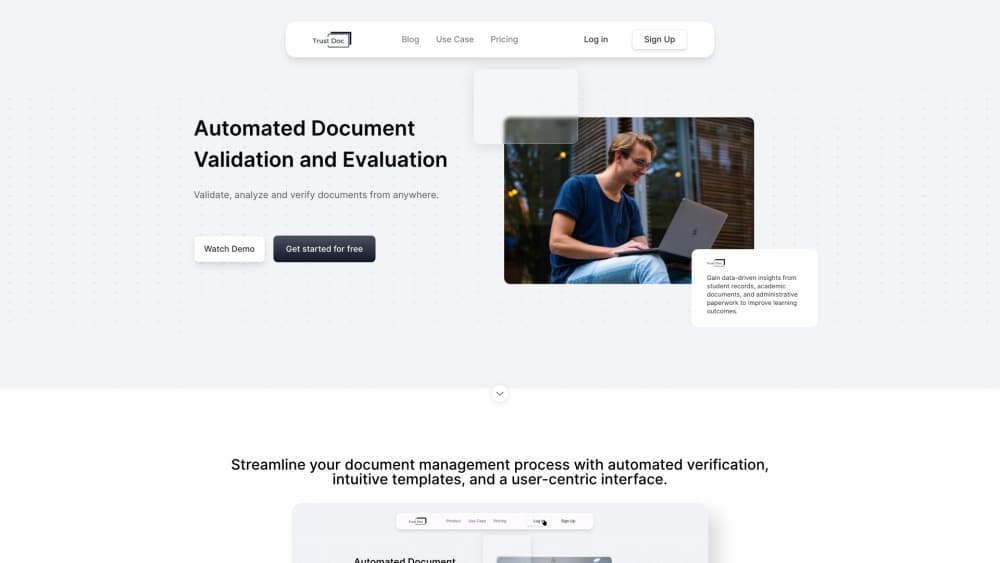
TrustDoc is a browser based document management platform for teams that receive documents in volume and have to decide whether each one is complete, consistent, and close enough to a required format. You upload a file, choose the template it should match, and the system runs an AI document analysis pass that compares structure, fields, and wording before returning a score with a written justification.
Most of the work it replaces is manual cross checking. A registrar comparing transcripts, an HR team reading contracts, or a compliance officer matching permits against a checklist all do the same thing: open two documents, hunt for differences, and write down what they found. TrustDoc turns that into a queue of scored files, with project folders and a report for each analysis.
Two limits matter. Results depend on the template you supply, so a vague marking scheme produces vague scores. The platform also runs in a browser, which means large scans and offline review sit outside the workflow.
Getting Started
- Create an account at trustdoc.us with your email address and confirm the verification code.
- Upload the template or marking scheme your documents should follow.
- Create a project folder and add the files you need reviewed.
- Run the analysis, then read the score, the justification, and the mismatch list before you share the report.
Product Information
A quick look at TrustDoc's pricing, supported platforms, and performance.
Best for
The users, tasks, and scenarios where this tool fits best.
Users
- Admissions and registrar teams
- HR and people operations
- Compliance and audit staff
Tasks
- Template comparison
- Marking sheet analysis
- Folder sharing with reviewers
- Document summarization
Scenarios
- Credential checks during admission season
- Contract review before signature
- Permit and license review at a public agency
Key features
AI Document Analysis on Upload
Files are read as soon as they land in a folder. The system extracts text, identifies the sections it recognizes, and produces a summary with the points that look irregular. You can then open the analysis history for that file and compare runs.
Template Comparison With Mismatch Flags
This is the core of the AI document verification workflow. You supply a master template, and each submission is checked against it for missing fields, altered clauses, and layout differences. Mismatches come back as a list instead of a single pass or fail mark, so a reviewer knows where to look.
AI Scoring With Written Justification
Each document receives a score and a short explanation tied to the criteria in your marking sheet. The justification matters more than the number, because it shows whether the system read the document the way your team would. Scores are not a legal opinion and should not be treated as proof of authenticity.
Folder Sharing With Access Controls
Projects are organized as folders that you can share with a group, a team, or an individual reviewer. Higher plans let an owner remove users and set how many people can work inside one project. Shared reviewers see the documents and reports you expose, not the rest of your workspace.
Reusable Templates and Saved Configurations
A template can be saved once and reused for every later batch. The same applies to scoring settings, so a monthly contract check starts from the same criteria instead of a blank page. This is the feature that decides whether the tool saves time after the first week.
Reports and Analysis History
Every analysis leaves a report with the score, justification, and flagged issues. Recent uploads, overdue items, and shared folders each have their own view, which helps a supervisor spot work that has stalled. Reports can be opened later, so a decision made in March can still be explained in June.
Pros and cons
Pros
- The free Basic plan includes core AI checks, so a small team can test real files before paying.
- Every score ships with a written justification, which makes review decisions easier to defend later.
- Template comparison catches missing fields and altered wording that manual reading often skips.
- Folder sharing keeps external reviewers inside one workspace instead of scattered email threads.
- Saved configurations cut repeat setup for recurring batches, such as monthly contract checks.
Cons
- Score quality follows the template, so loose criteria produce results you cannot rely on.
- Standard and Premium pricing only appears after you sign in, which slows budget approval.
- There is no public API documentation, so teams that want automation have to ask sales first.
- It runs in a browser only, which is awkward for reviewers who work offline or mainly on a phone.
Frequently asked questions
It reads uploaded documents, compares them with a template you provide, and returns a score with a written justification. Teams use it for document evaluation in admissions, HR, procurement, and compliance work.
Related content
Explore related tools, skills, and articles for TrustDoc.
TrustDoc Alternatives

Base Code
Base44 (Wix) · Coding · ProductivityBase Code is a shared cloud development environment from Base44. Teammates describe changes to an existing GitHub codebase in chat, preview them live and send them back as pull requests.

Knocket
Knocket (Tencent RTC team) · Productivity · Business · ChatbotKnocket is a free live chat and contact page tool that lets visitors message you from your website, app, or a shareable link, with every reply handled from Telegram or one inbox.

FloorGen
Vinit Kumar (FloorGen) · Productivity · China AIFloorGen is a browser-based floor plan maker that turns a sentence or a sketch into an editable 2D plan and a 3D walkthrough. Export to PDF, DXF or video, and draw without an account.