
tryvium
Sensiple Inc · Productivity · Marketing
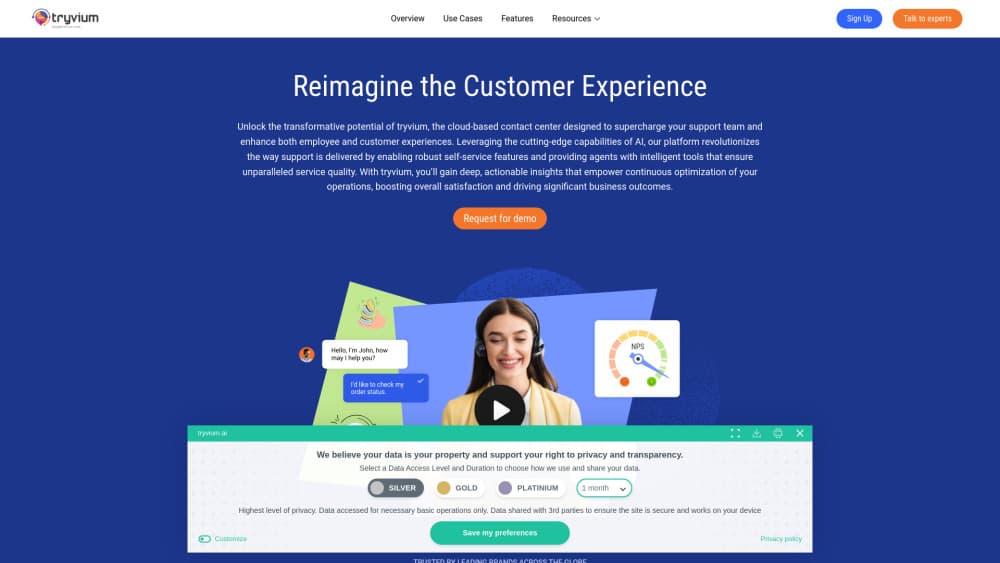
Tryvium is an AI-led experience orchestration platform from Sensiple that coordinates AI agents, human experts, and enterprise workflows across customer service and employee helpdesk operations.
About tryvium
What Is Tryvium
Tryvium is an enterprise AI platform built for service operations where AI agents do most of the work and people keep control of the decisions that matter. It sits above the tools a company already runs, including CRM, ERP, ITSM, HR, and collaboration software, and moves work between agents, staff, and business systems in one flow.
The product comes from Sensiple Inc, a technology services company based in New Jersey. Tryvium launched in 2024 and is sold as a platform, not a standalone chatbot. Three cloud builds are available: Amazon Connect on AWS, Microsoft Teams and Azure, and Google Cloud.
Its main limit is fit. Tryvium targets mid-market and enterprise service organizations with high interaction volumes and existing enterprise systems. A small team that just wants a chat widget will find the setup work larger than the payoff.
Getting Started
- Request a free trial or a demo on the Tryvium site, and choose the cloud you run on.
- Connect the systems your agents need, such as CRM, ITSM, knowledge base, and identity provider.
- Map two or three service flows, for example order status or password reset, and mark the steps that need human approval.
- Test with one channel or queue, then read through transcripts and escalation logs.
- Add channels and use cases once resolution rates and handoffs look right.
Product Information
A quick look at tryvium's pricing, supported platforms, and performance.
Best for
The users, tasks, and scenarios where this tool fits best.
Users
- Customer service leaders at mid-market and large companies
- IT and HR shared service teams
- Contact center operations managers
- Integration engineers
Tasks
- Resolving routine customer requests end to end
- Employee helpdesk tickets
- Voice and chat support with context
- Handoffs that need approval
Scenarios
- Replacing a bot that only escalates
- Running service on one cloud
- Seasonal peaks
- Regulated service work
Key features
AI Agent Orchestration
The platform runs multiple agents on one interaction and decides which one acts next based on intent and available data. Agents can call enterprise workflows, check a system of record, and return a result without a person retyping anything. That differs from a chatbot that only answers questions and then opens a ticket.
Human in the Loop Governance
Every automated step can require approval, and the platform records who approved what. Managers set policies by task type, value, or customer segment. The practical effect is that AI handles volume while people keep authority over refunds, exceptions, and regulated decisions.
Omnichannel Customer Service
Voice, chat, email, SMS, messaging apps, social channels, and web forms share one interaction record. Context follows the customer between channels, so an agent that starts a return in chat can finish it by email. For contact center AI projects, this is usually the difference between a demo and a working deployment.
Enterprise Integrations
Connectors cover CRM, ERP, ITSM, HR, identity, and collaboration tools, with APIs for custom systems. The platform orchestrates records and actions across these applications instead of copying data into a new silo. Legacy systems with limited APIs take the most effort.
Speech and Sentiment Analytics
Calls are transcribed and scored for sentiment, intent, and behavioral signals as they happen. Supervisors see which conversations are going badly and can intervene, and the same data feeds back into agent tuning. Teams get a record of why a case escalated, not only that it did.
Cloud Deployment Choice
Tryvium ships as a build for Amazon Connect, one for Microsoft Teams and Azure, and one for Google Cloud. Each uses the native services of that cloud, which keeps identity, storage, and networking inside the environment a company already governs. Moving between clouds is not a one-click step.
Pros and cons
Pros
- Agents can complete tasks across connected systems, so fewer cases end in a callback.
- Human approval rules are built into the flow, which suits finance, healthcare, and other regulated work.
- Context carries across voice, chat, email, and messaging, cutting repeat explanations.
- Three cloud builds and partner certifications reduce vendor lock-in concerns for enterprise buyers.
Cons
- No public pricing. You need a sales conversation before you can compare cost against alternatives.
- Setup depends on clean integrations, and older systems with limited APIs can stretch a rollout by months.
- The product is built for enterprise scale, so small teams get little value from the orchestration layer.
- Documentation outside the vendor site is thin, which makes independent evaluation harder.
Frequently asked questions
It coordinates AI agents, human staff, and enterprise systems to finish service requests. Instead of answering a question and escalating, an agent can check an order, apply a policy, and close the case, with a person approving steps that carry risk.
Related content
Explore related tools, skills, and articles for tryvium.
tryvium Alternatives

Udon
Udon · Coding · ProductivityUdon turns an Apple Silicon Mac into a home server you run from a browser, with container controls, file shares, and an optional AI sysadmin.

offstage
offstage cloud · Coding · Productivityoffstage gives AI coding agents and CI jobs a real Mac: a fresh macOS account on Apple silicon, driven over an API and billed by the second.

BotBus
Chengdu Tuyang Tusen Technology Co., Ltd. · Coding · ProductivityBotBus lets you control AI coding agents from your phone and watch: approve commands, start tasks and read results while the code stays on your desktop.